Paper Exit
M047 4-39 SM
Replacement
and
Adjustment
4.9.3 PAPER EXIT UNIT
1. Upper cover ( p.4-6)
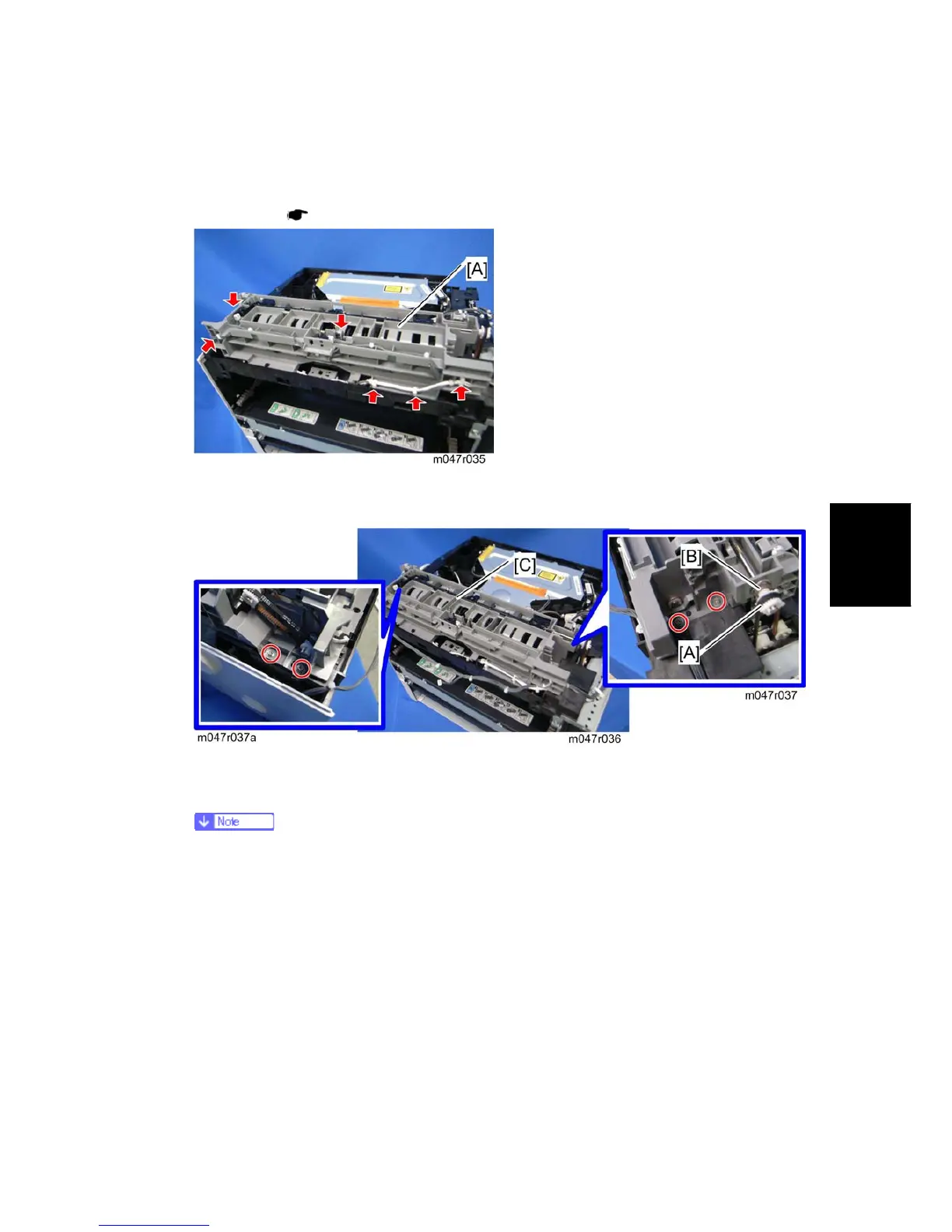
2. Disconnect two connectors and release four clamps.
3. Take aside the harnesses on the paper exit unit [A].
4. Remove four screws on the paper exit unit.
5. Remove the gear [A] (hook) and bushing [B].
This gear is engaged with other drive gears through the timing belt. Check if
the timing belt is correctly installed after installing the paper exit unit.
6. Paper exit unit [C]


 To Next Page