Electrical Components
M047 4-41 SM
Replacement
and
Adjustment
4.10 ELECTRICAL COMPONENTS
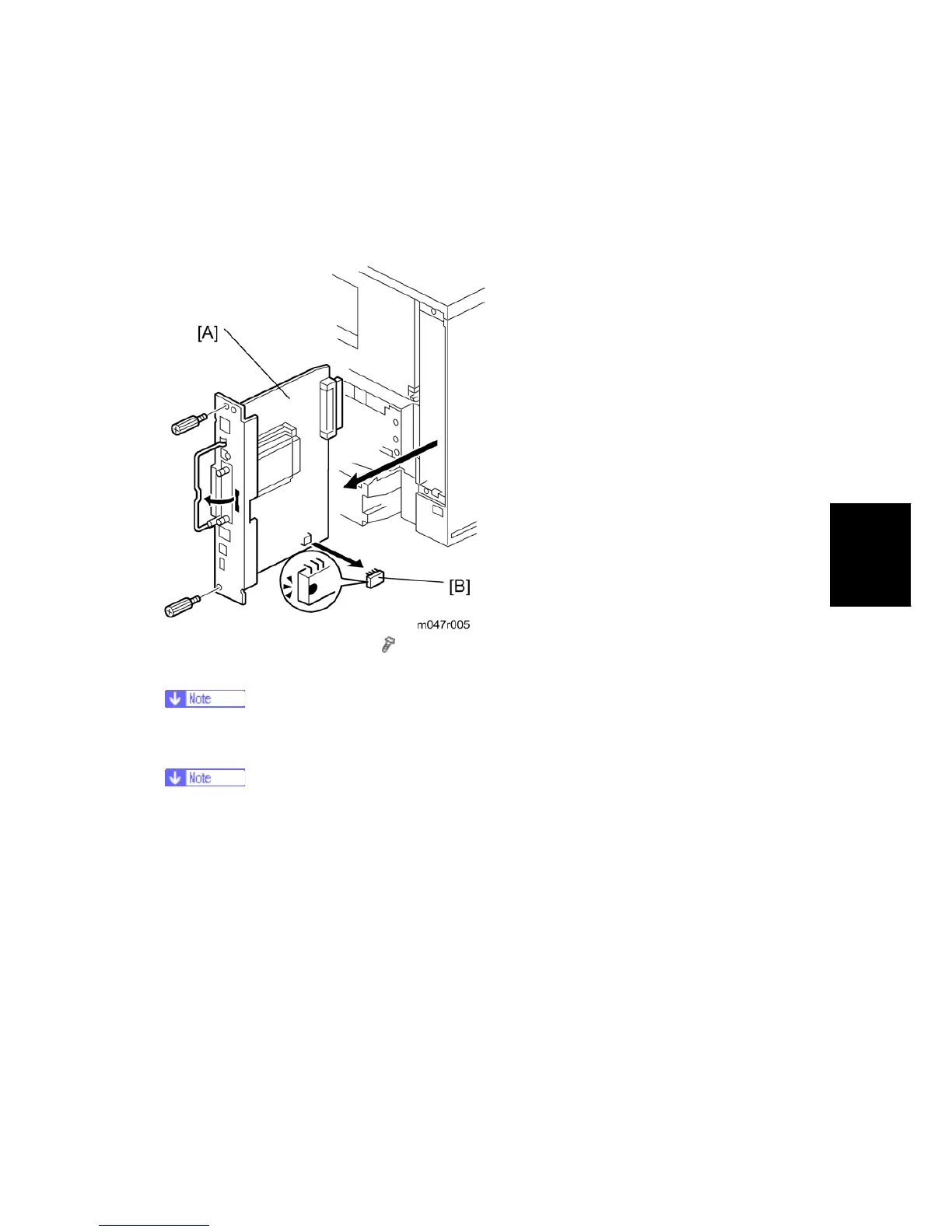
4.10.1 PRINTER CONTROLLER BOARD
1. Printer controller board [A] (
x 2)
2. NVRAM [B]
Remove the NVRAM from the old printer controller board and insert it on the new
board.
Remove the Duplex Unit before you remove the controller board.
The screws on the printer controller board are hand screws. Gently turn these
screws when removing the printer control board.
Pull on the handle to remove the printer controller board from the machine.


 To Next Page