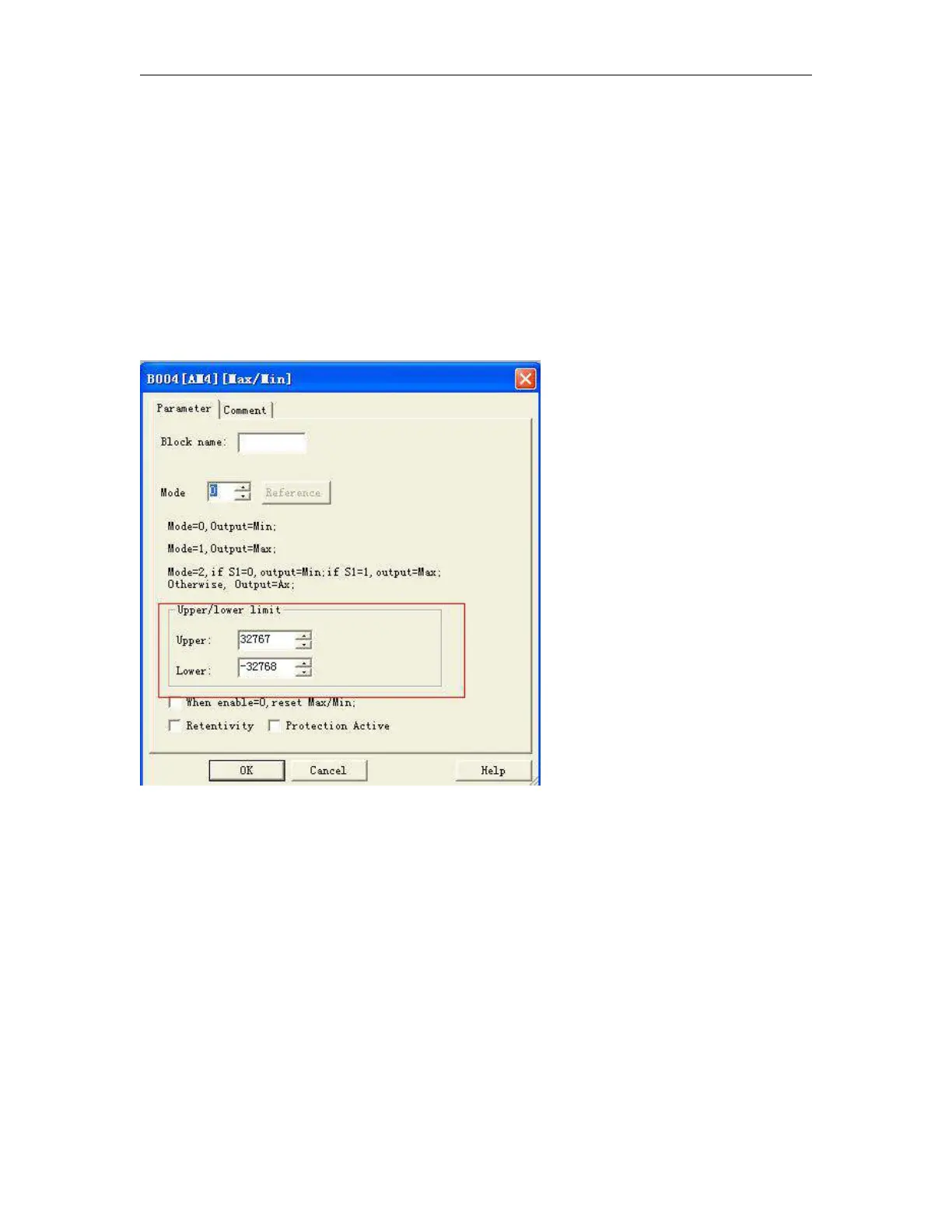
If you do not select the check box "when En = 0, reset Max/Min":
En = 0: The function holds the value of AQ at the current value.
En = 1: The function outputs a value at AQ, depending on the settings of Mode and S1.
Mode = 0: The function sets AQ to the minimum value
Mode = 1: The function sets AQ to the maximum value
Mode = 2 and S1 = 0: The function sets AQ to the minimum value
Mode = 2 and S1 = 1: The function sets AQ to the maximum value
Mode = 3 or a block value is referenced: The function outputs actual analog input value.
Max/Min block upper/lower function
In the dialog box of Max/Min block, there is a upper/lower limit setting, when the block output the AQ value
is less than the lower value, the AQ shall be equal to the Lower value; While the block output the AQ value is
more than the upper value, the AQ shall be equal to the upper value.
If someone wants to use the upper/lower limitation for other function blocks. such upper/lower limit
function can be used, then this block can be referenced as other blocks parameters when programming.
Here is an example:
Someone wants to use the panel key to change the on-delay parameters for 1s—10s in the text message
block, if the value which user set exceeds such range, then it will crush the machine, hence we must add the
upper/lower limitation in the program to avoid such trouble.



 To Next Page