Application Examples
R&S
®
GP-E/GP-S
161User Manual v16.2.1 ─ 01
5. If the connection should be shown on the desktop, choose a color for its represen-
tation.
6. Specify a unique "Name" for the connection. The name must consist of three to ten
lowercase alphanumeric characters.
7. Decide whether the connection should be established on Layer 2.
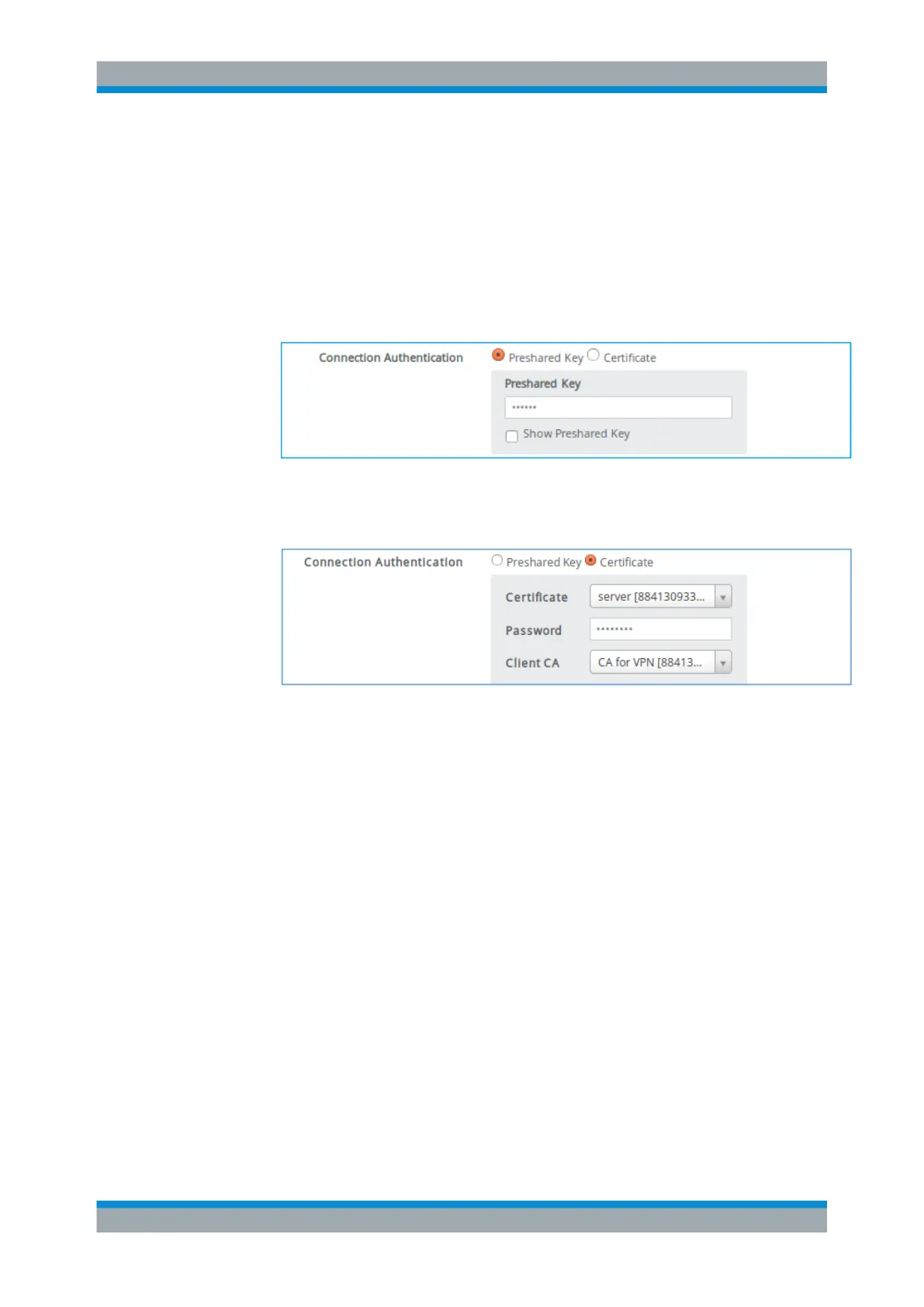
8. Select an authentication method under "Connection Authentication" .
● If you select "Preshared Key" , enter the password to use for the connection.
Figure 4-24: Sample connection authentication with Preshared Key .
● If you select "Certificate" , select the host certificate and signing CA. Enter the
password, if required.
Figure 4-25: Sample connection authentication with Certificate .
9. The "User Authentication" method
Internal is selected by default, but you may
select the authentication method configured in the previous topic.
If you selected the "Use L2TP" checkbox in step 7, you can choose between
Internal and LDAP as the user authentication method.
(See Chapter 4.12.1.2, "Setting Up Authentication", on page 175.)
10. Select an IPsec "Profile" as configured under "VPN > IPsec > Profiles".
If you selected the "Use L2TP" checkbox in step 7, the l2tp (IKEv1) profile is
selected by default.
"Local Configuration"
VPN Setup Examples



 To Next Page