Application Examples
R&S
®
GP-E/GP-S
162User Manual v16.2.1 ─ 01
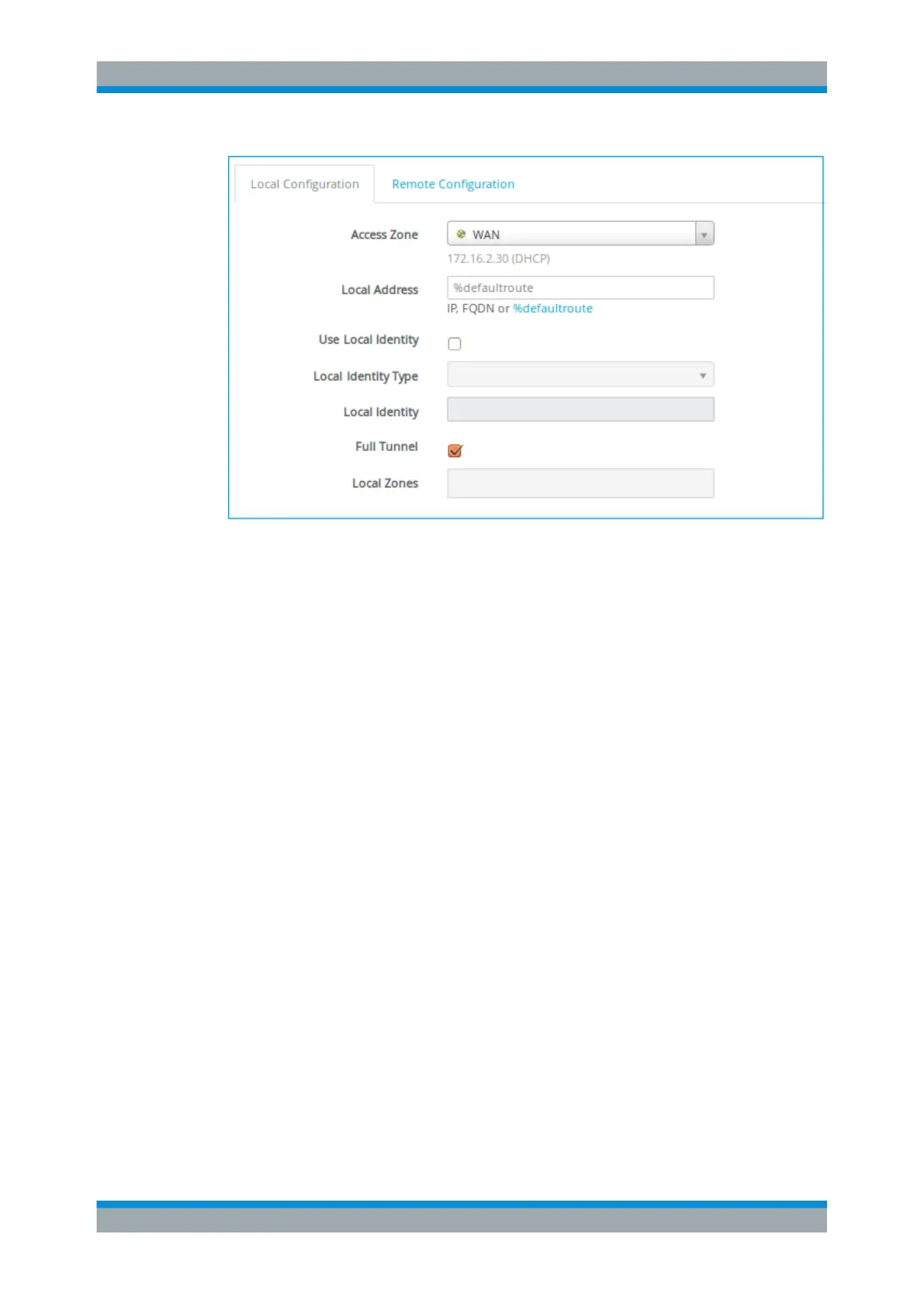
Figure 4-26: Sample Local Configuration settings.
1. Under "Access Zone" , select the zone in which the tunnel should end and encryp-
ted data being sent through the VPN tunnel arrive.
2. Under "Local Address" , specify the IP address or domain name at which gatepro-
tect Firewall will respond to VPN connection requests.
3. Enable "Use Local Identity" if you set up more than one IPsec connection for the
same access zone. If enabled,
a) select a "Local Identity Type" and
b) enter a "Local Identity" depending on the type you have selected in the previ-
ous step.
4. To push all packets from connected clients into the encrypted tunnel, select the
"Full Tunnel" checkbox.
If you selected the "Use L2TP" checkbox in step 7, the "Full Tunnel" checkbox is
selected by default.
5. Under "Local Zones" , select the zones that should be accessible to remote VPN
clients.
"Remote Configuration"
VPN Setup Examples



 To Next Page