Application Examples
R&S
®
GP-E/GP-S
170User Manual v16.2.1 ─ 01
n) Click "OK" .
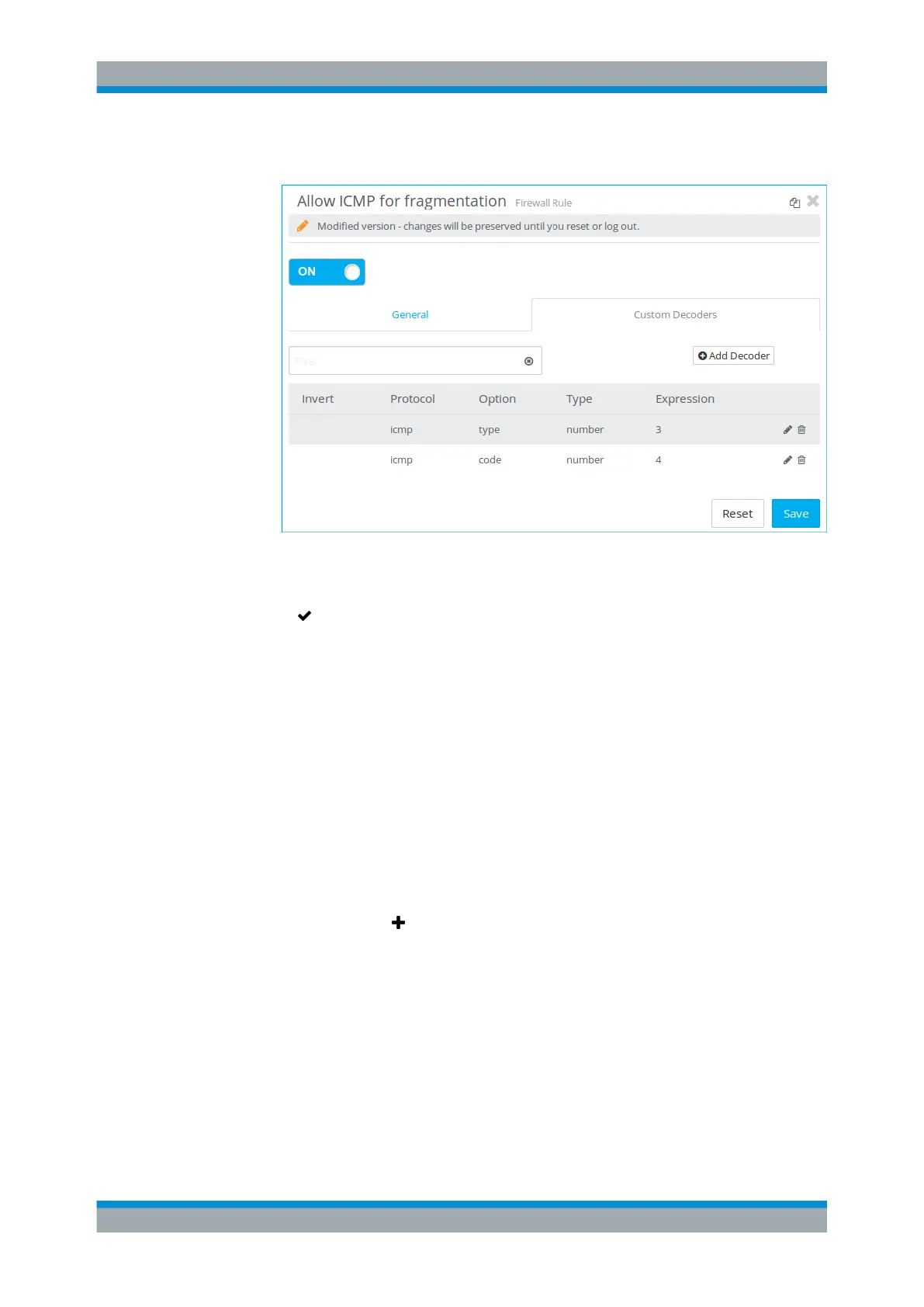
Figure 4-34: Sample decoder rules allowing ICMP.
o) Click "Create" to create the firewall rule.
7.
Click " Activate" in the toolbar at the top of the desktop to apply your configura-
tion changes.
Setting Up an Android Client Using a Pre-Shared Key
Mobile devices running Google Android
TM
can be configured to communicate securely
with gateprotect Firewall via a VPN connection. The connection is authenticated using
a pre-shared key.
Follow the steps below to set up a VPN connection to gateprotect Firewall on Android
4.3.
1. Make sure that you have an active network connection (Wi-Fi or cellular data net-
work).
2. Go to "Settings > Wireless & Networks > More > VPN".
3.
Tap the plus button
to create a new connection, and enter the following informa-
tion (see Figure 4-35):
a) Enter a "Name" for the new VPN connection.
b) Under "Type" , select IPSec XAuth PSK.
c) Under "Server address" , enter the gateprotect Firewall WAN IP address or a
fully qualified domain name.
d) Leave the "IPsec identifier" empty.
e) Under "IPsec pre-shared key" , enter the pre-shared key defined in the gate-
protect Firewall VPN connection.
VPN Setup Examples


 To Next Page
 Loading...