Application Examples
R&S
®
GP-E/GP-S
184User Manual v16.2.1 ─ 01
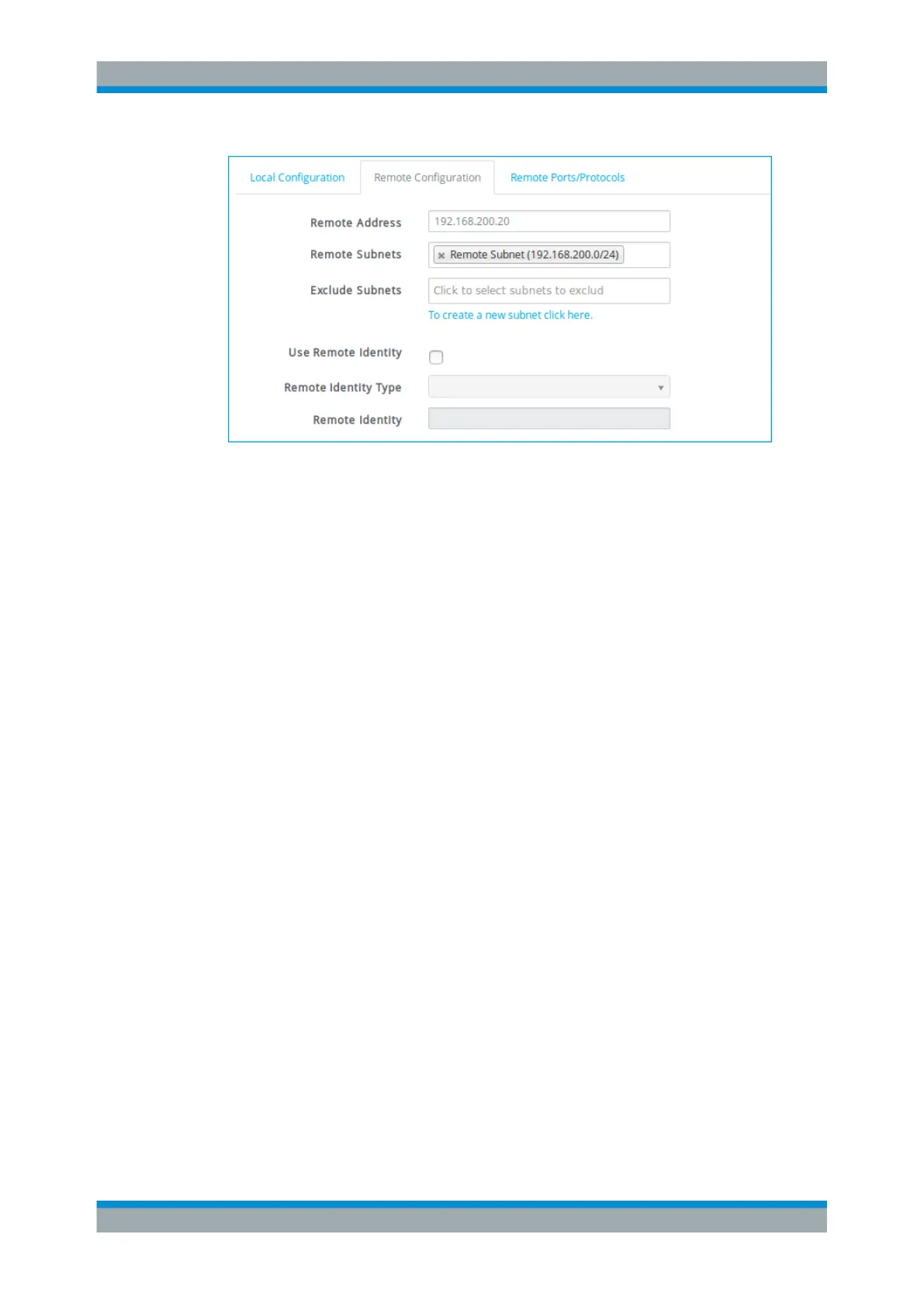
Figure 4-51: Sample Remote Configuration settings.
1. Under "Remote Address" , specify the IP address or domain name of the remote
network.
2. Under "Remote Subnets" , select the subnets that should be available.
If you wish to set up the IPsec S2S connection in full tunnel mode, select default
route (0.0.0.0/24). Otherwise, select the desired subnets for split tunnel
mode. Click the link below the input field or navigate to "Nodes > Custom Net-
works" to configure new subnets. See Chapter 3.4.5.3, "Custom Networks",
on page 96 for more information.
Note: If you want to create an IPsec connection which terminates in a non-WAN
zone, a static network route from your subnet to the remote subnet has to be
defined. This definition is necessary because all other zones on the gateprotect
Firewall have to know that the packets from your subnet are routed to a non-WAN
zone through an IPsec tunnel. See Chapter 3.4.2.2, "Static Routes", on page 56 for
more information.
3. Enable "Use Remote Identity" if you set up more than one IPsec connection for the
same access zone. If enabled,
a) select a "Remote Identity Type" and
b) enter a "Remote Identity" depending on the type you have selected in the previ-
ous step.
"Remote Ports/Protocols"
VPN Setup Examples


 To Next Page