Application Examples
R&S
®
GP-E/GP-S
183User Manual v16.2.1 ─ 01
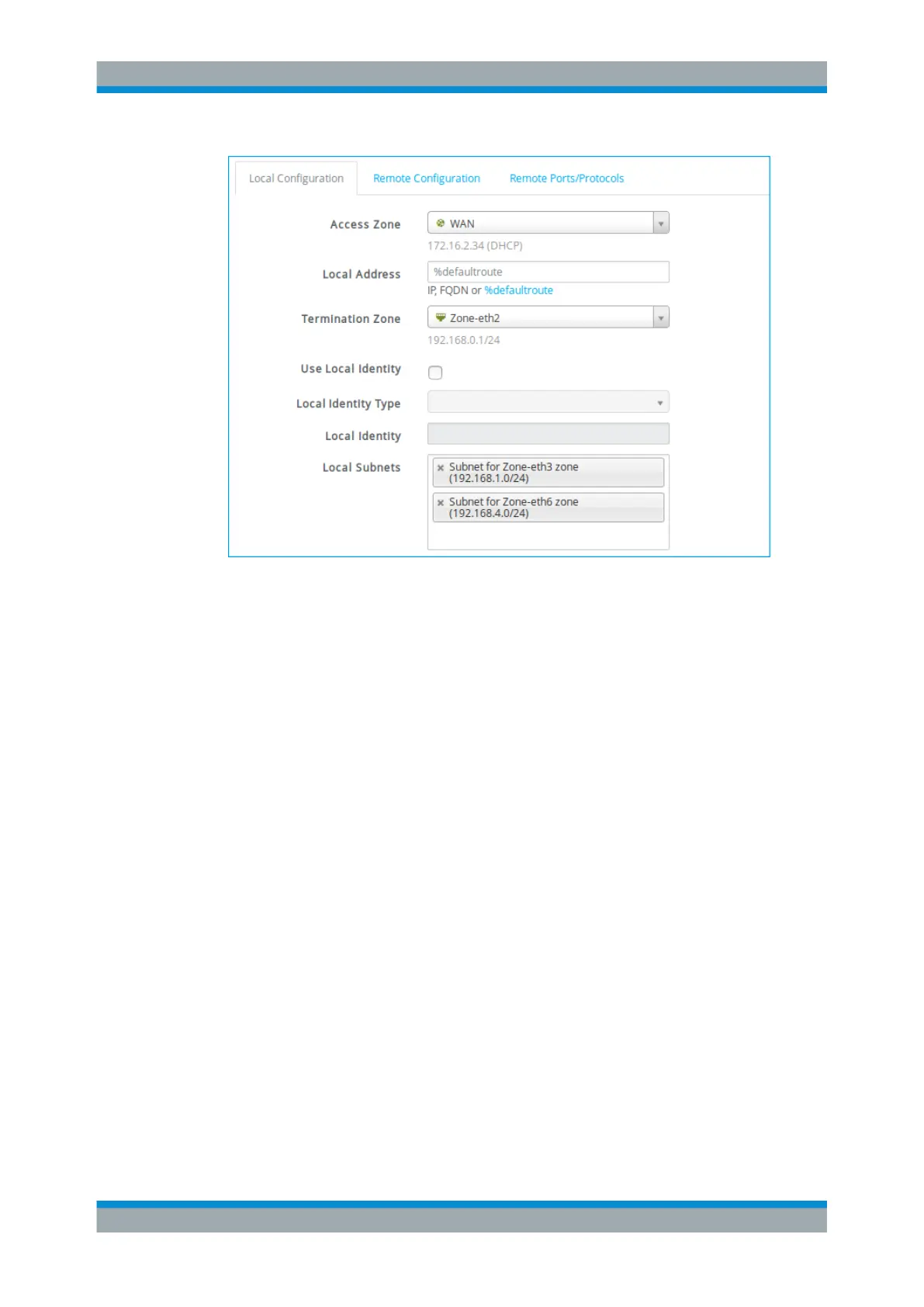
Figure 4-50: Sample Local Configuration settings.
1. From the drop-down list under "Access Zone" , select the zone in which the tunnel
should end and encrypted data being sent through the VPN tunnel arrive.
2. Under "Local Address" , specify the IP address or domain name at which gatepro-
tect Firewall will receive the IPsec packets.
Tip: If the local network is behind a NAT device, enter %defaultroute or click
the link provided.
3. From the drop-down list, select the "Termination Zone" in which the traffic being
sent through the VPN tunnel will be made accessible.
4. Enable "Use Local Identity" if you set up more than one IPsec connection for the
same access zone. If enabled,
a) select a "Local Identity Type" and
b) enter a "Local Identity" depending on the type you have selected in the previ-
ous step.
5. Under "Local Subnets" , select the subnets that should be accessible to the remote
network.
"Remote Configuration"
VPN Setup Examples



 To Next Page