Application Examples
R&S
®
GP-E/GP-S
197User Manual v16.2.1 ─ 01
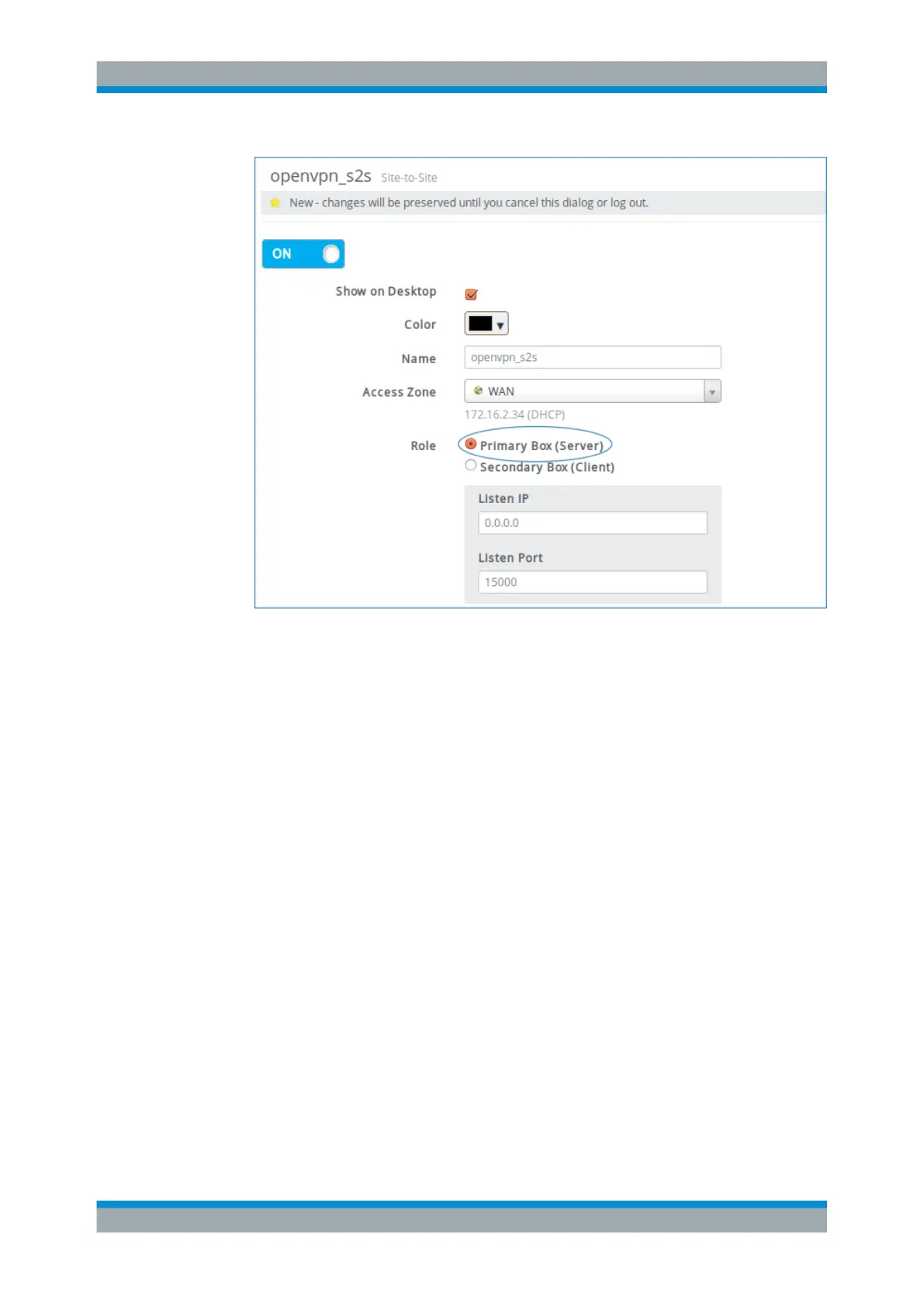
Figure 4-66: Sample OpenVPN S2S connection settings for the »headquarters«.
3. Decide whether you want to enable the connection.
4. Decide whether the connection should be displayed on the desktop.
5. If you want the connection to be displayed on the desktop, choose a color for its
representation.
6. Specify a "Name" for the connection.
7. Under "Access Zone" , select the zone which is directly accessible to the remote
site.
8. Check that "Primary Box (Server)" is selected as the "Role" of the system.
9. Enter the external "Listen IP" within the access zone of the remote site.
10. Specify the OpenVPN "Listen Port" at which the connection will be accessible in
the access zone.
VPN Setup Examples



 To Next Page