User Interface
R&S
®
GP-E/GP-S
40User Manual v16.2.1 ─ 01
Column Description
"Protocol" The protocol that was detected for the connection triggering the alert.
"Message" The log message itself.
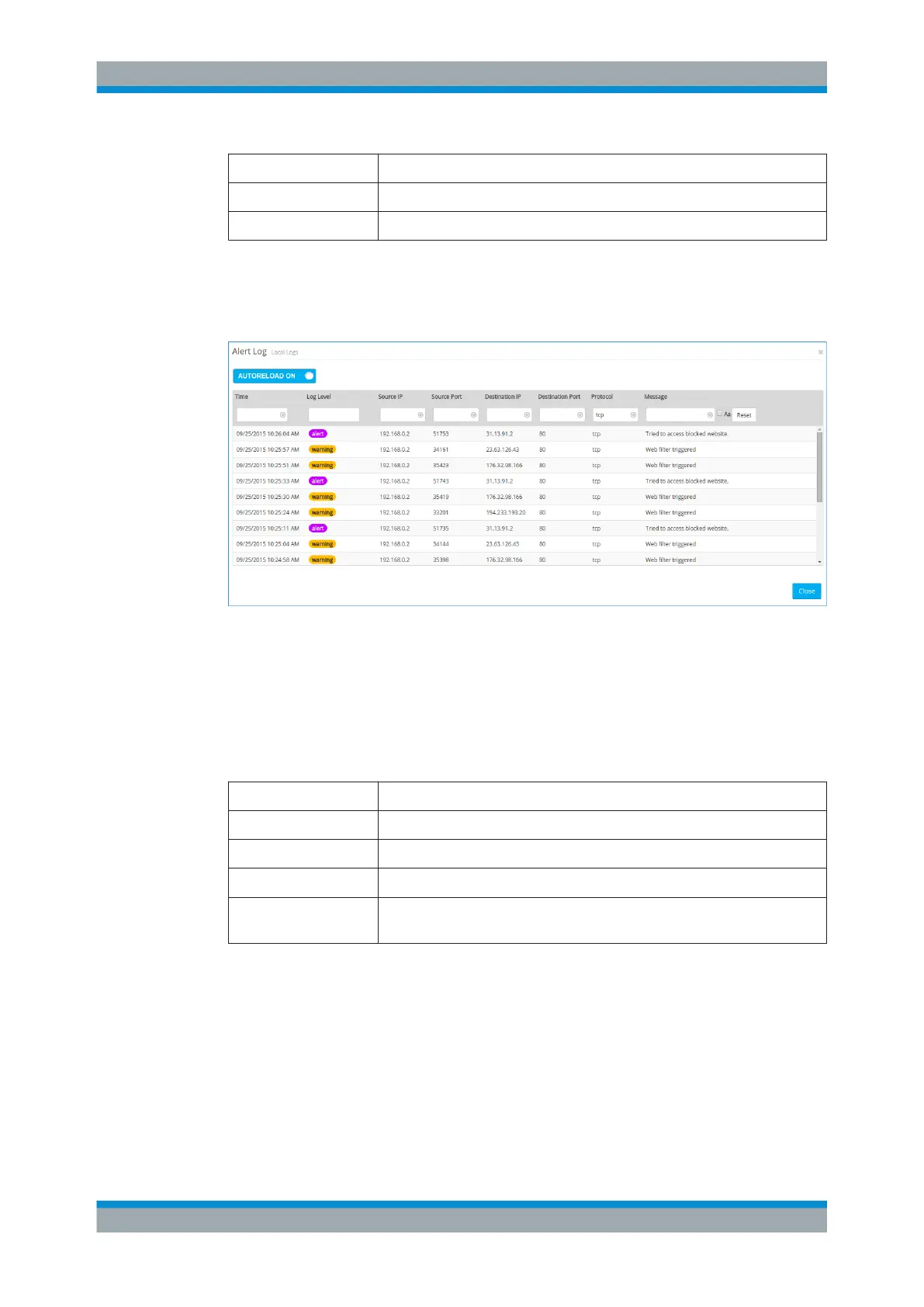
You can filter the contents of the Alert log. The "Message" filter returns all results that
contain the input string, whereas the remaining filter fields return exact matches only.
The list of log messages will be adjusted to reflect your changes in the filter options.
Figure 3-6: Sample filtered Alert log.
Audit Log
The "Audit Log" shows the history of rule events and user sessions in the web inter-
face, including when certain users logged on or signed out.
The columns of the table contain the following information:
Column Description
"Time" The timestamp of the log entry.
"IP-address" The IP address from which the user carried out the operation.
"User" The name of the user who logged the entry, such as admin.
"Operation" The activity that created the entry, for example Activated a new
configuration.
You can filter the contents of the Audit log.
The list of log messages will be adjusted to reflect your changes in the filter options.
Menu Reference



 To Next Page