CONVERSION OF DEPARTMENT LAYOUT
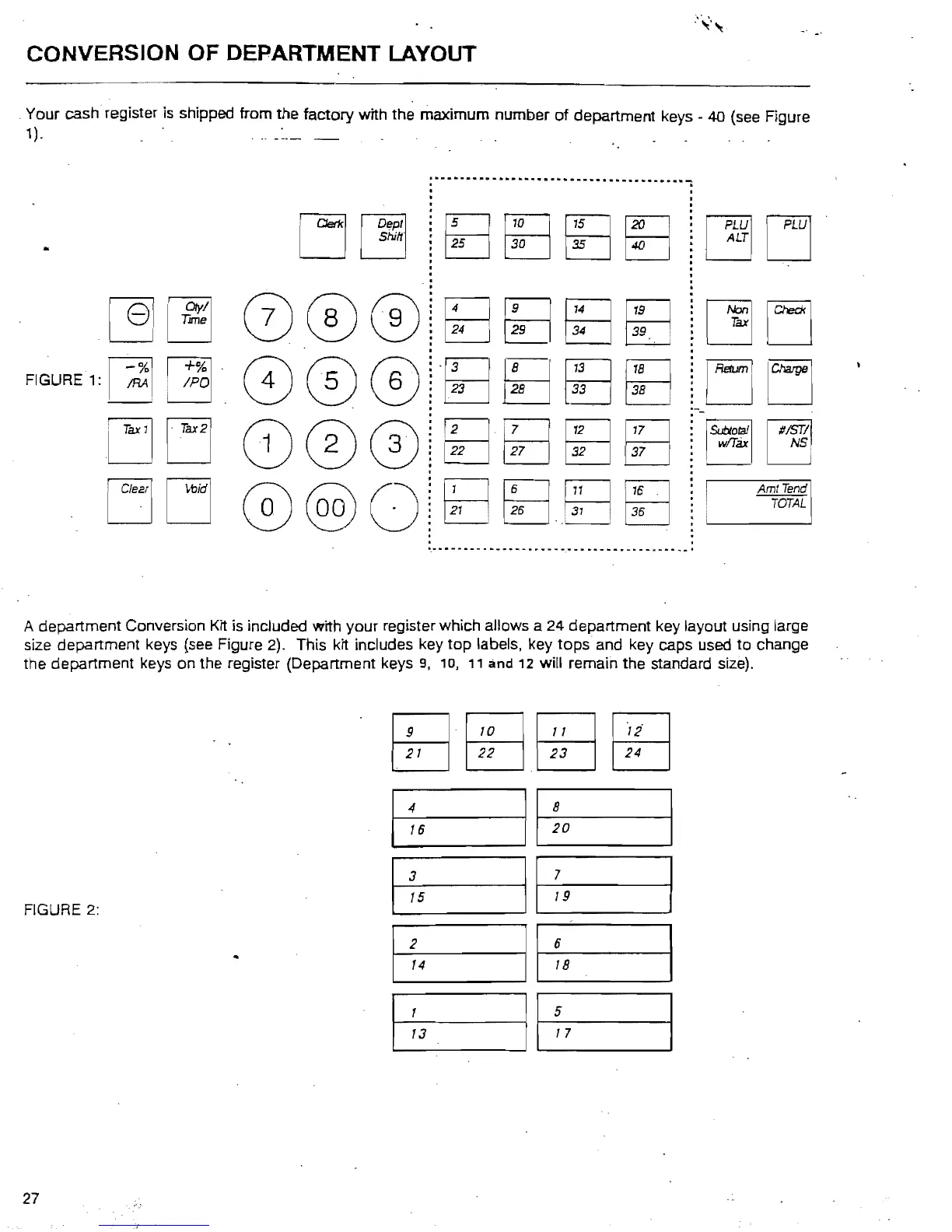
Your cash register
is
shipped from the factory with the maximum number
of
department keys 40 (see Figure
1). ' ,
:
...
-
..
--
.....
-........-
......
-
....
-
....
,
~
,
, .
, .
~~
~JPWl
LJLJ
:
,
tB
BE
I:
II:
1 :
.
uLJ
.
'.
·
·
,
Ttme
34
39" .
@]
[!]
000!~
~
tE
.
tE
,
FIGURE 1:
~
/PO
33
i
+%1'
1!8
38 i
~
000i~
l
fE
sa
.-
·
·
-
:
w/Tax
NS
l~o~11
#IST/I··
32
37
L:]u
C0001~~
tfj
sa
·
·
.
·
·
AmtTend
[
Clear!
I
~bidl
:
TOTAL
:
21
• 26
,~
36
@@)Oi
f8~~B8
·
"
...........................................
","
............
"'
........
-
...............
A department Conversion Kit
is
included with your register which allows a 24 department key layout using large
size department keys
{see
Figure 2). This kit includes key top labels, key tops and key caps used to change
the department keys on the register (Department keys
9,
10,
11
and
12
will remain the standard size).
21
22
23
24
tBBBBBHB
16
20
-4
II
8
15
19
3
II
7
2 6
14
18
FIGURE 2:
II
13
17
1
II
5
27



 To Next Page