54 S Mode Programming SPS-2000 Program Manual v1.30
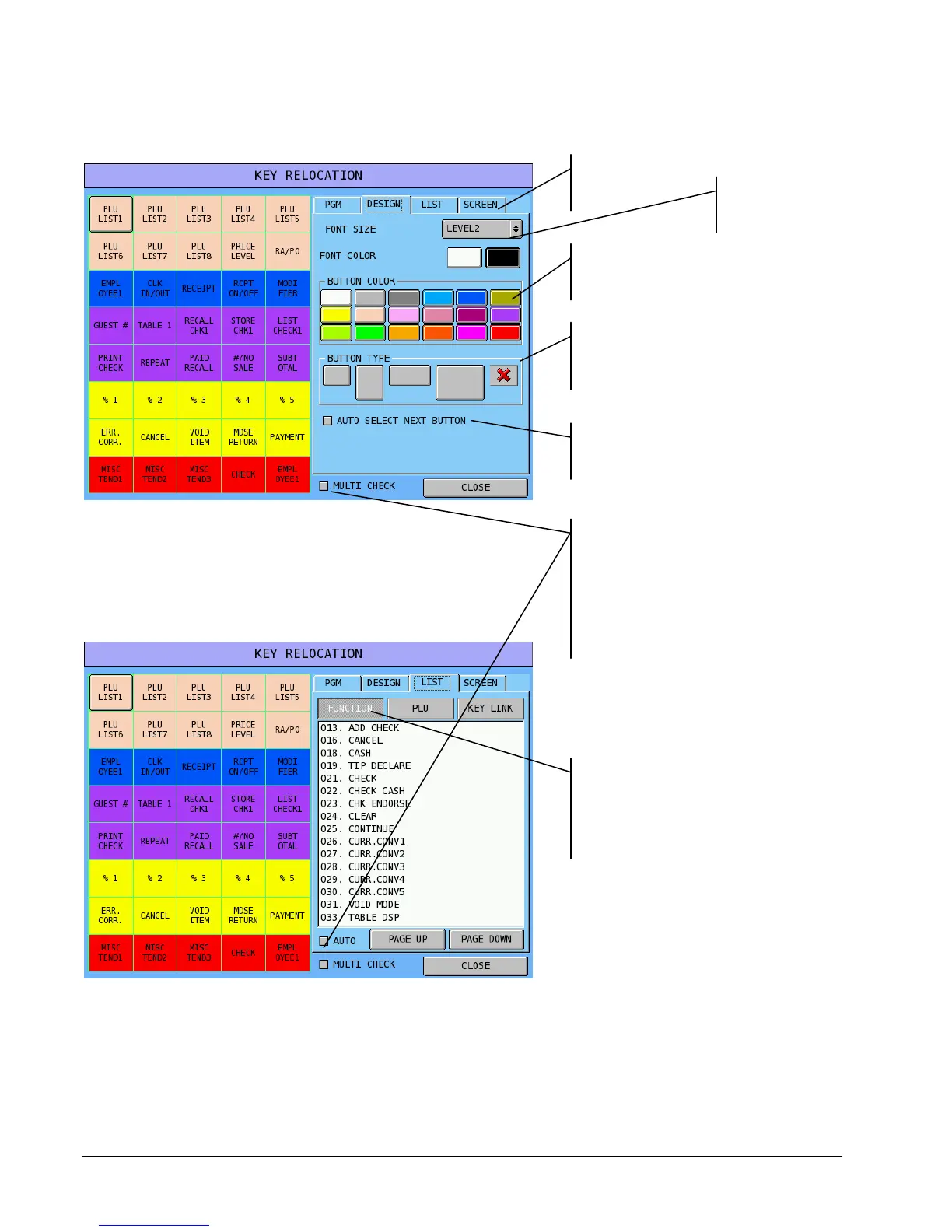
The Design Tab
The List Tab
Select one of 4
font sizes
Select black or
white font color
Select black or
white font color.
Touch here to select a button
size/type. Inactive buttons (“X”)
do not displa
in REG mode.
Use the list tab to select the key
function. Touch Function,
PLU, or KEY LINK and select
a function for the key.
Touch multi check if you wish to assign
the same attributes to a group of locations
at the same time. Touch as many
positions as you wish and then make your
selection. (Note: Multi Check is
functional for single size and inactive keys
at V3.00
or later.
Touch auto select to automatically go
to the next key after each program



 To Next Page