Chapter 2 Installing System
RT4401-48A Installation Manual v3.0 27
Copyright © 2019, All Rights Reserved.
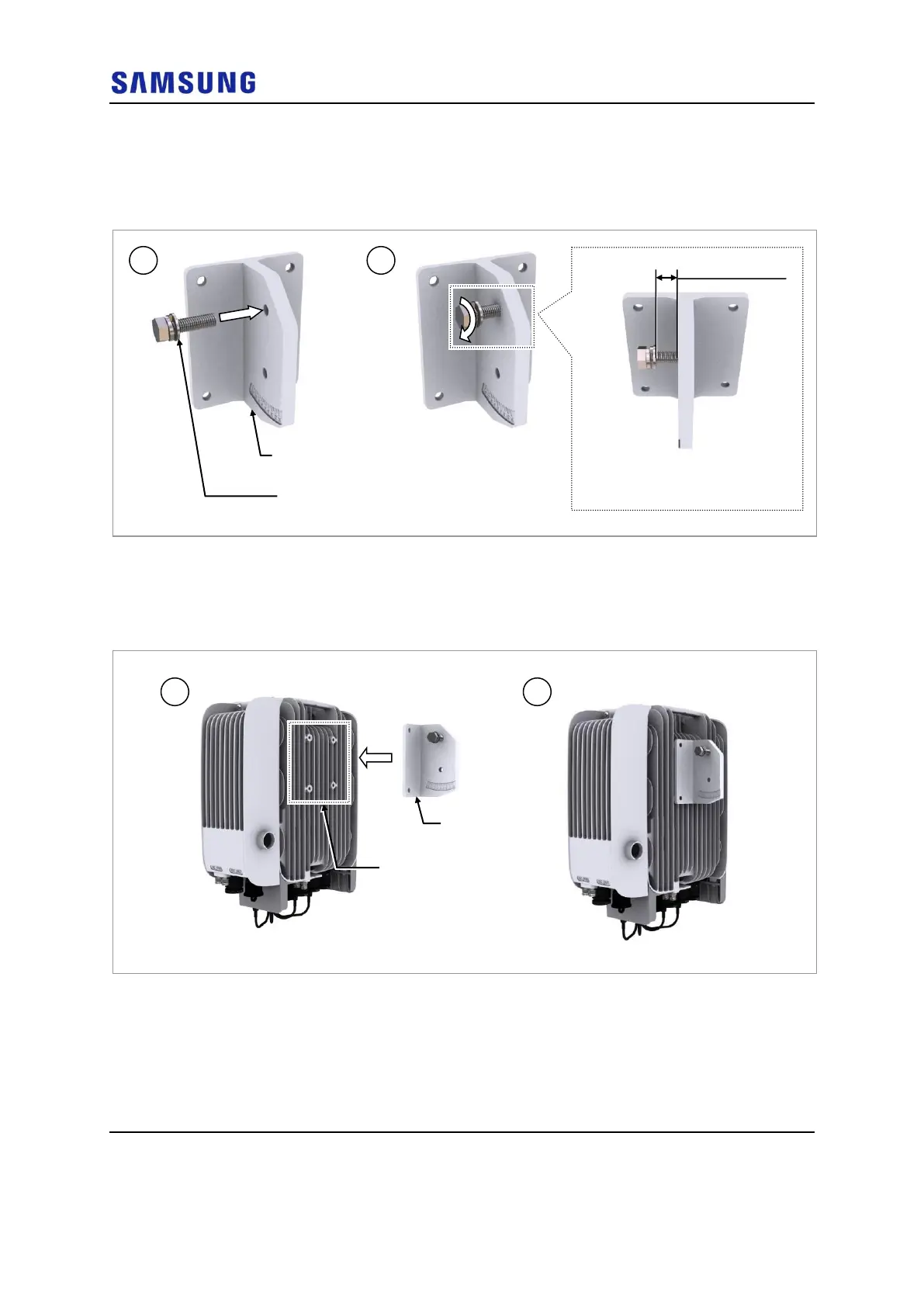
1 Inset the M8 hexagonal bolt to the unit bracket temporarily.
Figure 22. Fixing Unit Bracket (1)
2 Check the position for mounting the unit bracket on the back of the RRH and
place it in that position.
Figure 23. Fixing Unit Bracket (2)
3 Fix the unit bracket using the fasteners.
Unit Bracket
Fixing Point
M8 Hex. Bolt
(Washer Assembly)
* Keep the distance between the M8
Hex. Bolt and unit bracket by 0.4 in.
(10 mm)


 To Next Page