Saving The Pattern
By now you should have a basic pattern running, can edit note and velocity values, and control the
rhythm using the gates.
Once you’ve had fun with that for a while, let’s save the pattern, and get on with looking at the rest of
P3.
To exit pattern edit, press the PLAY/EDIT key once more.
Soft-keys
Since there are so many functions in P3, it would be impractical (read: very expensive) to provide a
dedicated key for each, so a system of soft-keys is used.
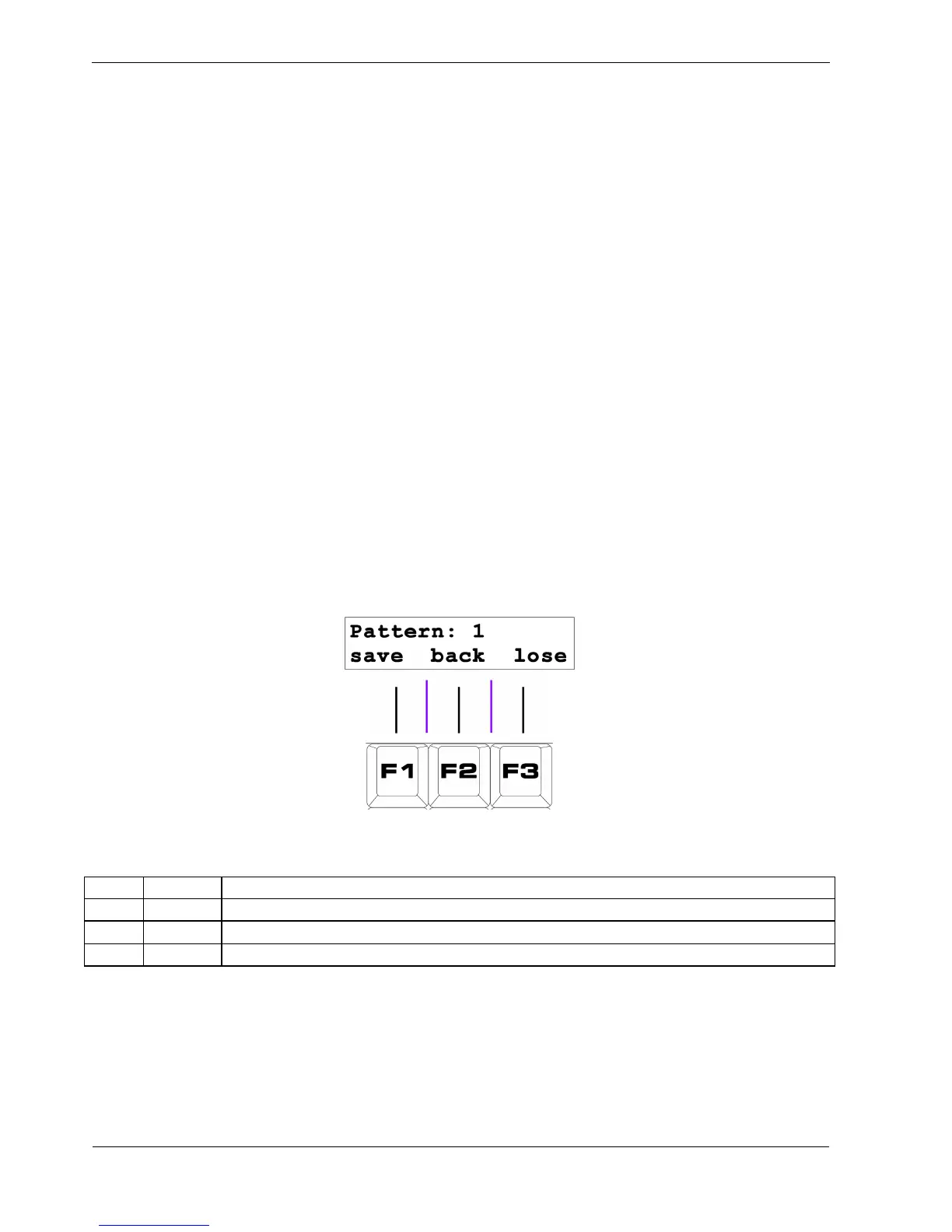
The soft-keys are labelled F1, F2 and F3, and are found on the top row of the keypad, just below the
display.
When you exit pattern edit, a special page appears that allows you to decide whether to keep your
edited pattern or not.
Three soft-key options appear on the bottom line of the display, like this:
This table shows the effect of these options:
Key Label Function
F1 save Store the edited pattern, and return to play mode
F2 back I didn’t mean to press PLAY/EDIT, return to pattern edit
F3 lose Lose any changes to the edited pattern, and return to play mode
You’ll want to save your first masterpiece, so press F1 – “save”.
P3 will return to play mode, and continue playing your saved pattern.



 To Next Page