Part Chains
Without getting into the complexities of playlist editing, there is a simpler way to chain the same
number of patterns together across all tracks - a part chain .
A part chain is a multiple selection of parts, where P3 plays each part in the chain in turn, then loops
back to the first part at the end.
This is similar to having a multi-step playlist on each track, but is considerably easier to set up and
understand, though not as flexible.
Selecting A Part Chain
To select a part chain:
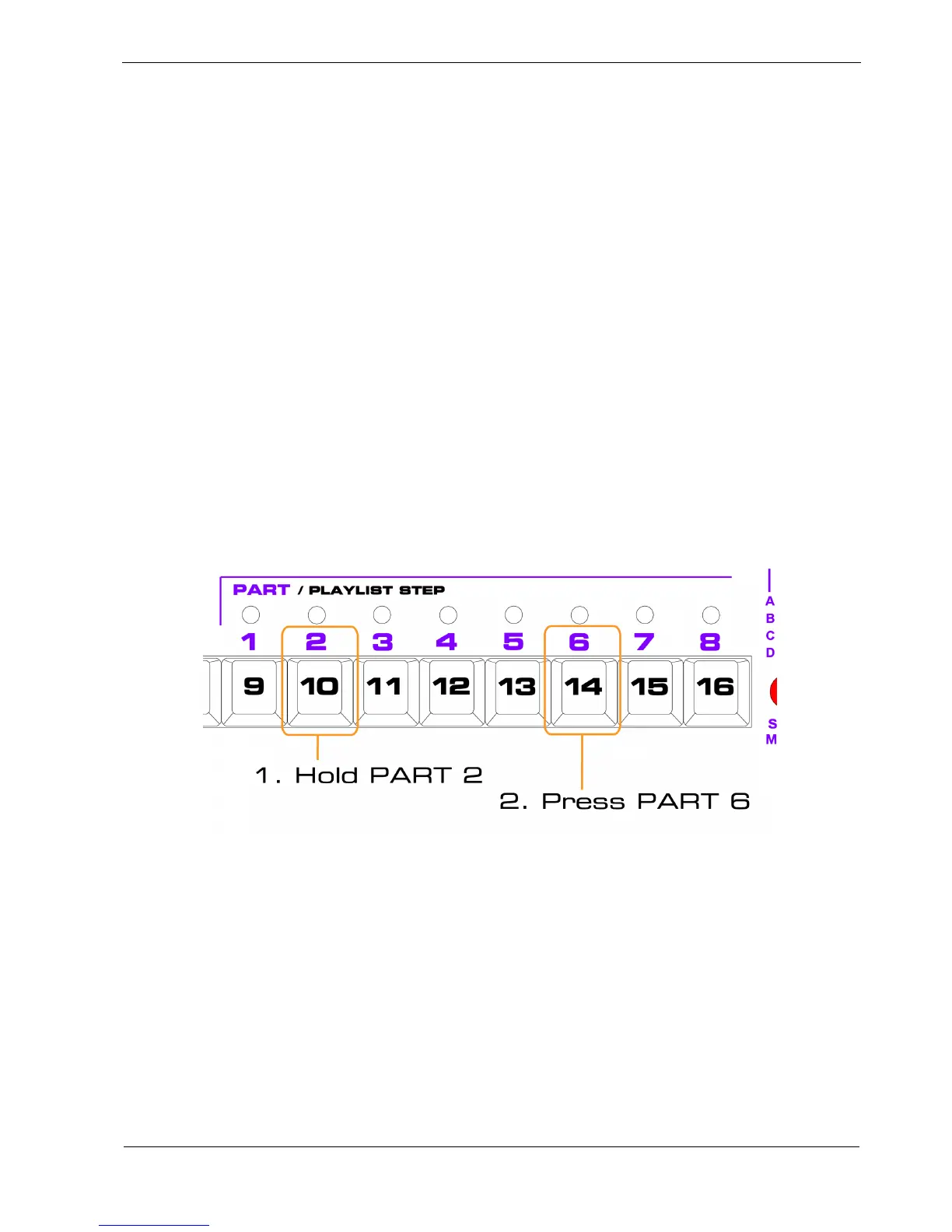
• hold the PART key for the first part in the chain
• press the PART key for the last part
For example, to create a chain of parts 2 to 6:
When a part chain has been selected, all the part LEDs for the parts in the chain will flash amber,
except for the currently playing part, which will show red as normal.



 To Next Page