Pattern Edit
You should have had a taste of pattern edit already from the getting started section, but let’s take the
full tour now.
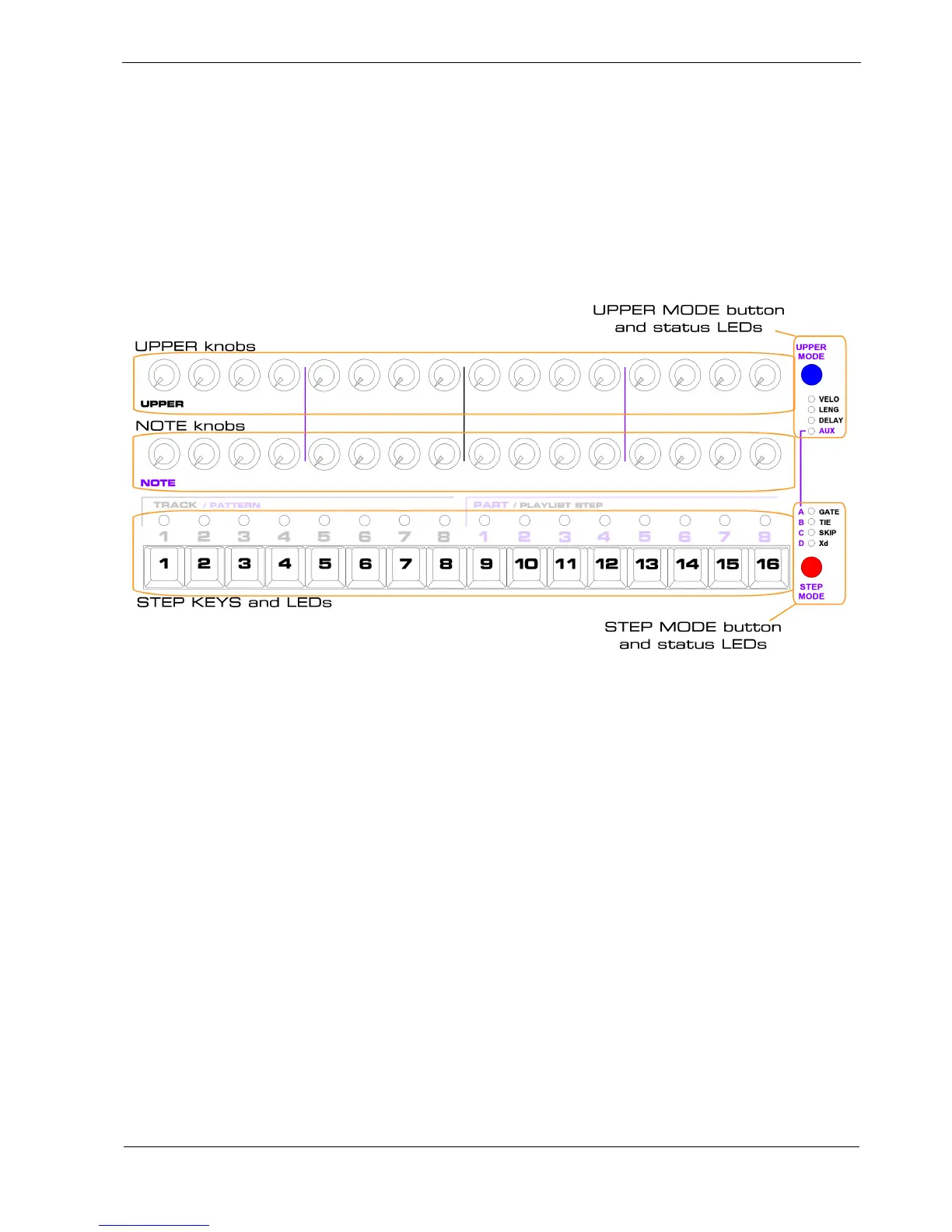
The most important controls in pattern edit are the 16 step keys, the 16 NOTE knobs, the 16 UPPER
knobs, and the STEP MODE and UPPER MODE buttons and status LEDs, shown here:
What’s In A Pattern?
Each step in a P3 pattern has a number of different values, such as the gate, note and velocity values
you used in the getting started section.
The set of 16 of each value in a pattern is called a row .
Some of the rows are numeric – each step has a range of up to 128 different values, for example the
note and velocity rows.
Other rows are status rows – each step can only be on or off.
For example, the gate row is a status row.
There are a number of other non-step values for each pattern, such as the direction, timebase and last
step, but these are edited using soft-key controls, which we’ll come back to later.



 To Next Page