Accumulator Configuration
To give you more control over the things they can do, each of the accumulators has some configuration
settings.
These settings let you:
• limit the maximum value an accumulator can reach
• tell it how to behave when it reaches that value
• tell it how to behave when adding the accumulator value to one of the pattern values gives a
result that is out of range for that value
The accumulator configuration pages are accessed from pattern edit using the “Acc Conf” soft-key,
F1, on pattern edit page 8.
Go into pattern edit, then:
• hold the PAGE key
• press step key 8
• release the PAGE key
• press “Acc Conf”, F1
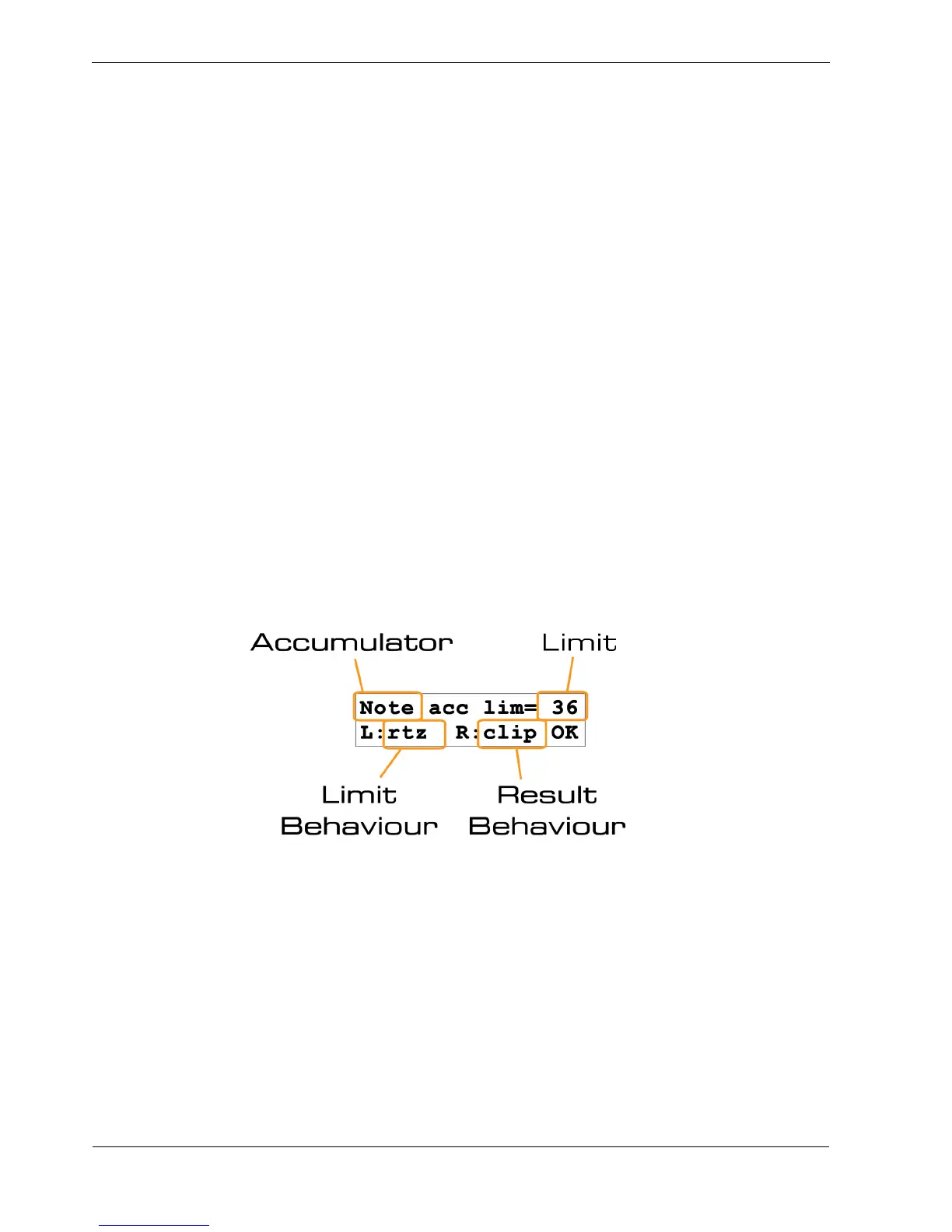
This should present you with a display that looks like this:
This shows you:
• these settings are for the Note accumulator
• the limit for the accumulator is 36
• the limit behaviour for the accumulator is rtz
• the result behaviour is clip
So what do these settings mean?
Well hopefully you get the bit about it being the note accumulator.



 To Next Page