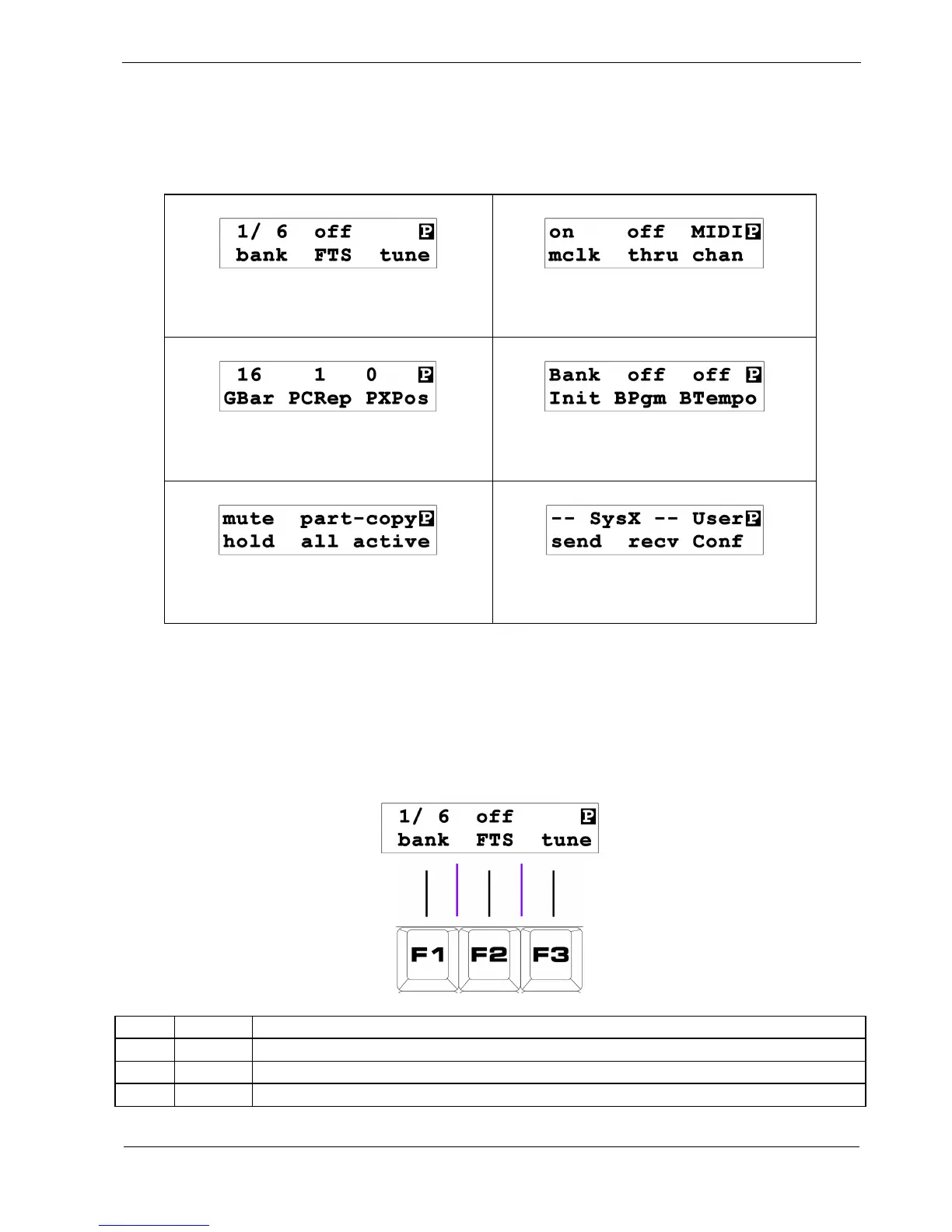
Let’s look at each play mode page, and see what they all do.
The following table summarises all six pages.
Note the inverse-video “P” in the top right of the display, showing you are in play mode.
page 1 - Bank/FTS/Tune
page 5 - MIDI Config
page 2 – Part Settings
page 6 – Bank Functions
page 3 – Part Functions
page 7 – Sysex/User Config
Page 1 - Bank / FTS / Tune
Page 1 is the default page when P3 is turned on, or when it returns from another mode. The display
will look like this:
Key Label Function
F1 bank Bank Select
F2 FTS Edit FTS settings
F3 tune Send reference notes on all active tracks



 To Next Page