For the current playlist step the Repeats, Transpose and Sync values are shown where indicated.
You are looking at the default playlist in part 1, so:
• step number is 1
• repeats is 1
• transpose is 0
• sync is Ptrn
Playlist Edit LEDs
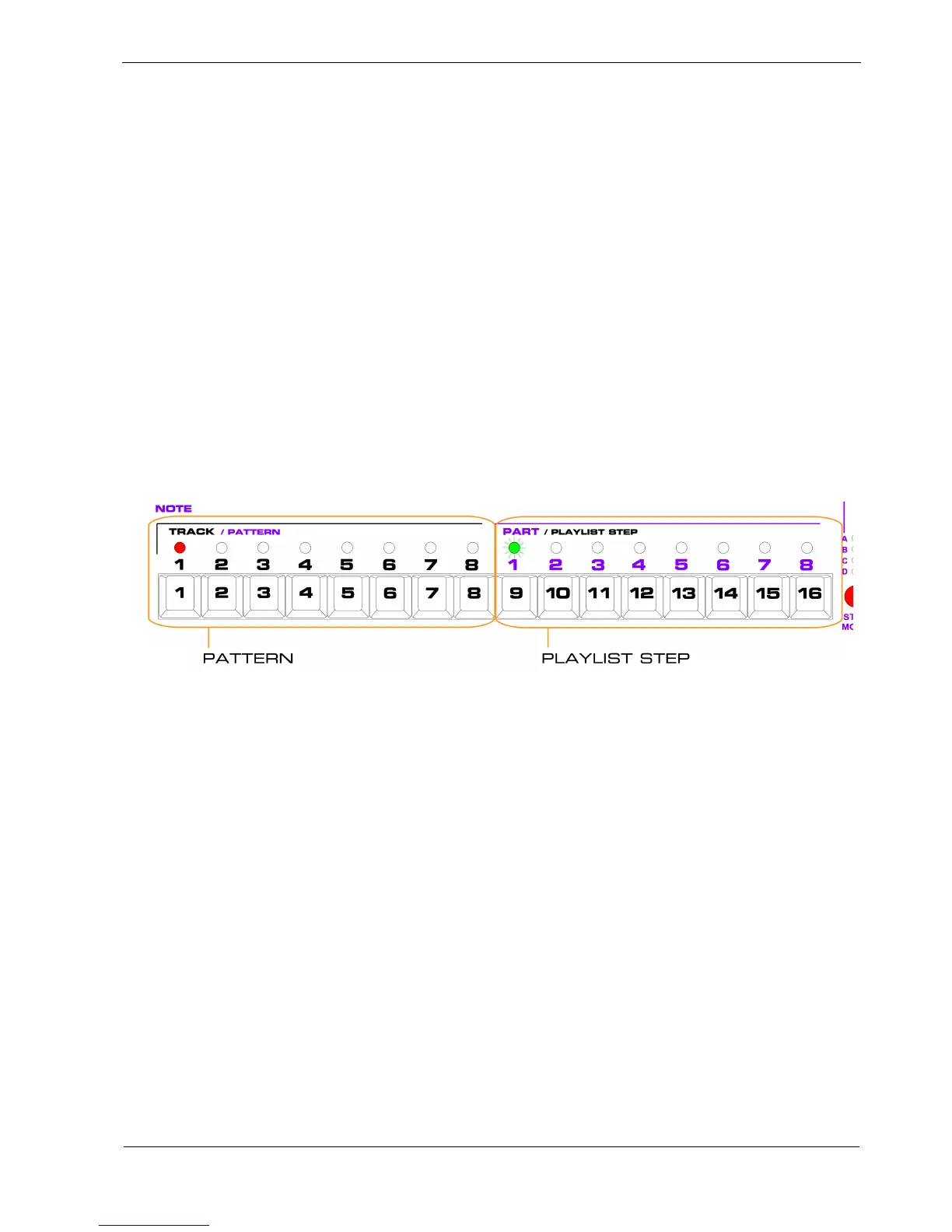
The step keys and LEDs in playlist edit are split into two sets of eight – the PATTERN keys and the
PLAYLIST STEP keys.
Right now, the LEDs will look like this:
In playlist edit, the pattern number for the current step is shown by a red LED above the PATTERN
keys.
The red LED here shows pattern 1 is playing on this step.
One or more of the LEDs above the PLAYLIST STEP keys may be green, and one of these green LEDs
will flash:
• The number of green LEDs shows the length of the playlist
• The flashing green LED shows the current playlist step
The flashing green LED here shows you’re currently on playlist step 1.
The lack of any other green LEDs shows that step 1 is the only step used in this playlist – the length is
1.



 To Next Page