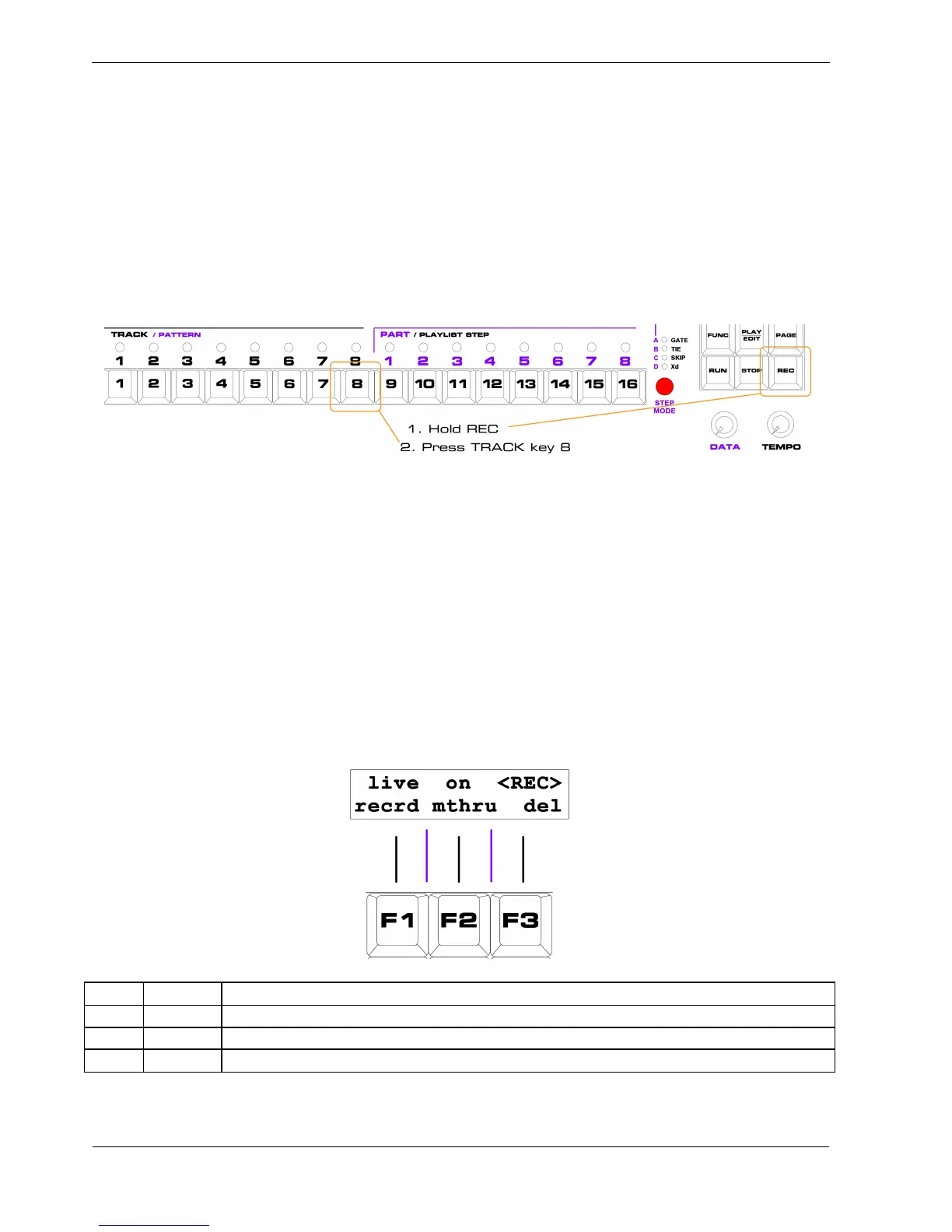
This is very useful for recording longer patterns of up to eight bars, or longer if you use slower
timebase settings.
To activate record in play mode:
• hold down the REC key
• press the TRACK key for the track you want to record on
For example, to activate record on track 8:
To activate record in playlist edit just press the REC key.
This will activate recording on the current track in playlist edit.
Once record is active, the normal soft-keys and pages are replaced by the record pages.
In play mode and playlist edit there is one more record page than in pattern edit – page 3 provides
sculpt functions for play mode record that are already available in pattern edit page 7.
Record Page 1 –
The first record page looks like this:
Key Label Function
F1 recrd
Toggles live / ready option (default is live)
F2 mthru Toggles pass-through on track MIDI output channel of record input
F3 del Delete note on current step in pattern



 To Next Page