Assigning and Using Auxiliaries
Each of the four auxiliaries (auxes for short) can be freely assigned in each pattern to send MIDI
continuous controller s, after -touch, pitch-bend or program change messages.
Or they can be assigned to one of P3s “Auxiliary Events”.
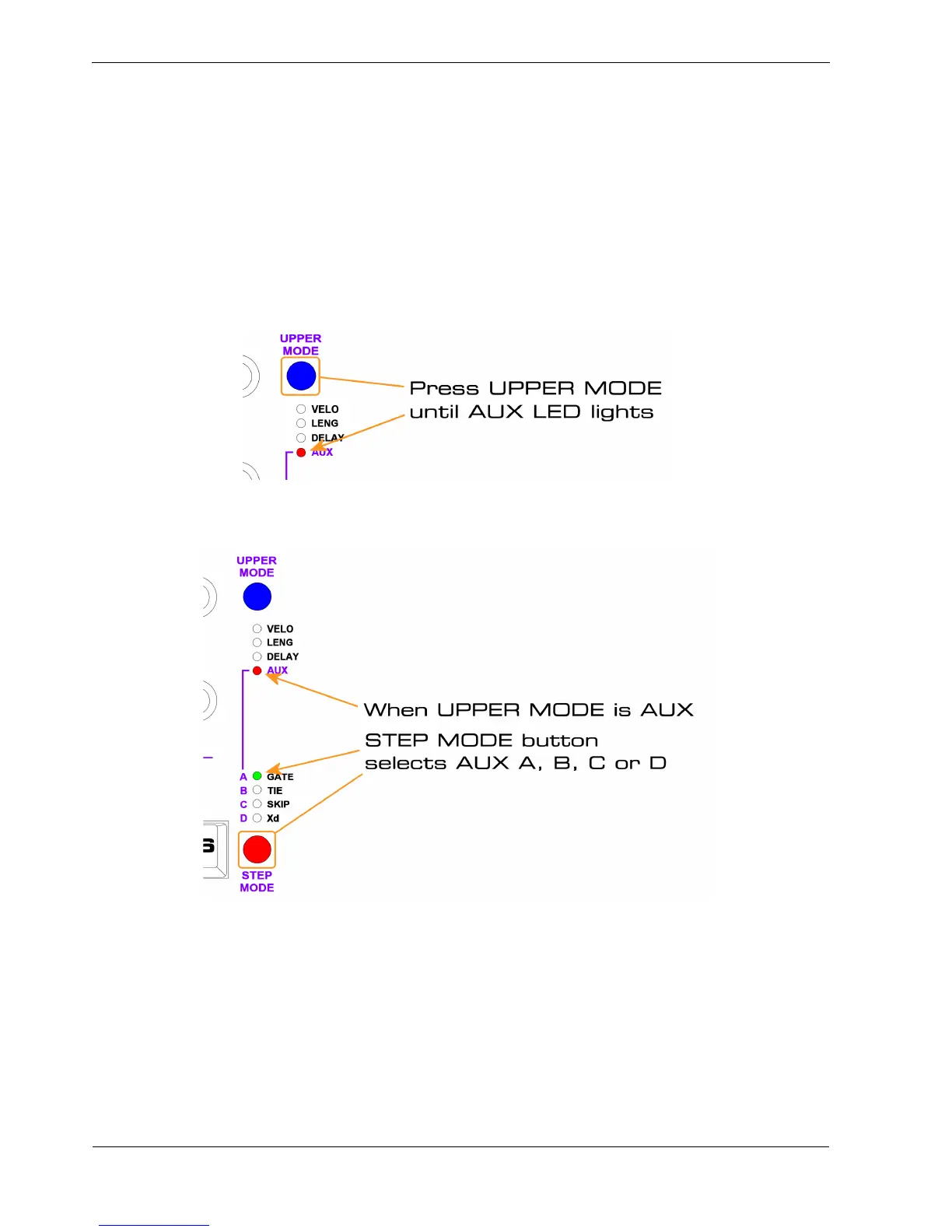
As we saw earlier, to assign the UPPER knobs to edit an auxiliary row, press the UPPER MODE
button until the AUX LED is lit:
The letters for each of the auxes, A, B, C and D are labelled on the left side of the STEP MODE LEDs,
linked to the AUX upper mode status LED as shown:
With UPPER MODE set to AUX, the UPPER knobs edit the numeric values for the selected aux, while
the step keys enable or disable the aux on each step.
As you press the STEP MODE button to cycle through the auxes, the currently assigned controller
number or event name briefly appears as an informational message in the display.



 To Next Page