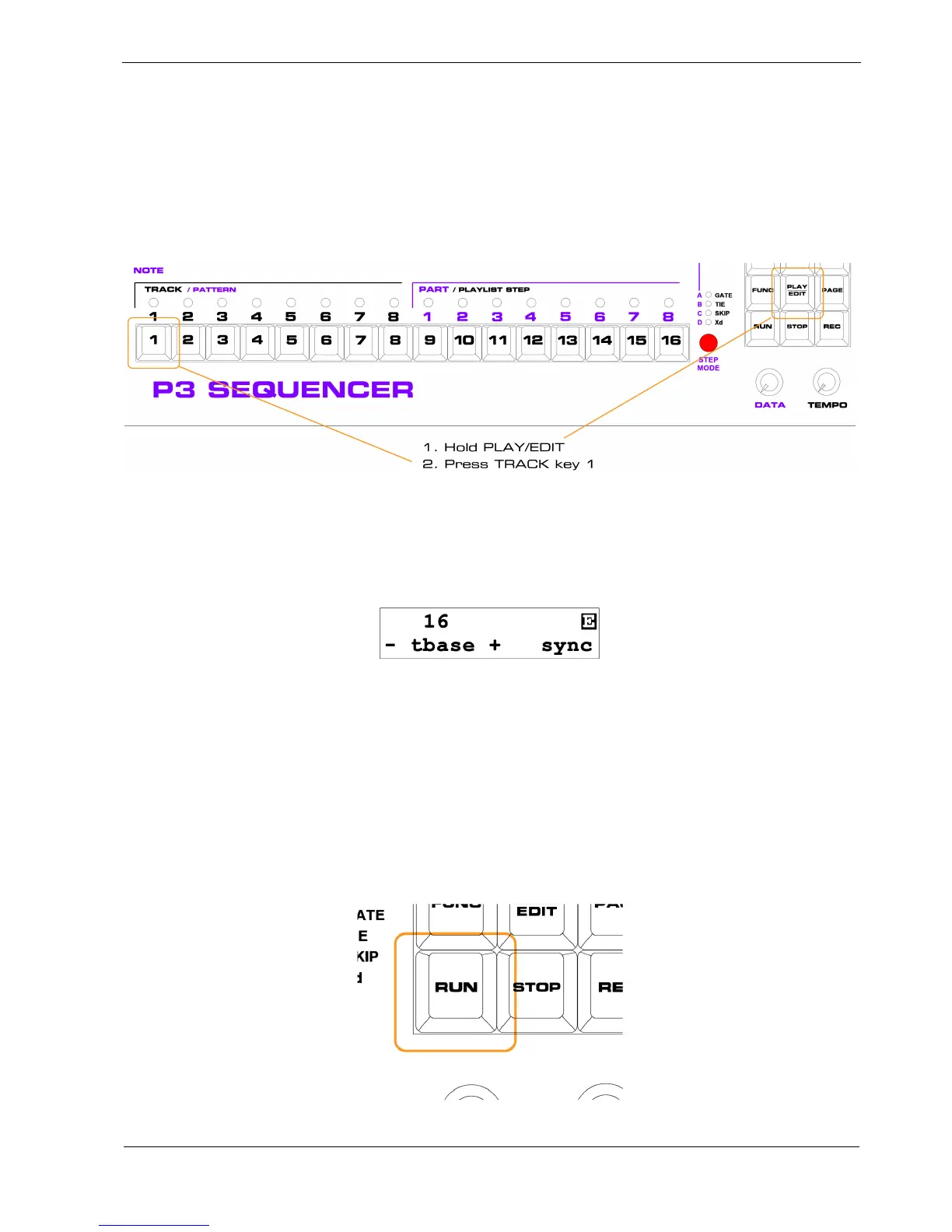
First Pattern Edit
To create a pattern, you must switch to pattern edit for track 1 as follows:
• hold the PLAY/EDIT key in the centre of the keypad
• press and release TRACK key 1
You will now be in pattern edit, editing the pattern on track 1.
To confirm this, there will be an inverse-video “E” character in the top right of the alphanumeric
display. The display should look like this:
All of the step LEDs will be off.
On The RUN
P3 is designed so that you never need to stop playback for anything other than bulk memory dump
operations.
So let’s start P3 running before you enter any pattern data.
Press the RUN key, at the bottom left of the keypad:



 To Next Page