Page 2: Direction and Last step
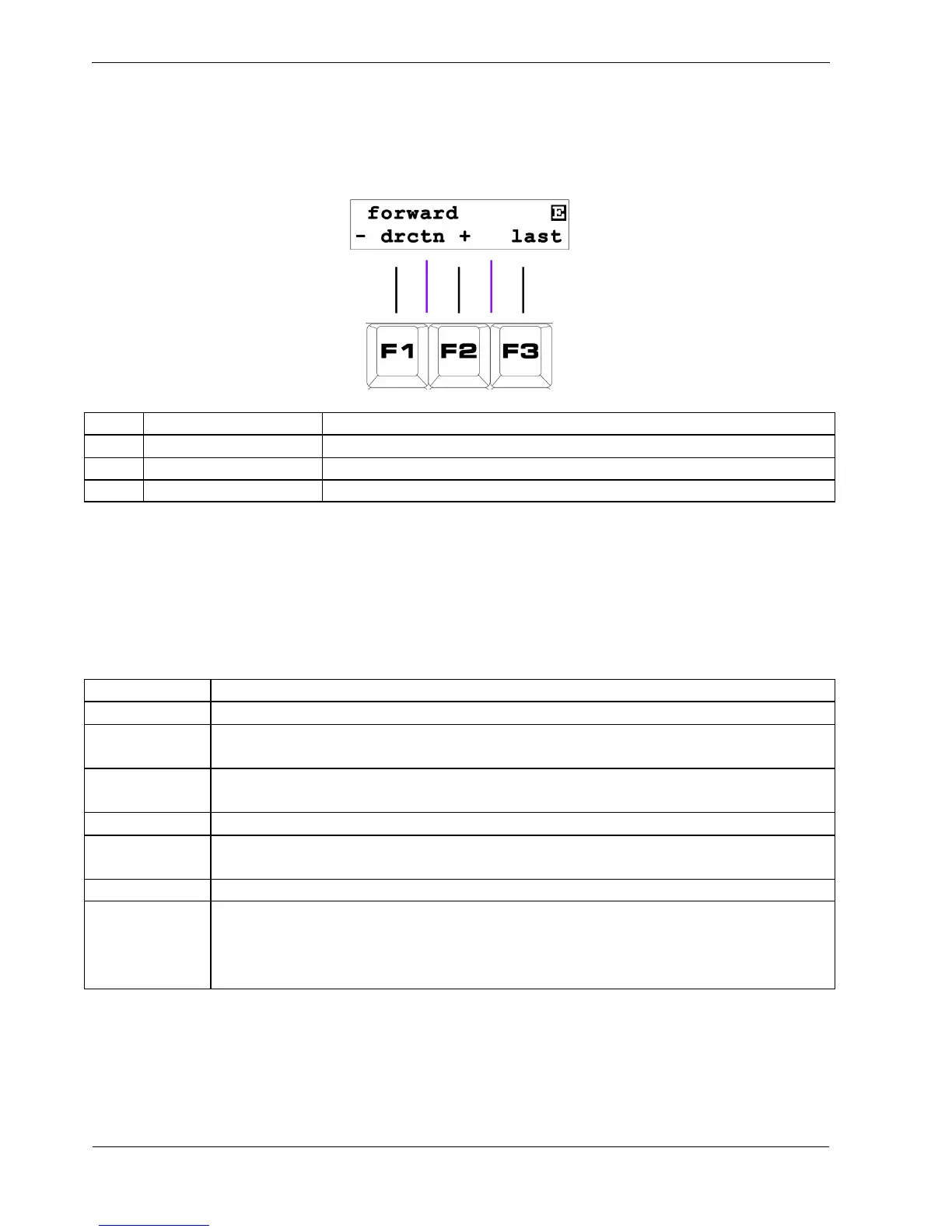
The display for page 2 looks like this:
Key Label Function
F1 - (dec direction) Select previous direction setting
F2 + (inc direction) Select next direction setting
F3 last Set the last step in the pattern (pattern length)
F1 / F2 - Direction
The direction setting for each pattern determines what order the steps will be played in.
There are currently seven directions available, as shown in the following table:
Direction Behaviour
forward Steps play in ascending order, looping back to step 1 after the last step is reached
reverse A
The pattern will play in reverse, starting from step 1, and looping back to the last step
after step 1
reverse B
The pattern will play in reverse, starting from the last step, and looping back to the
last step after step 1
alternate
The pattern will play in forward then reverse B directions, as described above
pendulum
The pattern will play forward until the last step, and then reverse direction without
playing the last step twice
random Steps will play randomly
brownian
After each step the pattern will randomly:
• move to the next step (50% chance)
• move to the previous step (25% chance)
• repeat the current step (25% chance)
Note that steps with skip set are skipped in all direction modes.
References in the above table to step 1 really mean the lowest numbered step without skip active.
As with timebase, changes of direction do not apply until the pattern resets to the first step.



 To Next Page