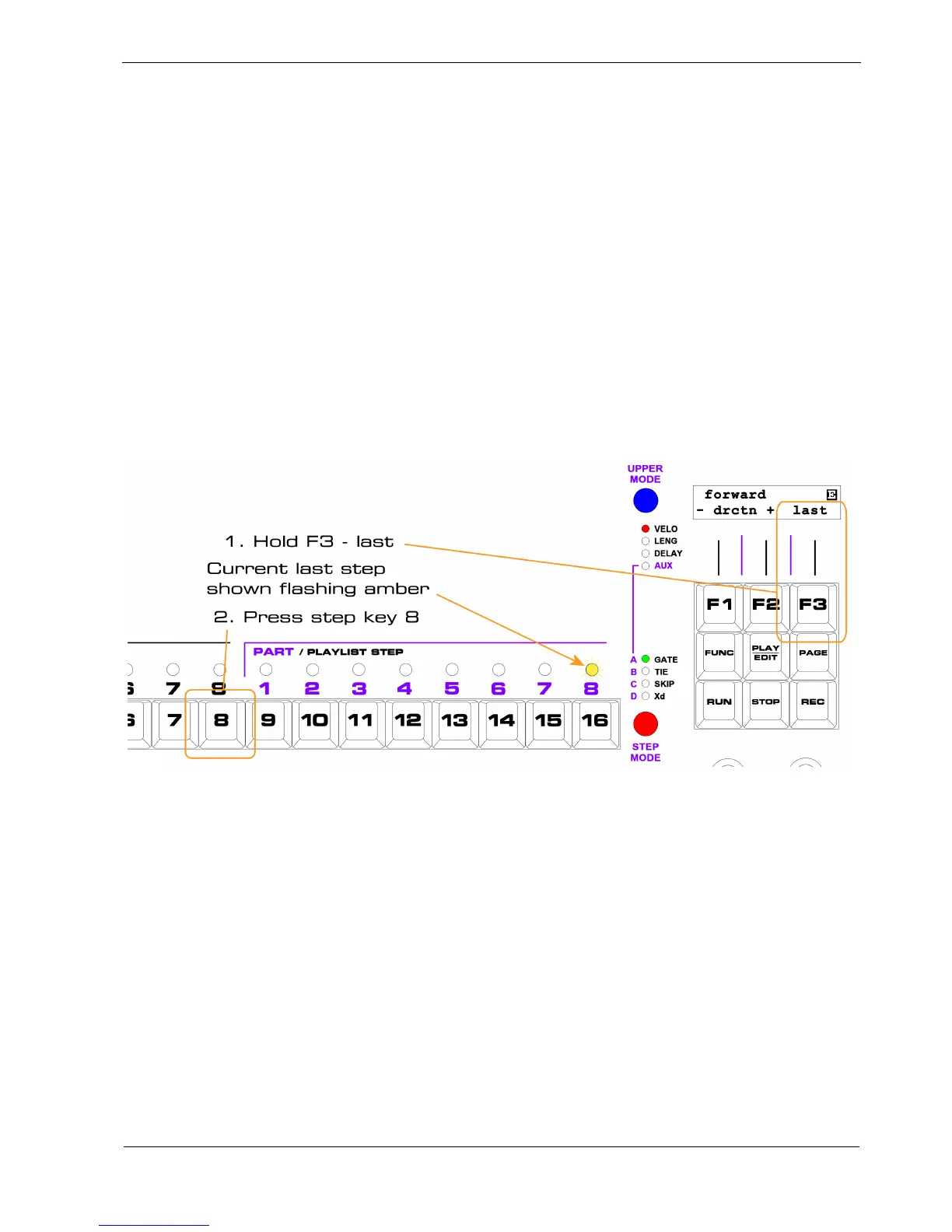
F3 – Last Step
The “last” soft-key sets the last step in a pattern – that is the step after which the pattern will reset to
the first step.
Ignoring the effect of skip, last step determines the pattern length .
To set the last step:
• hold the “last” soft-key, F3
The step LEDs will go out, except for one flashing amber LED indicating the current last step
• press the step key for the last step to be played
For example, if you want to set the last step to step 8 in a pattern currently set to end on step 16:



 To Next Page