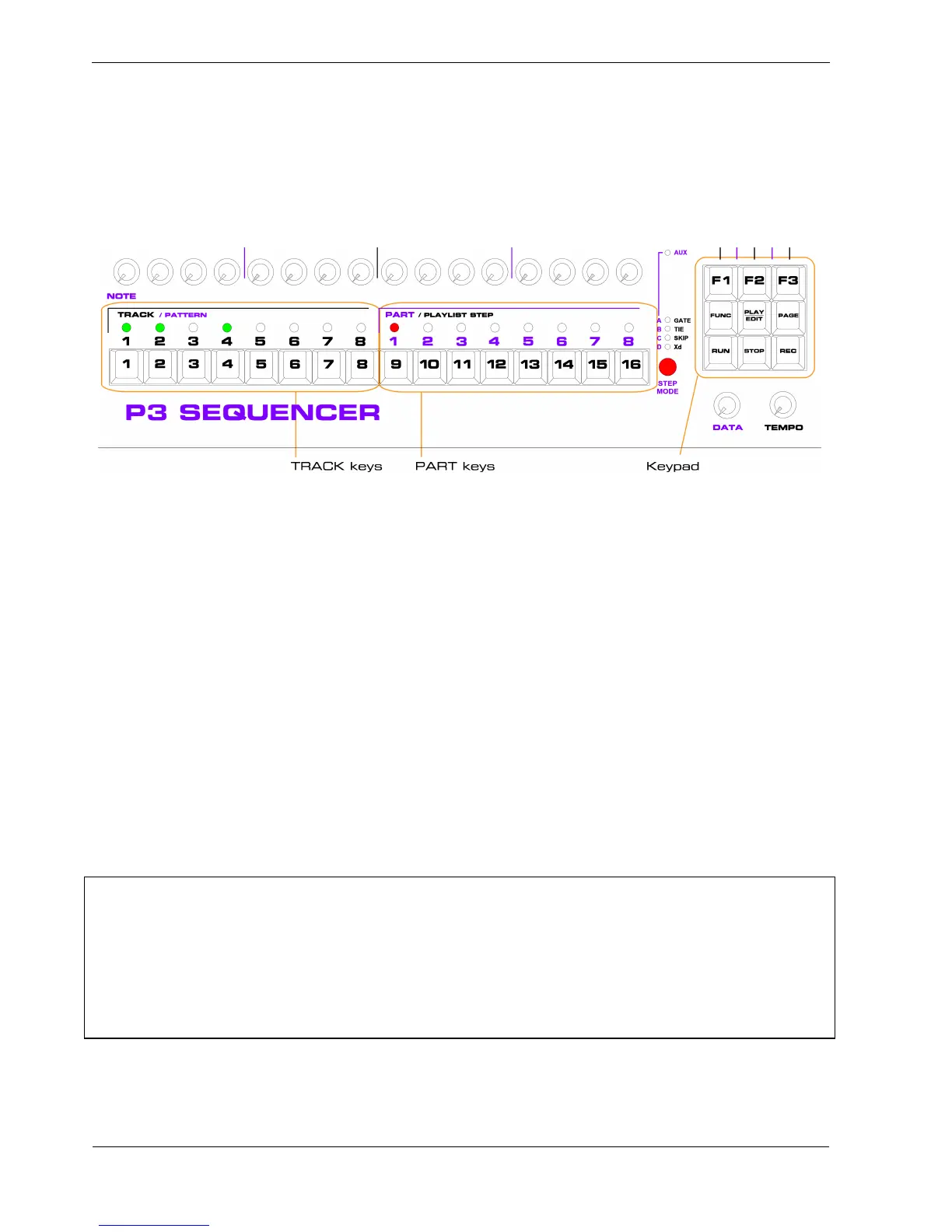
Play mode
In each P3 mode, the keys, knobs and LEDs on the P3 panel take on different functions and m eanings.
This diagram shows their functions for play mode:
Tracks
The first eight step keys are called the track keys in play mode.
They are mainly used for muting and un-muting each track.
There are eight tracks in P3, so there are eight track keys, labelled TRACK 1 to 8 on the panel.
If the track is active, the LED above the track key will be green .
If the track is muted, the LED will be off.
When P3 is running, only active tracks play notes.
Each track is able to play one pattern at a time, from a set of patterns unique to that track.
Normally there are 8 patterns for each track, a total of 64 patterns per bank.
There are six banks, for a total of 384 patterns.
*TIP While there are always 384 patterns in total, it is possible to re-configure the way the patterns are
distributed among the banks.
P3 supports an optional 3 bank configuration, where each track gets 16 patterns per bank, and a 12
bank configuration, where each track gets only 4 patterns per bank.
Changing memory configuration is not recommended until you have used P3 for long enough to know
that your requirements differ from the standard memory layout.
Refer to the appendix on Memory Organisation for details.



 To Next Page