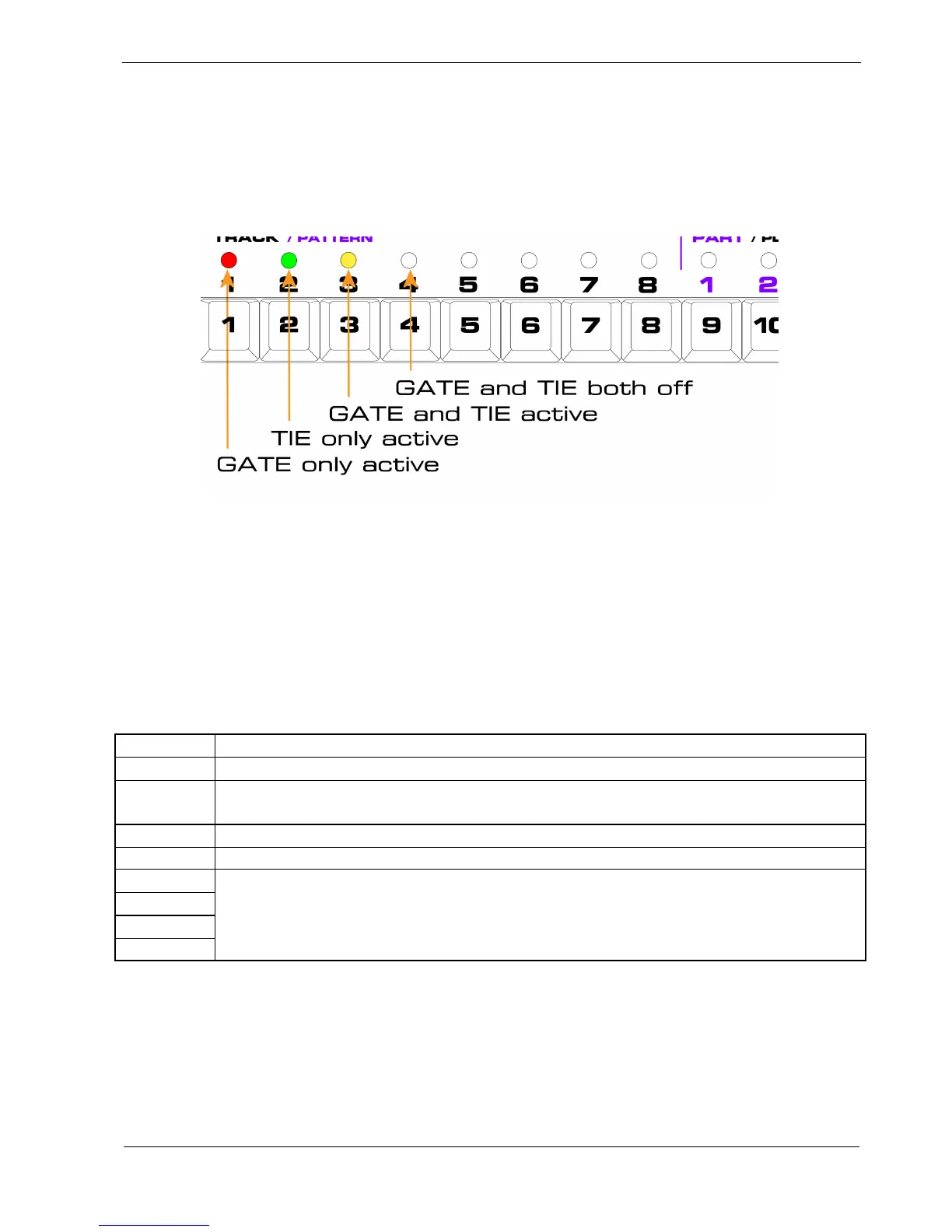
In practice, you just need to remember:
• green and red together gives amber
For example, say you have the STEP MODE set to TIE.
The LED colours on each step will show the different possible combinations of gate and tie like this:
To get a feel for how this works, you might like to set every other gate on in a pattern.
Then press STEP MODE to advance to the tie row.
Toggle the tie setting off and on for various steps, and you’ll see the three different colours for each
combination of tie and gate.
Once you understand how the values will be displayed, let’s look at the rest of the status rows.
The full complement of status rows and the purpose of each are shown in the following table:
Row Purpose
GATE Controls whether a note is sent on a step
TIE
Either makes the note on a step over -lap a different note on the next step, or stretches
the same note over multiple steps
SKIP Indicates this step should be skipped over during playback
Xd Disables the effect of any transpose setting on a step
AUX A
AUX B
AUX C
AUX C
The four Auxiliary status rows enable or disable the matching Auxiliary row on each
step



 To Next Page