GB SGM Technology for lighting
User’s Manual 1.00 Pi
lot 3000
- 98 -
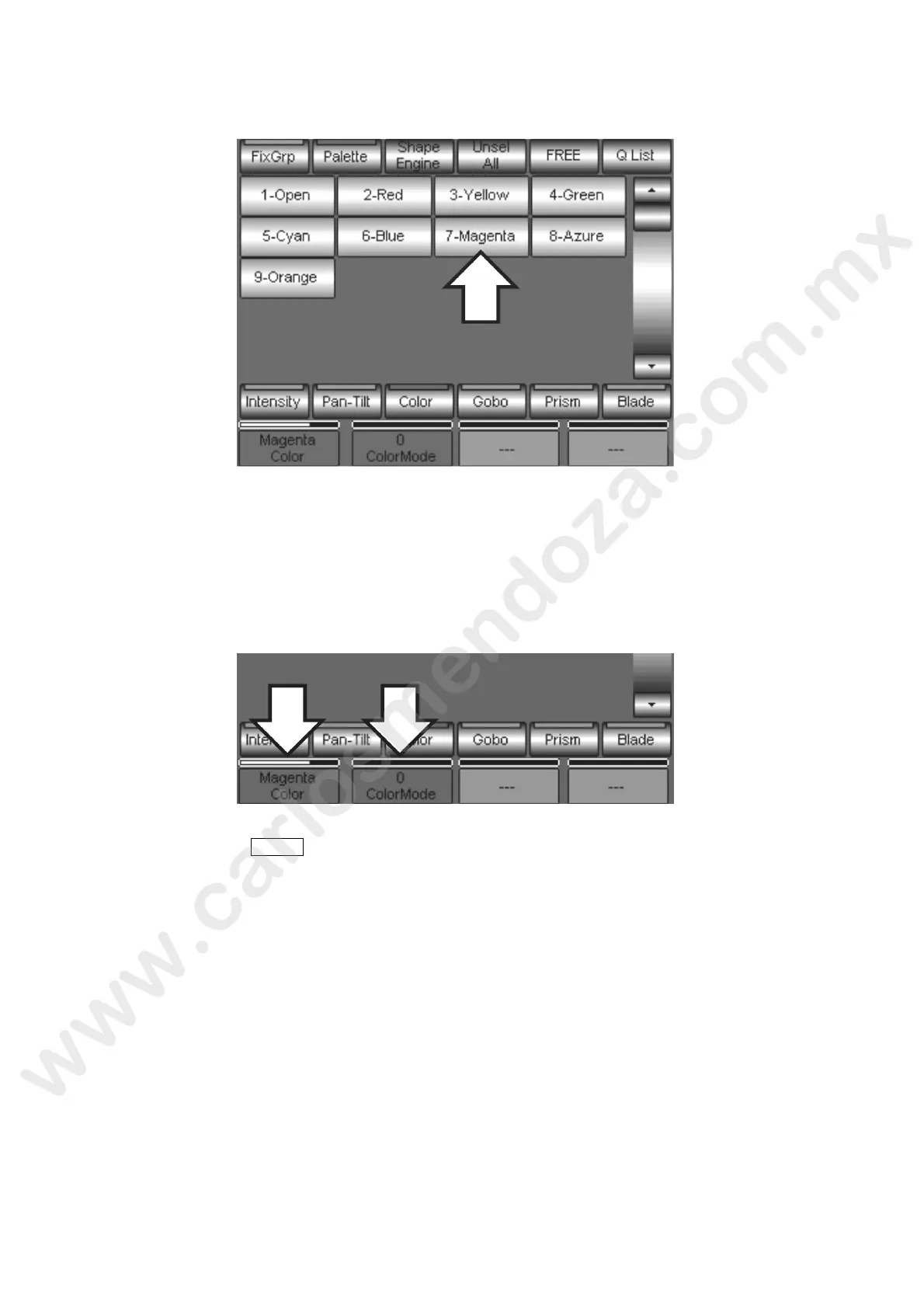
Now press the Color key to access to the Color Palette.
Press the Palette of the color which you want to apply to the Cue. In e a ve example we have
chosen the Palette number 7 Magenta.
Also in this case the red space related to the Color Attribu e shows the name of the Palette to
which it refers (Magenta) and no longer a numerical value
Whilst the ColorMode Attribute keeps showing the numeri al value (Zero); this means that the
Palette number 7 Magenta is a Partialized Palette.
Save the Cue by the STORE command and then Cue.
All the eventual modific tions applied to the “KEYB” and/or “Magenta” Palette will be visible in the Playback
of the Cue just sa ed.



 To Next Page