GB SGM Technology for lighting
User’s Manual 1.00 Pi
lot 3000
- 54 -
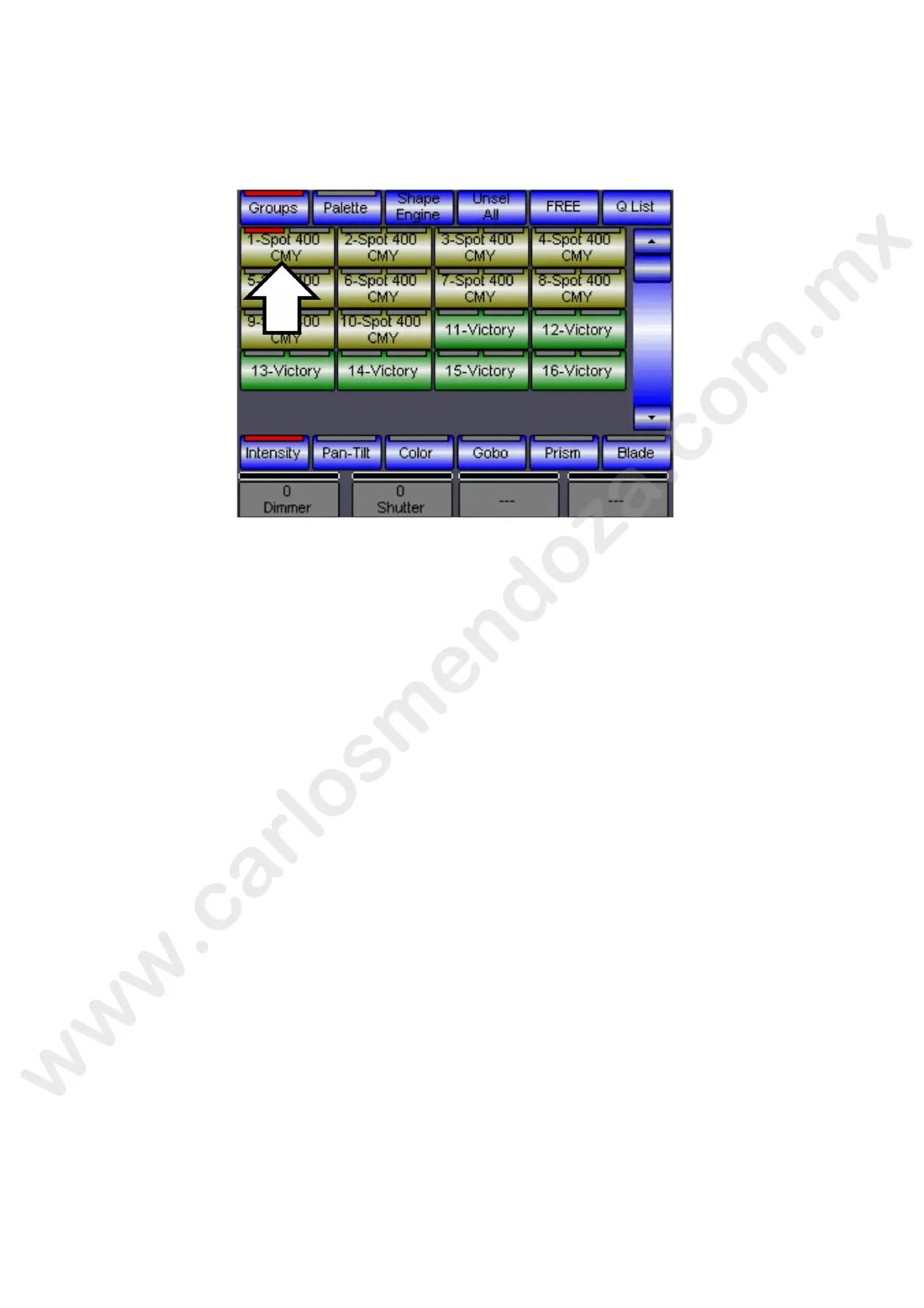
The selection is done through direct actions using the main interface (touch panel) into the selection area,
pressing the keys related to the fixtures desired. In the below example, Pilot 3000 has been configured to
control 10 Giotto Spot-400 CMY and 6 Victory II 250. The selection of the first Giotto-400 is easily
recognizable by the red LED on the related key.
Pressing the fixtures keys you enable the related fixture selecti and the access to the handling of all the
relevant Attributes (Pan, Tilt, Dimmer etc..).
The selection of more types of fixtures allows entering a l the Attributes of the fixture lastly chosen and at
the same time to the Attributes common to the diff rent types of fixture (that is all the Attributes with the
same name; in Ex Dimmer or Pan Tilt etc).
To remove the selection of one or more fixtu e simply press again the related selection keys.
To remove the selection of all the fixtures p ess the key Unseal All on the upper Tool-bar.
SELECTION OF THE FIXTURES THROUGH GROUPS
A
simply and fast way to select he projectors is that of using the Groups.
In fact it is possible to speed up the programming directly selecting Groups of projectors previously
created.
Pilot 3000 allows aliz g a set of selection groups accordingly to the control requirements of each
operator. Select group of projectors by pressing a single key instead of pressing each key for every
fixture, this operati speeds up and simplify the programming procedure.



 To Next Page