SGM Technology for lighting GB
Pilot 3000 Us
er’s Manual 1.00
- 55 -
To enter the groups selection window simply press the Groups key on the upper Tool-Bar.
Press once again the same key (which will have now the Fixture label) to visualize the fixtures.
The standard selection groups are automatically created by Pilot 3000 already in phase of console
configuration.
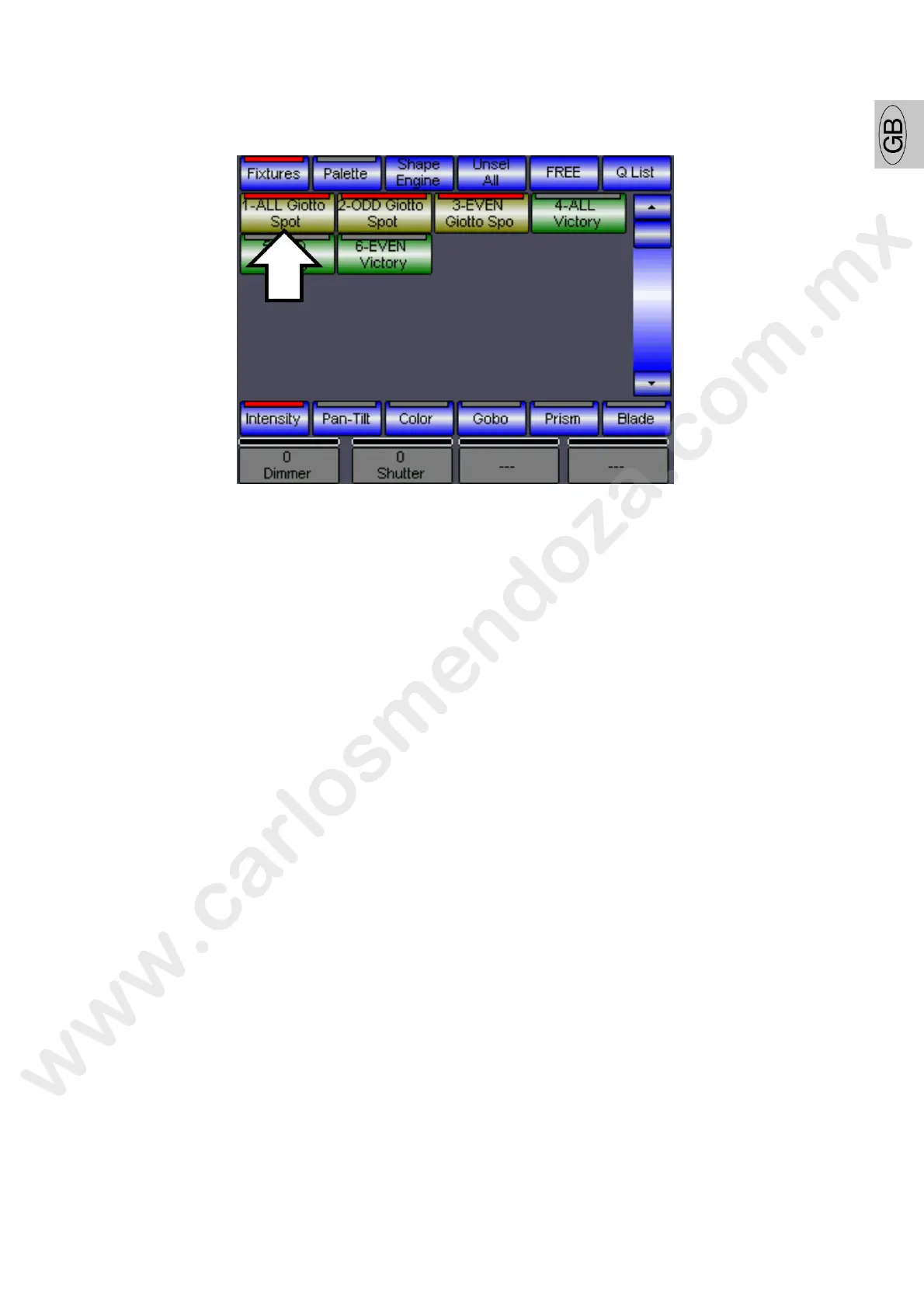
As you can notice in the above figure, at each type of fixture c nfigured, Pilot 3000 automatically creates
three different selection groups:
ALL to select all the projectors of the same type (i.e. G tto Spot 400 CMY)
ODD to select only the odd projectors of the sam typ (i.e.: Giotto 1,3,5 etc..)
EVEN to select only even-numbered projectors the same type (i.e.: Giotto 2,4,6 etc..)
As for the fixture selection, the red led switched on a key of a group identify its activation.
In the case shown by the above figure the key “ALL Giotto Spot” enables also the other key groups “ODD
Gi
otto Spot” and “EVEN Giotto Spot” as all the projectors managed by these 2 last groups are included into
the “ALL Giotto Spot” one.
To remove the selection of one r more Groups as for the fixtures, simply press again the keys of the
active groups. To remove the selection of all the active groups, press the Unseal All key on the upper
Tool-bar.



 To Next Page