GB SGM Technology for lighting
User’s Manual 1.00 Pi
lot 3000
- 74 -
The editor appears automatically, restoring the status of the Attributes into the Cue
Modify the Attributes
Press the UPDATE key to confirm the saving of the modifications just applied.
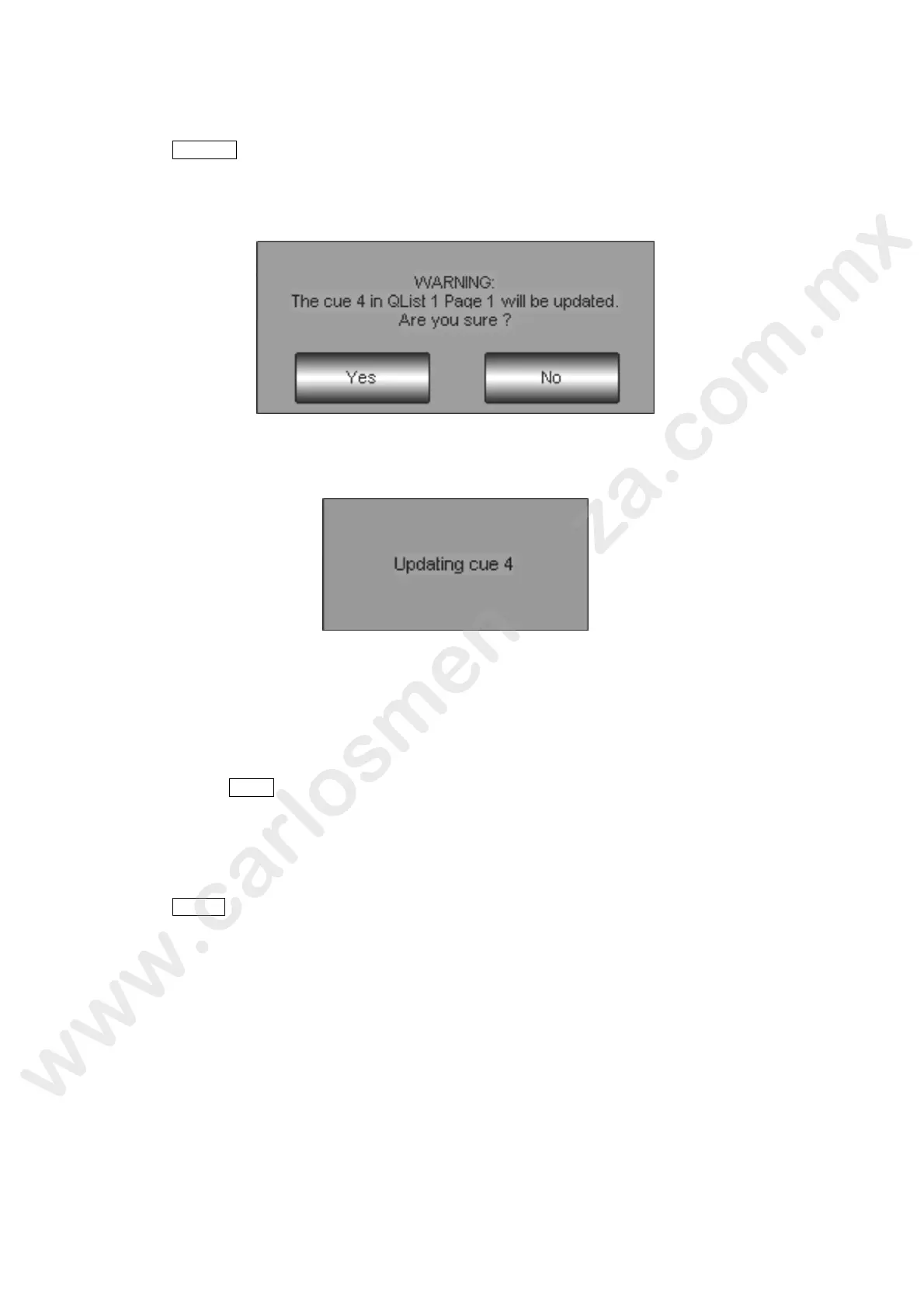
A Warning window appears before proceeding with the update. Press Yes if you want to proceed or No
if you don’t want to save any Cue modification.
Wait the completing of the Updating operations indicated by the windows appearing.
More rapid Cue updating systems will be available i the future software versions.
MANUAL-CUE MODIFICATION
T
o re-load and update a Manual-Cue in the editor, in order to carry out a necessary modification, simply:
Keep pressed the LOAD key
Press the “Function key” of he Controller owing the Manual-Cue to modify
Apply the necessary mo ifications from the Editor
To update the manual cue follow the same procedure used for the saving:
Press the STORE ey
Press the “function key” of the addressing Controller
Insert aga n the Manual-Cue name using the alphanumeric keyboard on the Touch panel.
C nfir with Enter



 To Next Page