GB SGM Technology for lighting
User’s Manual 1.00 Pi
lot 3000
- 78 -
THE CHASE MODE
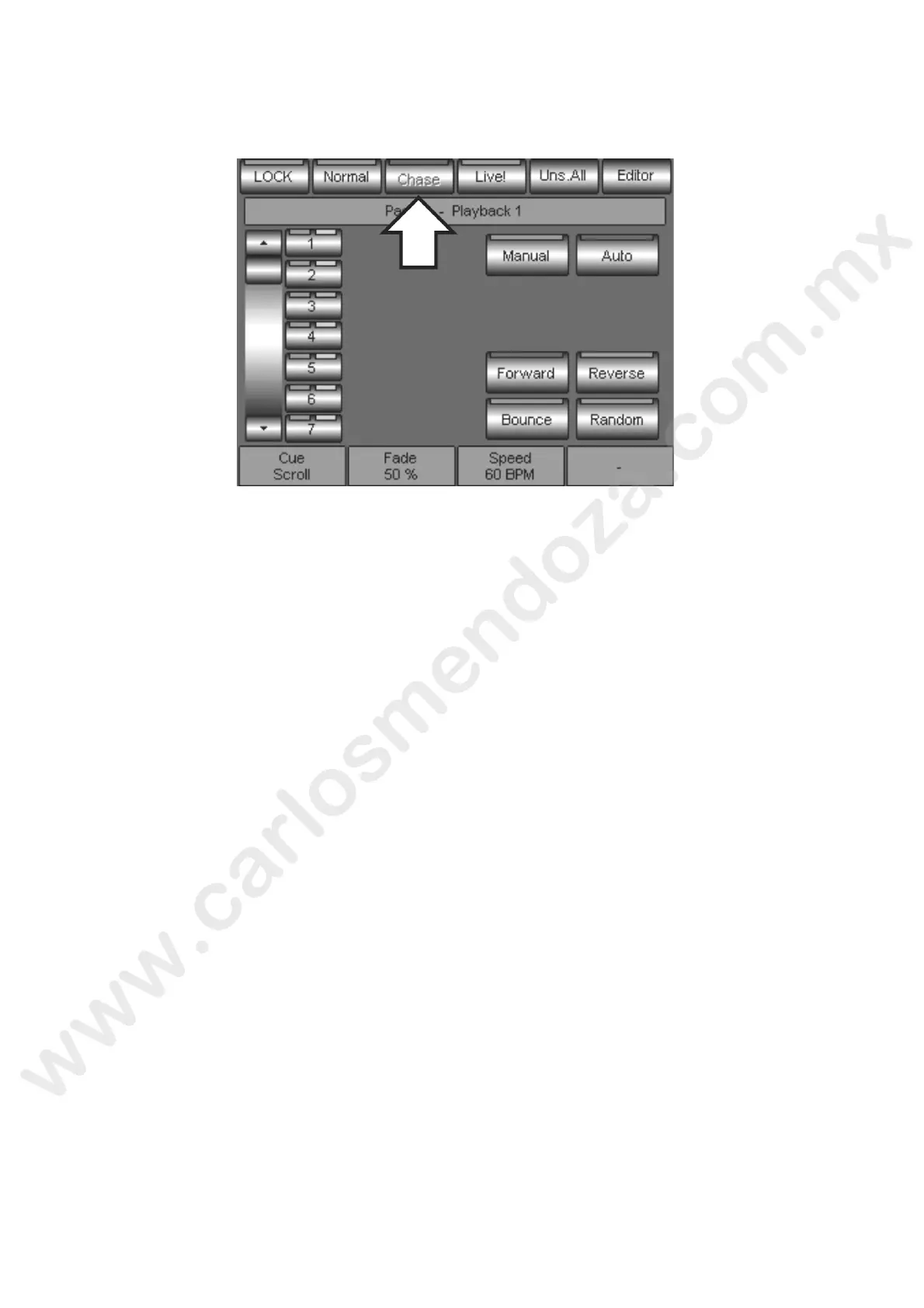
By pressing the Chase key the Cue-List is converted into a Chase.
This causes, in a sequential and automatic way, the Cues Auto-trig eve y t me the Chase is activated
through the Playback key of the relevant Register.
As shown in the picture, the Chase panel gives access to the Ch e visualization and its eventual setting.
The control Chase keys are:
Manual: if active, it enables the Chase manual contr l through the Register key
Auto: if active, it enables the Cues Auto-trig st tus
Forward: it selects the Triggering direction f om the first Cue to the last one
Reverse: it selects the Triggering direct on from the last Cue to the first one
Bounce: it selects the triggering m de up and down (ping pong)
Random: it selects the casual triggeri g mode
As previously described for the Normal mode, also in this case the Cues triggering is indicated by the Cue
keys LEDs, with the Cyan co or fo the Cues already activated and the Green color for the currently active
Cue.



 To Next Page