SGM Technology for lighting GB
Pilot 3000 Us
er’s Manual 1.00
- 59 -
CUSTOMIZATION OF THE GROUP PANEL LAYOUT
The group’s panel can be customized in the keys color and in their labels.
Group’s key color
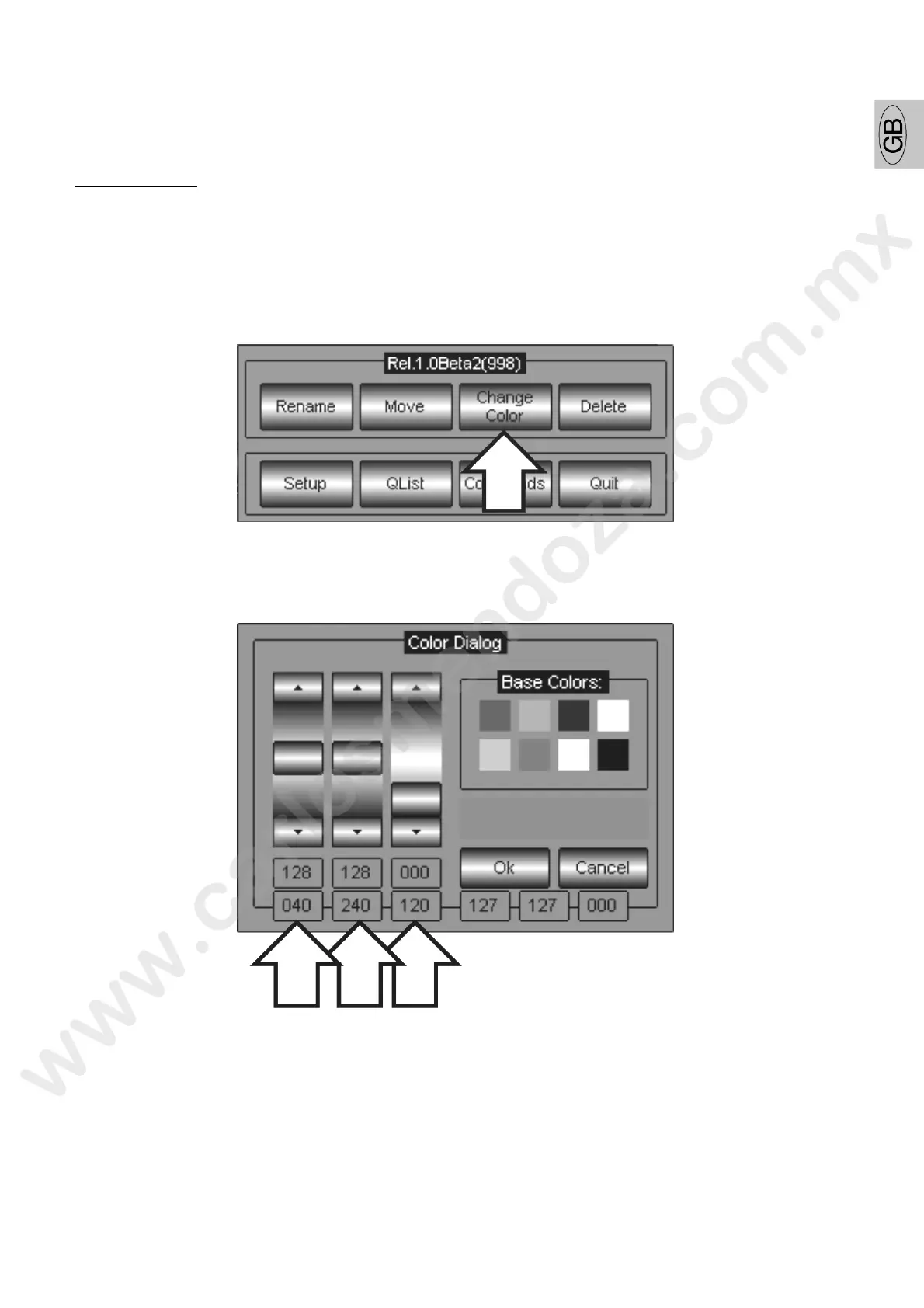
To assign a color to the fixture keys proceed as follows:
select a group to which changing the color
press the MENU key
press the Change Color key
Create the color desired by mixing the R-G-B channels. Th mi can be done with the scroll bar directly
from the Touch Panel or using the first three Wheels controll g the Parameters.
press Ok to confirm and go out from the Color Dialog menu.



 To Next Page