GB SGM Technology for lighting
User’s Manual 1.00 Pi
lot 3000
- 92 -
CREATING PARTIALIZED PALETTES
The STORE Pan-Tilt command creates a Palette with the values of all the Attributes of the Pan and Tilt
category for the selected fixtures, only if these Attributes all have a set value (i.e: Pan= 20%, Tilt=43%,
P/T Speed=0%,).
The LOCATE command assigns to all the Attributes of the selected fixtures, a precise value.
This ensures that, saving the Palette, a specific value will be included to all the Attributes belonging to that
Palette (modified or not).
It is also possible to create Palettes that do not contain information about all the Attributes related to that
type of Palette, but only part of them.
This can be very useful in those cases in which it’s necessary to create Palettes that only affect specif c
Attributes and not all of them within the same category.
The simplest example regards the creation of Color Palettes for fixtures having two color wheels.
In fact, it can be helpful to realize color Palettes that only involve the first color wheel, witho t interfering
with the Palettes related to the second color wheel.
In this way, it will be possible to mix the various Palettes of each Color wheel, increas ng the number of
possible combinations.
To create a Pan Tilt “partial” Palette, proceed as follows:
Select the fixtures which will be involved into the new Palette
Push the LOCATE key.
Assign a position to each fixture
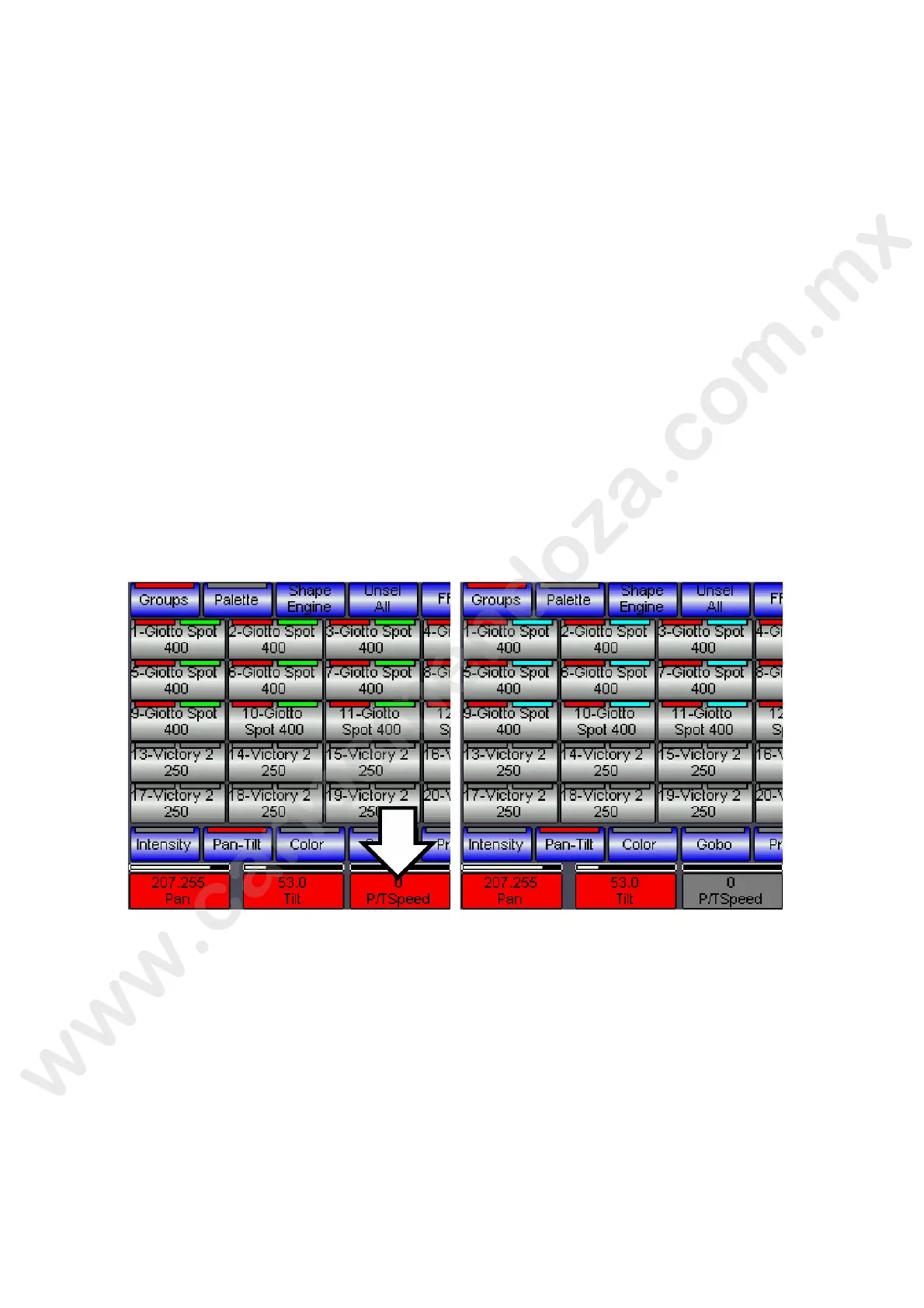
Push ow he Red cell above the Encoder wheels, related to the Attribute intended not to be stored into
the Pal tte (in the above picture the “P/T speed” Attribute). The cell will change to Grey color.
Push the STORE key.
ush the Pan-Tilt key from the pop-up window “Choose Object”
Digit the name for the new Palette by using the alphanumeric keyboard appearing on the Touch screen.
Push Enter to confirm and store the new Palette.
In this way the operator will have always available the information about fixture positions on the Palette
having, at the same time, the freedom to change the Speed information into the Cues, while programming.



 To Next Page