GB SGM Technology for lighting
User’s Manual 1.00 Pi
lot 3000
- 94 -
DELETING A PALETTE
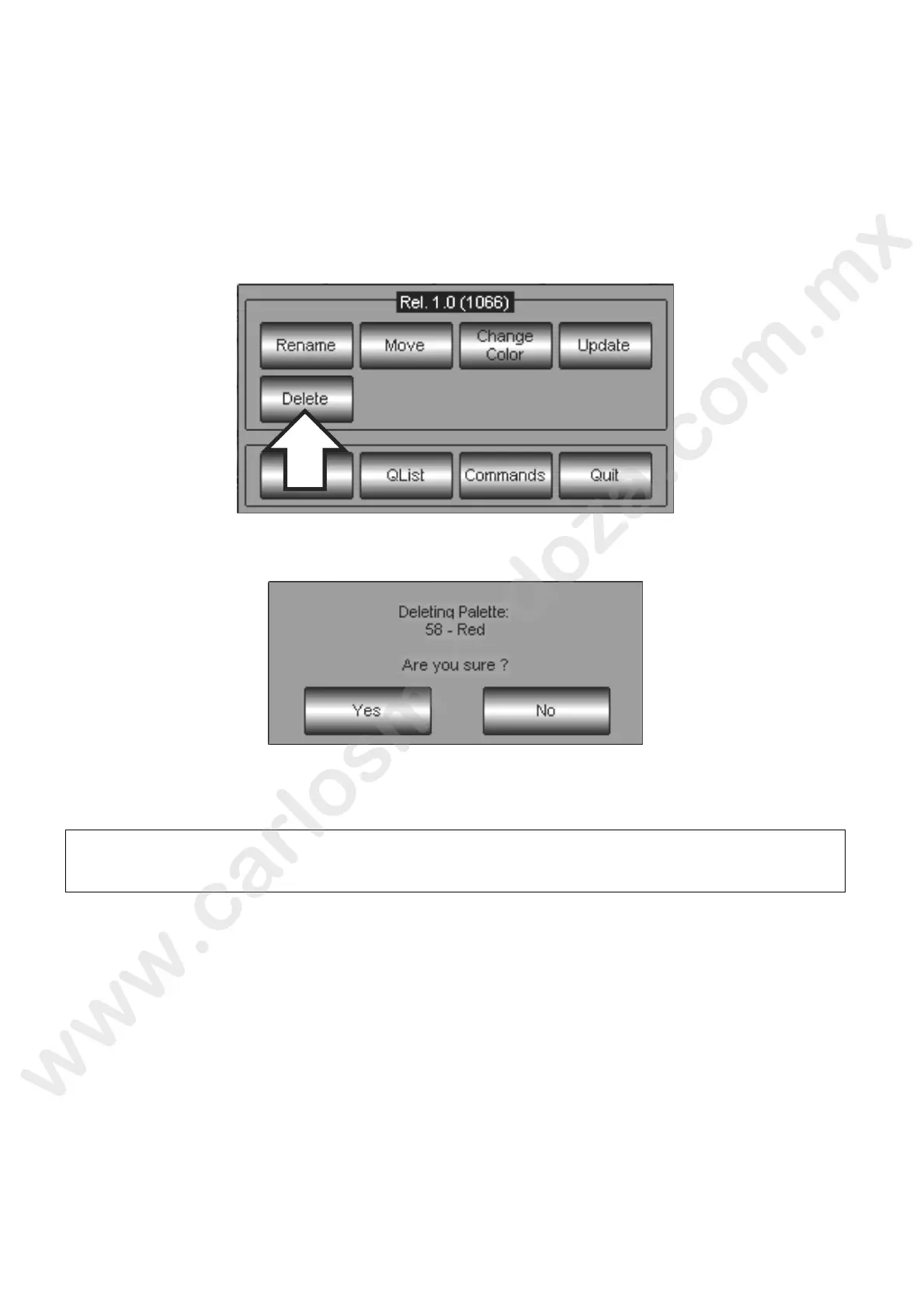
To delete a Palette, proceed as follow:
Select the Palette
Push the MENU key.
Push the Delete key from the appearing pop-up window
A pop-up Warning window requiring an additional confirm to th de ting operation will appears.
Push Yes to definitively Delet the Palette or No to interrupt the process and escape.
ATTENTION!
The Palette delete rocedure is not reversible. That means once a Palette has been deleted, is
not po sible to restore it unless making a new one (no Undo).



 To Next Page