SGM Technology for lighting GB
Pilot 3000 Us
er’s Manual 1.00
- 33 -
FIXTURE CONFIGURATION
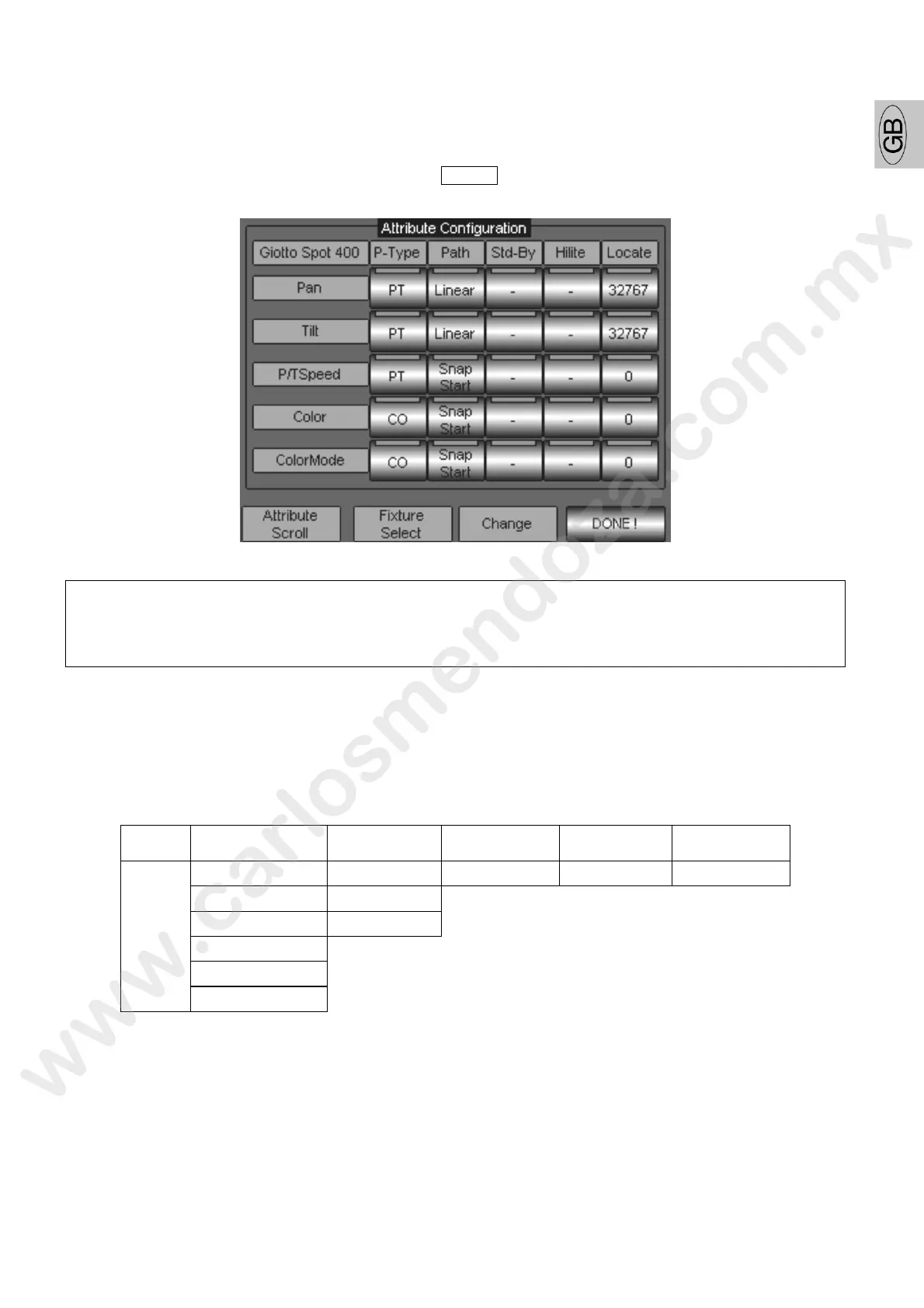
The "Fixture Configuration" panel gives the access to those configuration menu which allow
modifying the attributes for the fixtures already patched.
To enter the “Fixture Configuration” panel, push Menu -> Setup -> Fixture configuration
ATTENTION !
Is extremely important to understand the right meaning of each single Attribute option,
since a correct configuration will permit to s ve lot of time during the programming
procedure and avoid not co rect behaviour of the fixtures.
Each Attribute (channel) for each type of fixtu e patched, has got an amount of features which can
be modified by the user through the availab e list of options, according to the way the fixture will be
used either during the programming and playback procedure.
The table chart below shows a list of the Attributes features which can be modified and the relevant
options available.
P - Type Path Stand-By HI Lite Locate
IN Linear 0 - 255 0 - 255 0 - 255
PT Snap Start
CO Snap End
GB
PR
Options
BL



 To Next Page