SGM Technology for lighting GB
Pilot 3000 Us
er’s Manual 1.00
- 57 -
MOVING A GROUP
Pilot 3000 allows to choose the order in which organizing the groups. Thanks to this function the operator
can arrange the group’s keys in a more comfortable order for his personal use.
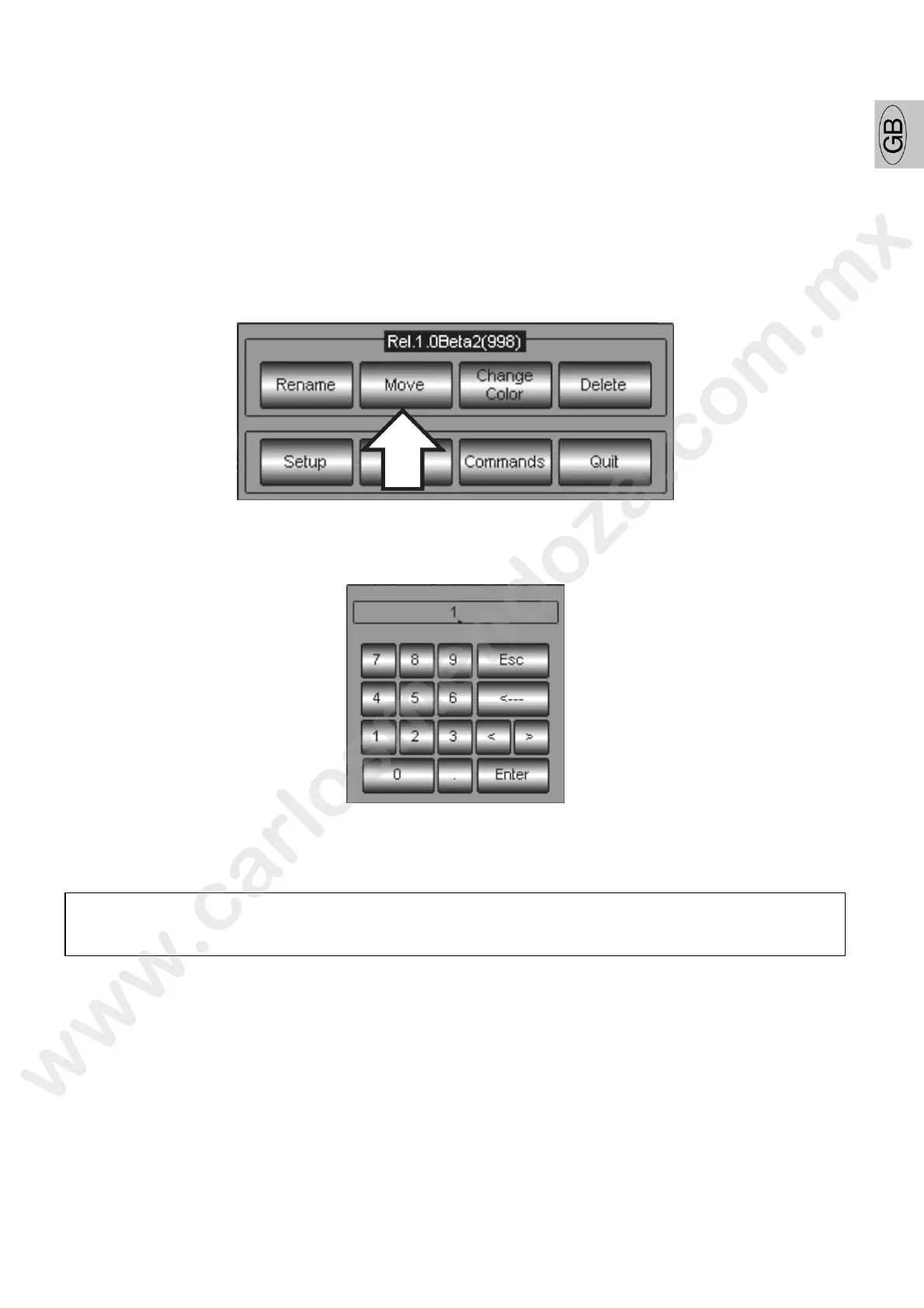
To arrange the order of the groups:
select the group
press the MENU key
press the Move key on the window just appeared
insert the new ID group number through the appearing numerical key ard
press Enter to confirm and escape.
ATTENTION!
It is not possible to assign a new ID number already belonging to another group. Each time this
will be necessary, you have to firstly release the used ID through the Move command



 To Next Page