SGM Technology for lighting GB
Pilot 3000 Us
er’s Manual 1.00
- 97 -
7.3 Use of the Palette
Once realized the Palette needed for the programming, you can proceed with the creation of the Cues
which will make use of them. If necessary, it is possible to create Palette also in the Cue-Lists programming
phase.
Here below we will see an example on how to use Palette of Color and Pan Tilt in a Cue programming.
Select a group of fixtures to program
Press the LOCATE key
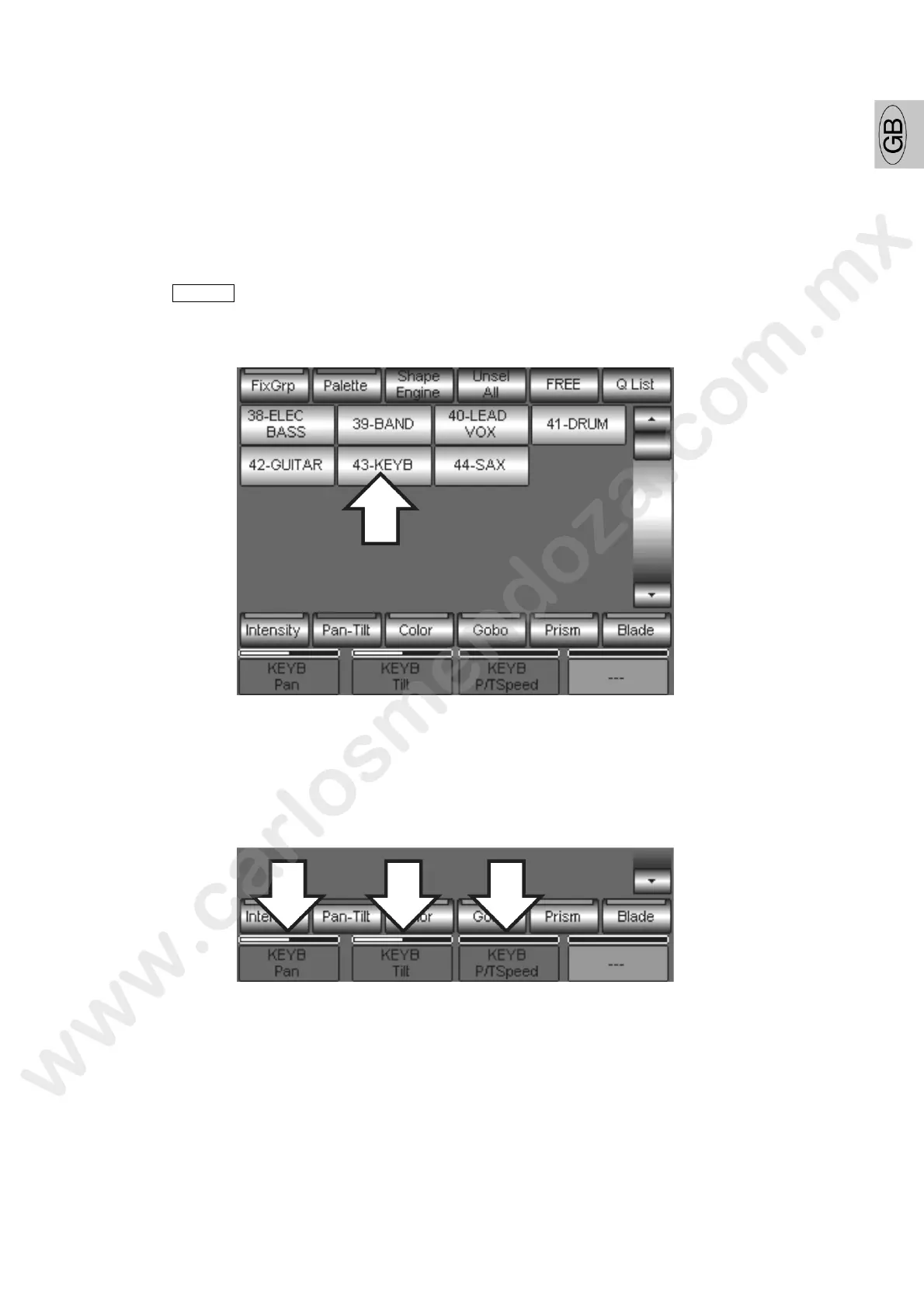
Press the Palette key and then the Pan-Tilt key. Pilot 3000 will visualize the panel for the access to
the recall keys of the Pan Tilt Palette previously created.
Now press the position Palette which you desire to apply to the Cue. In the above example the Palette
number 43 KEYB (keyboard) has been chosen..
Please notice that in the Editor r d spaces, the Pan, Tilt and the P/T Speed Attributes won’t
show numerical values but he ame of the Palette to which they refer.



 To Next Page