GB SGM Technology for lighting
User’s Manual 1.00 Pi
lot 3000
- 34 -
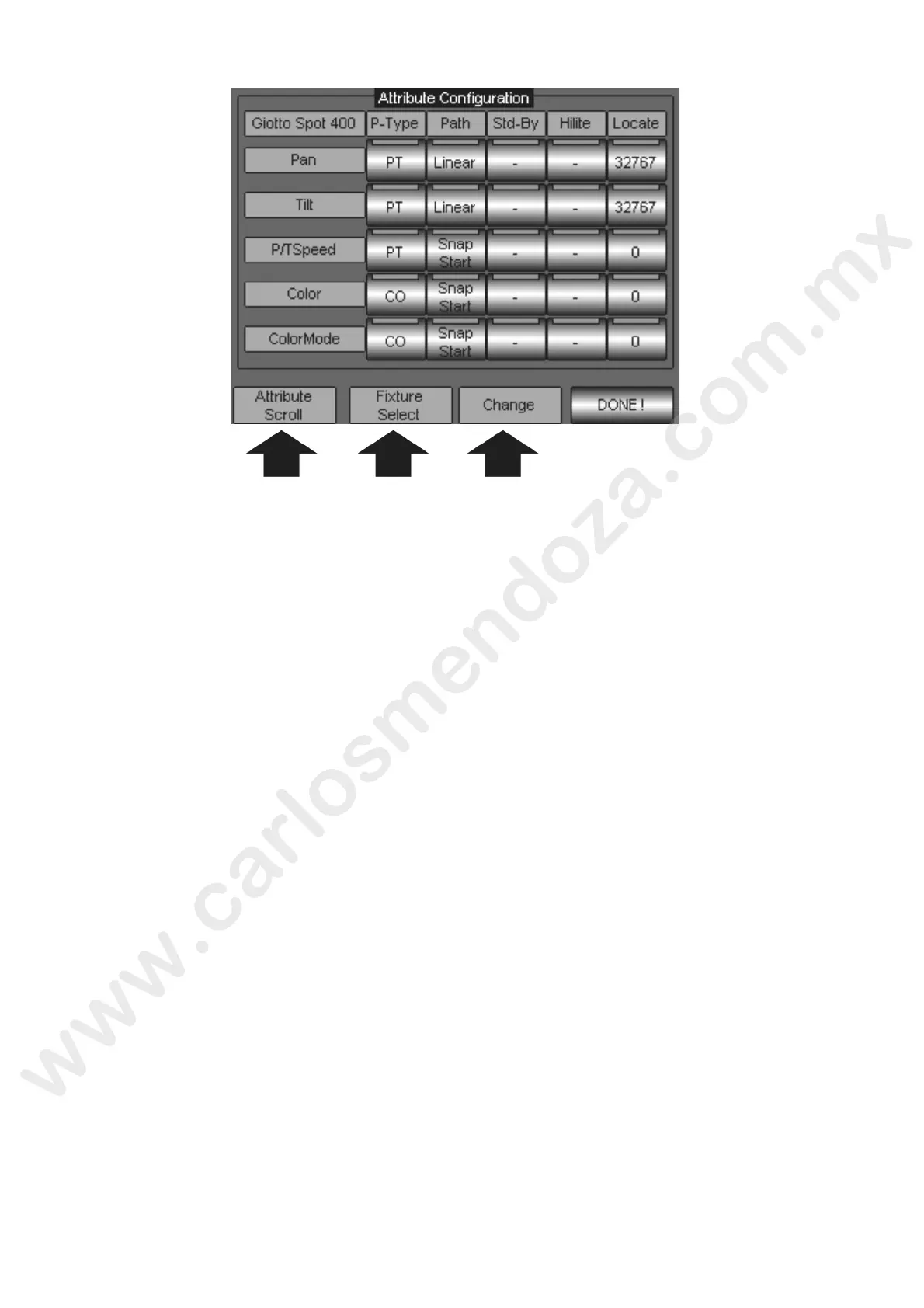
The Attribute features available for each type of fixture patched, are:
Palette Type: is defining at which categories of Palette an Att ibu e can be associated.
Path: is defining how an Attribute will react when following fade-time.
Stand-By: is defining at which value, between 0 and 255, n Attribute should remain when
released by the control of the Editor or the Playback
Hi-Lite: is defining at which value, between 0 ad 255, each Attribute will be forced in the case
of a fixture being activated by the “Hi-Lite” c mmand.
Locate: is defining at which value, between 0 d 255, each Attribute will be forced in the case
of a fixture being activated by the “Loca e” ommand.
To modify the Attribute features withi the “Fixture configuration” panel, proceed as follows:
Select the touch key related to the A tribute feature which need to be modified.
By means of the third E coder Wheel located underneath the writing “Change”, scroll among the
available options and sele t the desired one.
Push DONE! when rea y.
Wait to the end of the updating procedure showed by the progress bar.
The Encoder Wh els amed “Attribute scroll” and “Fixture select” are used respectively to:
Scrolling of the Attributes for the selected fixture.
Selection of a different kind of fixture, in the event of several type of fixtures being patched.
We w l no describe the relevant options and the way an Attribute will react to different settings for
ea h s gle Attribute feature. At first sight, all those settings might be difficult to understand if never
sed before, therefore we suggest performing some test during the reading in order to get the full
knowledge of their use and how they can be helpful to the operator.



 To Next Page