GB SGM Technology for lighting
User’s Manual 1.00 Pi
lot 3000
- 32 -
The “Address” key
By pushing the “Address” key, it will possible to change a DMX address previously assigned to a
fixture.
Changing the DMX address to a fixture will not affect the existing show which includes the fixture
itself.
To change the DMX address to a fixture, proceed as follows:
Push Menu -> Setup -> Address Patch
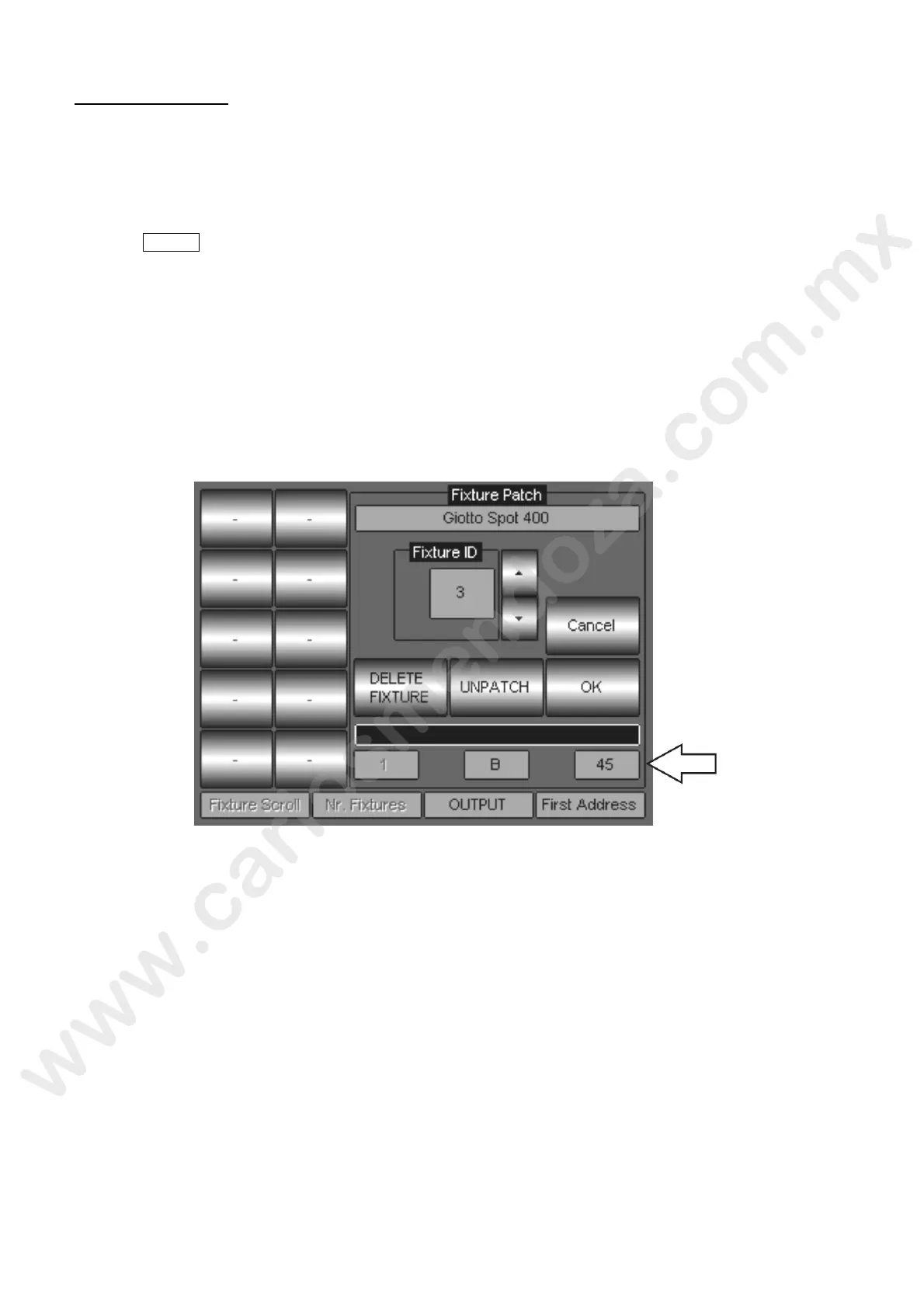
Push the touch key “Address” corresponding to the fixture which needs a change of the DMX
address.
The “Fixture Patch” field will then appear.
Assign the DMX address by means of the fourth Encoder Wheel located under the writin
“Fixture Address”.
Push OK to confirm.
Wait to the end of the updating procedure showed by the progress bar.
Once complete the procedure, push the touch key DONE! And return to the Edit r area.



 To Next Page