SGM Technology for lighting GB
Pilot 3000 Us
er’s Manual 1.00
- 31 -
The “Fixture name” key
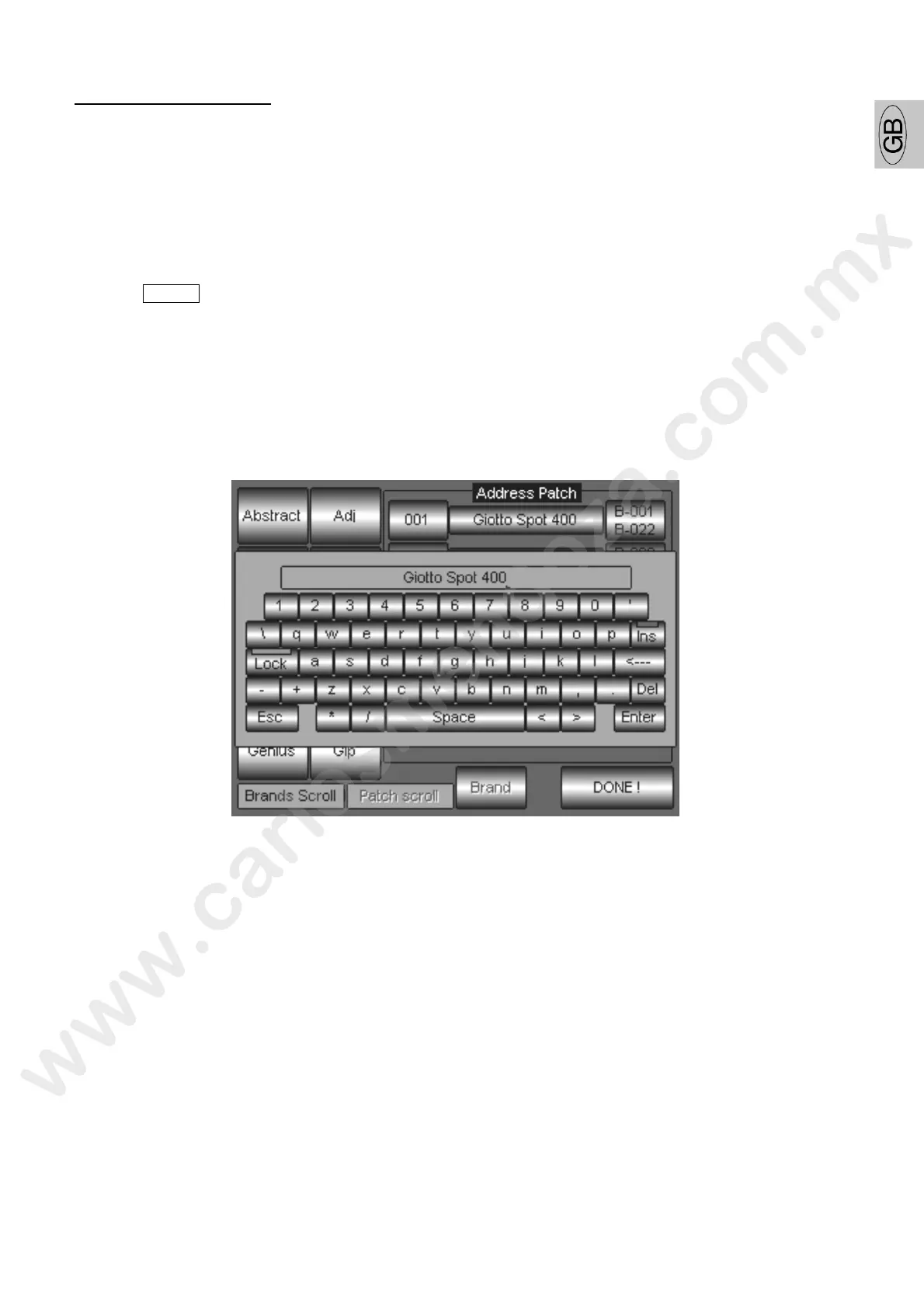
By pushing the “Fixture name” key, it will be possible to rename the fixture label (or name of the
fixture).
Assigning a different name for the fixture selected can help during programming procedure since
allows the operator to identify the fixture for a specific use into the show.
Very often happens to use conventional lighting for a show, and while programming it will be easier
to identify them by the colour of the GELs used or by their position on stage rather then a generic
name as: Dimmer1, Dimmer2, etc…
To change the fixture name, proceed as follows:
Push Menu -> Setup -> Address Patch
Push the touch key “Fixture name” corresponding to the fixture which is intended to be
renamed.
A virtual keyboard will appears on the screen allowing editing the name.
Push Enter to confirm the new name.
Once complete the fixture rename procedure, push the touch key DONE! And etu n to the
Editor area.



 To Next Page