GB SGM Technology for lighting
User’s Manual 1.00 Pi
lot 3000
- 30 -
The “ID” key
The “ID” key is the identification number for each single fixture.
The ID sequence is automatically generated by the console during the Patch procedure.
The ID number is very important during the programming procedure since allows the operator to
identify the fixture and allocate its position on stage.
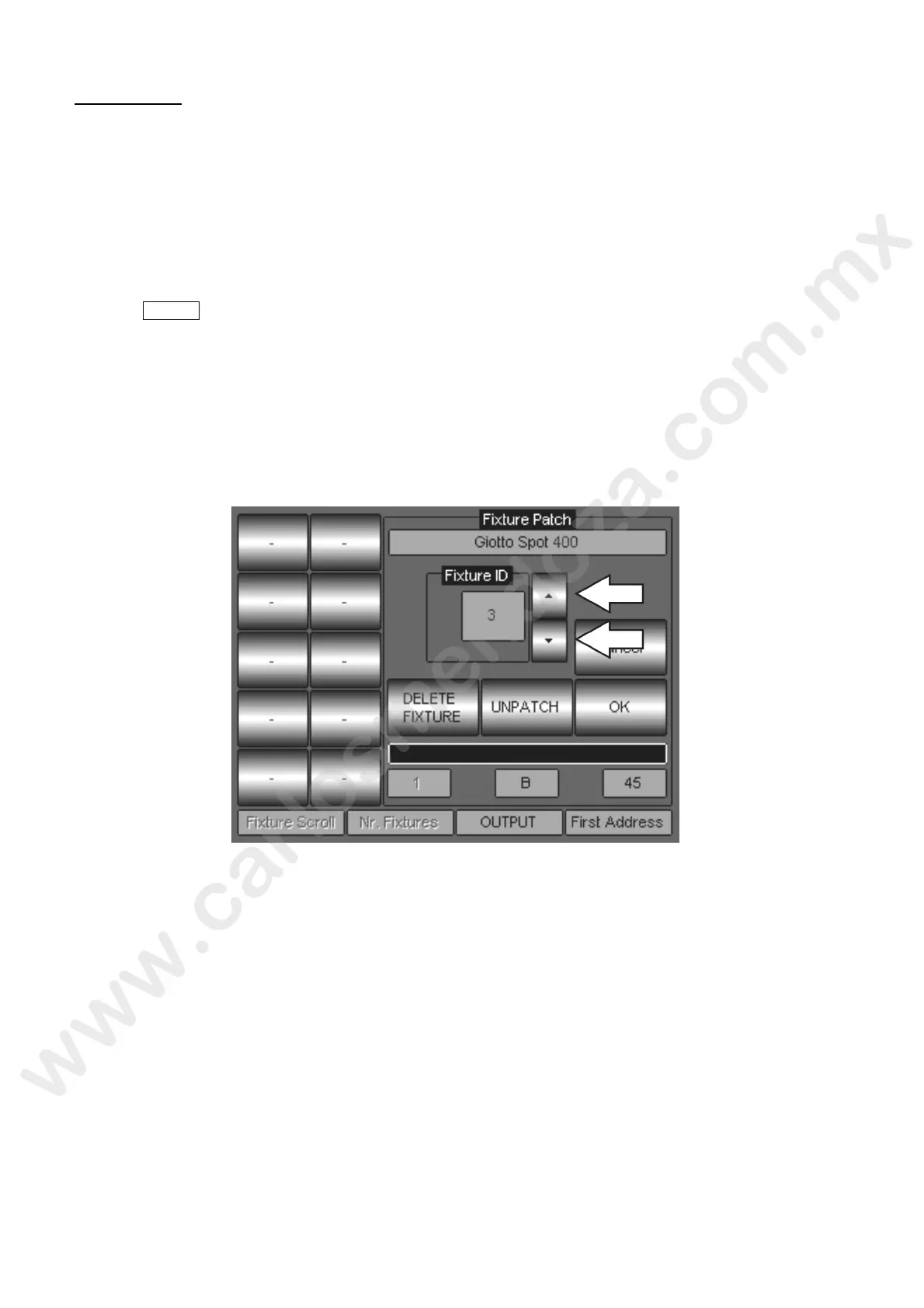
Pushing the “ID” touch key, allows changing the fixture ID according to the needs. Changing the ID
number for example, could be useful when inserting or deleting fixture to an existing show.
Changing the ID to a fixture will not affect the existing show which includes the fixture itself.
To change the fixture ID, proceed as follows:
Push Menu -> Setup -> Address Patch
Push the “ID” key corresponding to the fixtures which requires an ID change
The “Fixture Patch” will then show the field “Fixture ID”.
By means of the UP/Down touch arrows, change the ID as required.
Push OK to confirm.
Once complete the ID change procedure, push the touch key DONE! And re urn to the Editor
area.



 To Next Page