3-39
PRINTER►CONVENIENT PRINTING FUNCTIONS
Thickening fine lines in Excel
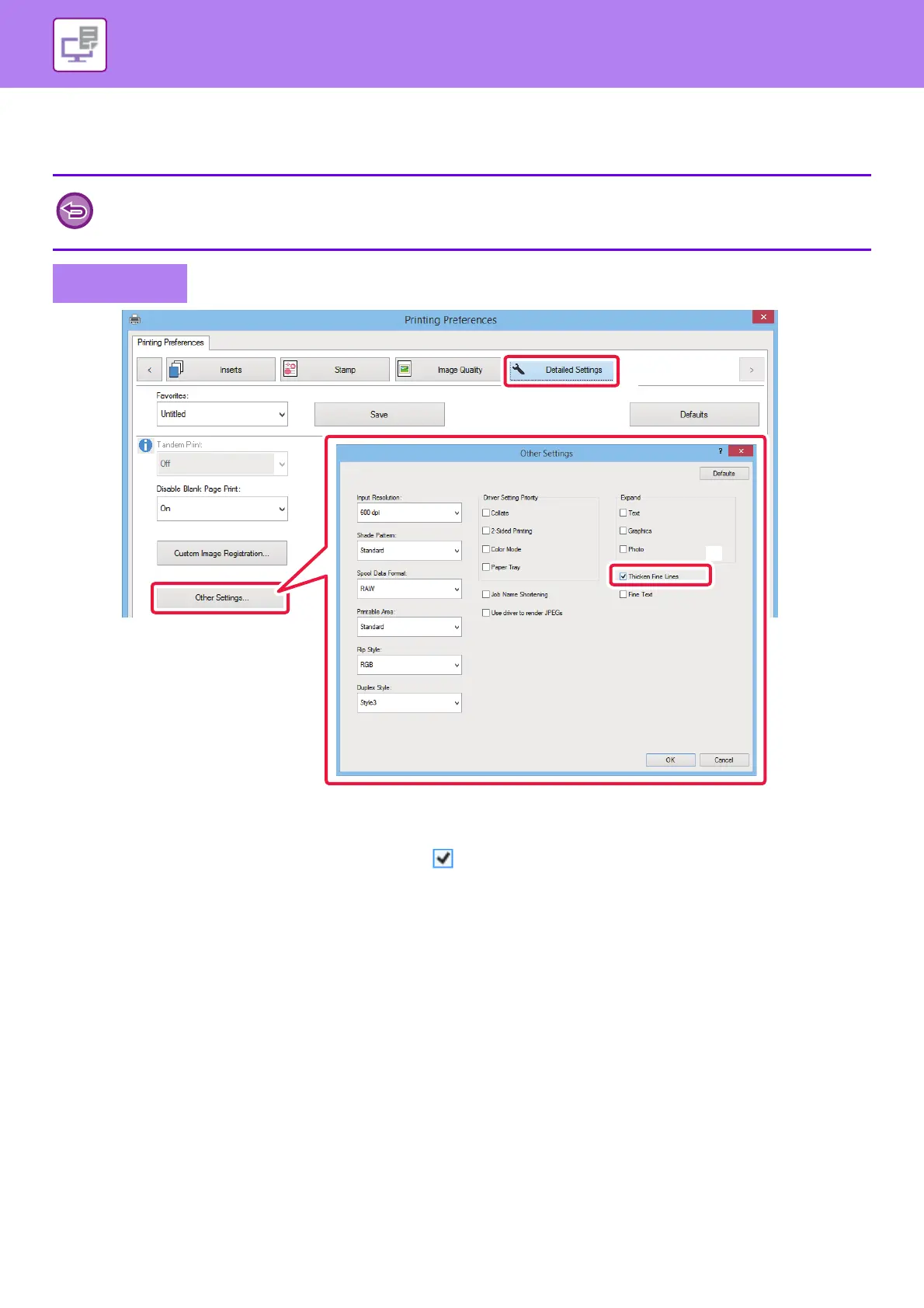
When fine border lines in Excel do not print correctly, you can make the lines thicker.
(1) Click the [Detail] tab.
(2) Click the [Other Settings] button.
(3) Select the [Thicken Fine Lines] checkbox ( ).
• This function is available in a Windows environment.
• This function can be used when the PCL6 printer driver is used.
• (Normally this setting is not necessary.)
Windows


 To Next Page