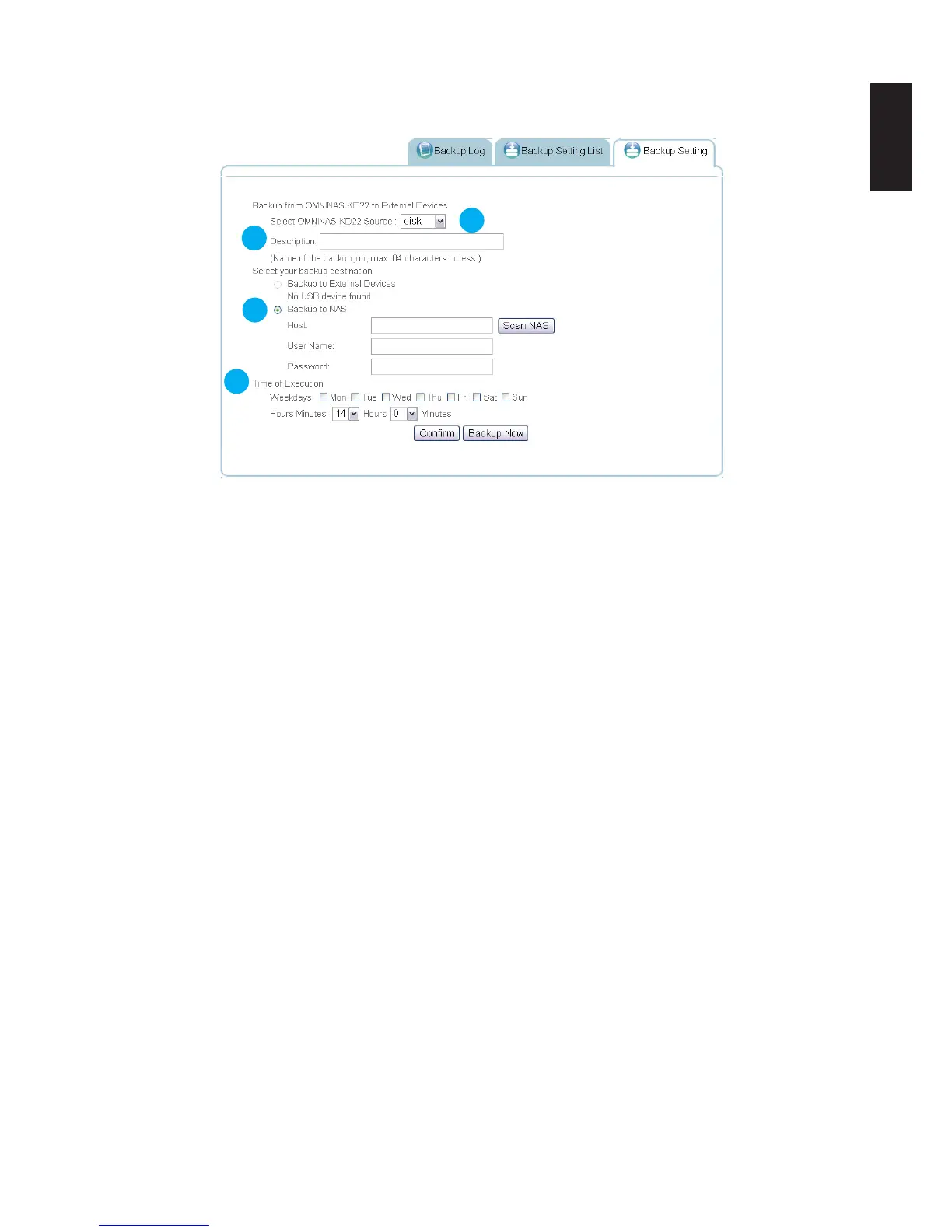
4. Select the backup destination (external devices or a second OMNINAS device in the same
subnet).
2
3
4
5
Creating a Backup Entry
External devices:
Select the external device from the Backup to External Devices list.
OMNINAS Device:
Click Scan NAS to search for a device within your network. Select a discovered device.
Alternatively, enter the host name, user name, and password of the second device.
5. In Time of Execution, select the day(s) and time to initiate the job.
6. Click Conrm to setup weekly backup according to the predened schedule.
You can also click Backup Now to begin a backup job.



 To Next Page