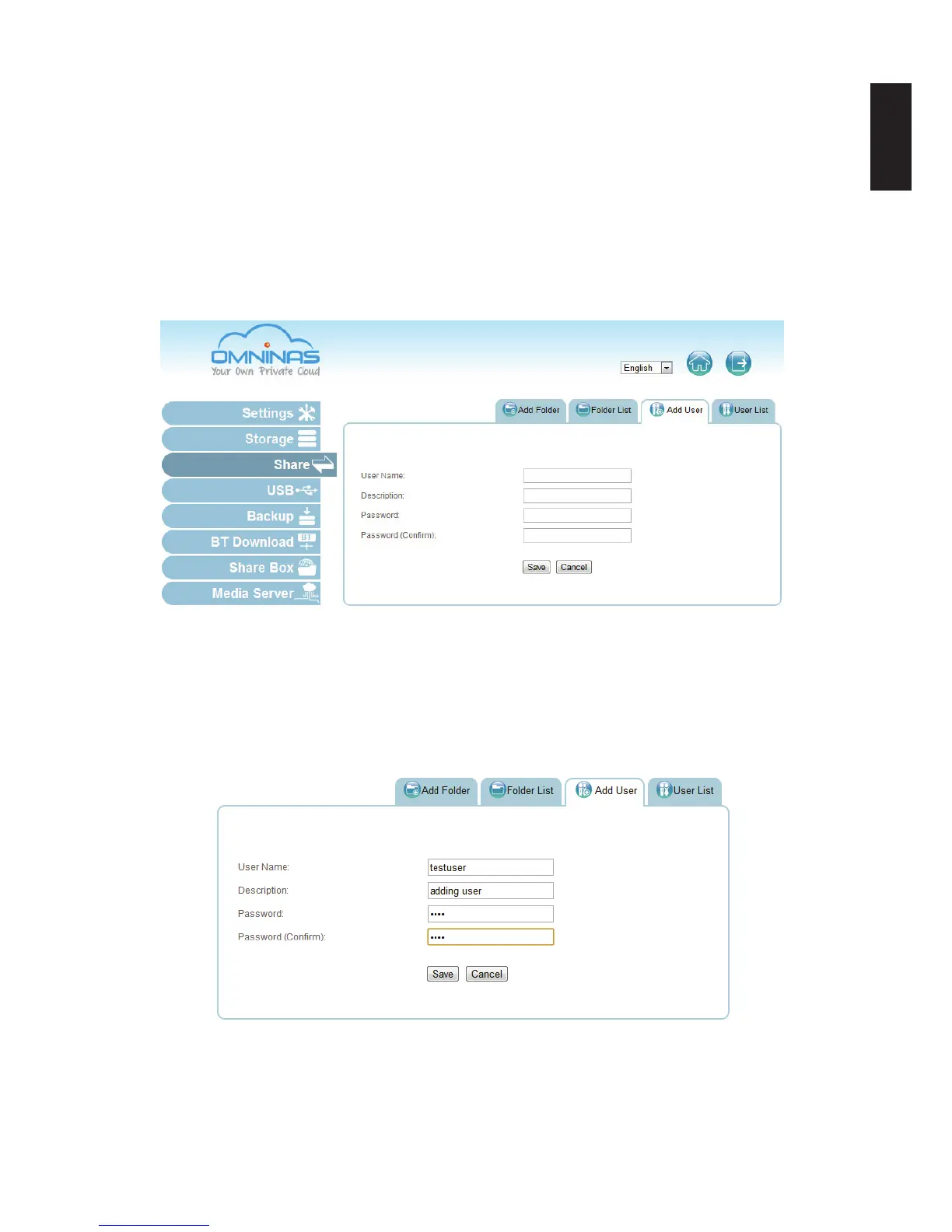
Adding Users
To create a user, the following information is required:
User name: Can not exceed 32 characters. It is not case sensitive and supports double-
byte characters, such as those from Chinese, Japanese, and Korean types.
Invalid characters are listed below:
“ / \ [ ] : ; | = , + * ? < > ` ‘
Password: Case-sensitive and supports a maximum of 16 characters. A password of at
least 6 characters is recommended.
Share Add User Screen
1. Click on the Add User tab to add a user.
2. Fill in the information and click Save.
The Save function redirects you back to the User list tab.
The new added user appears on the list.
Adding a User
Note:
Users do not have administrator privileges.



 To Next Page