Connecting the OMNINAS
Connecting the Ethernet Port
The OMNINAS must be congured and setup before use. Two connection methods are support-
ed:
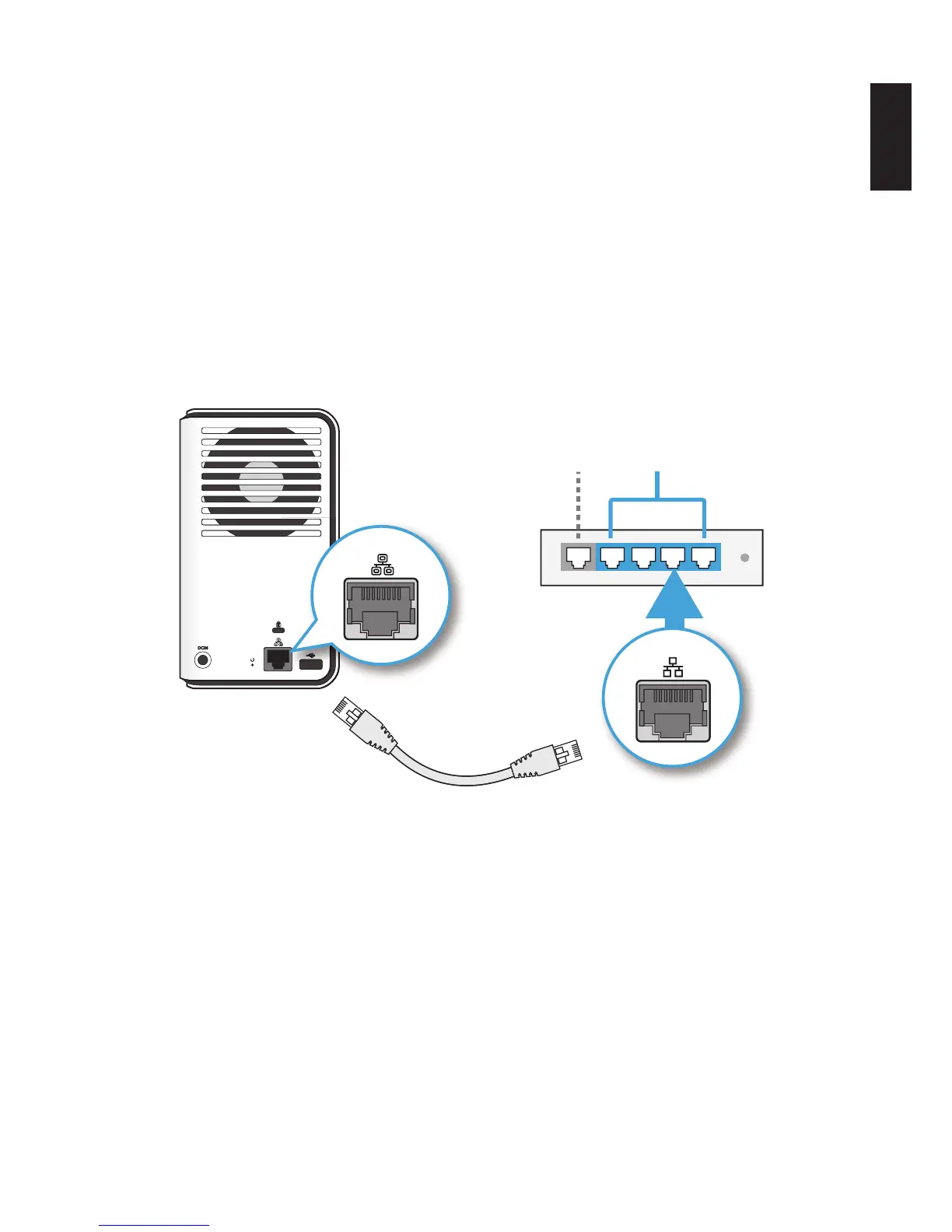
• Switch/router to OMNINAS
• Direct PC/laptop to OMNINAS
Connect to a Switch or Router
1. Connect one end of the provided LAN cable to the LAN port on the OMNINAS.
2. Connect the other end to a LAN port on the DHCP enabled router, see following gure.
LANWAN
LAN
LAN
Connecting to a Router
Your OMNINAS is now ready for powering on. See Connecting to Power.



 To Next Page