Single Disk Expansion / Dual Single HDDs
The single disk expansion function is designed to allow you to create additional storage space
without changing your current single disk mode.
Before you start, you will need to add an additional hard disk drive in HDD bay 2. See Replacing
a Drive.
Note:
New HDDs are formatted using the XFS le system.
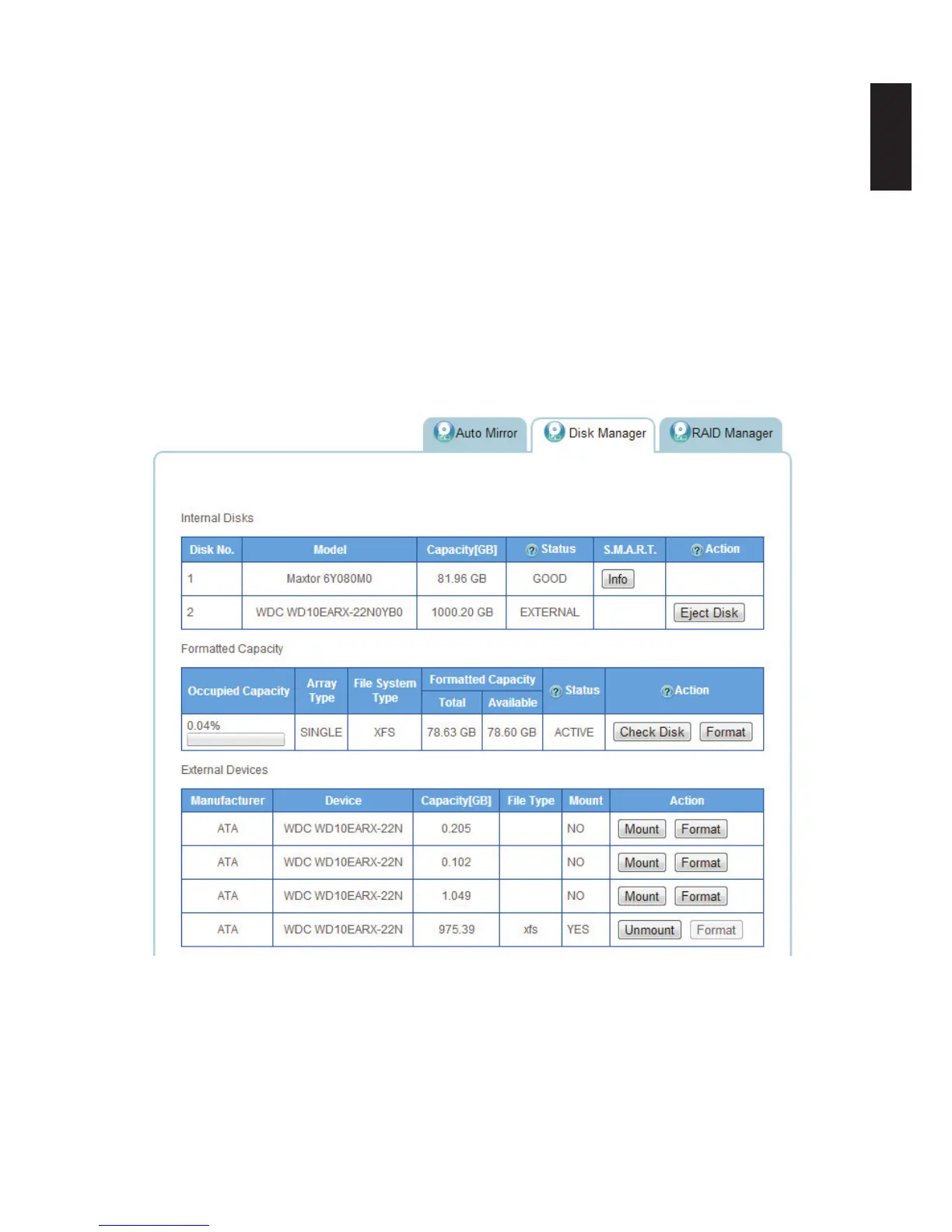
Once the external drive is installed, the disk is visible in the Disk Manager.
From the Disk Manager screen, you can Eject Disk, Mount/Unmount and Format the new exter-
nal disk.
Single Disk Expansion Prompt



 To Next Page