EasyManua.ls Logo

Shuttle Omninas KD21 - Rebooting and Powering off; Reboot the System

Shuttle Omninas KD21
170 pages
Print Icon
To Next Page IconTo Next Page
To Previous Page IconTo Previous Page
Loading...
English
English
3-63
systeM conFiGuration web interFace
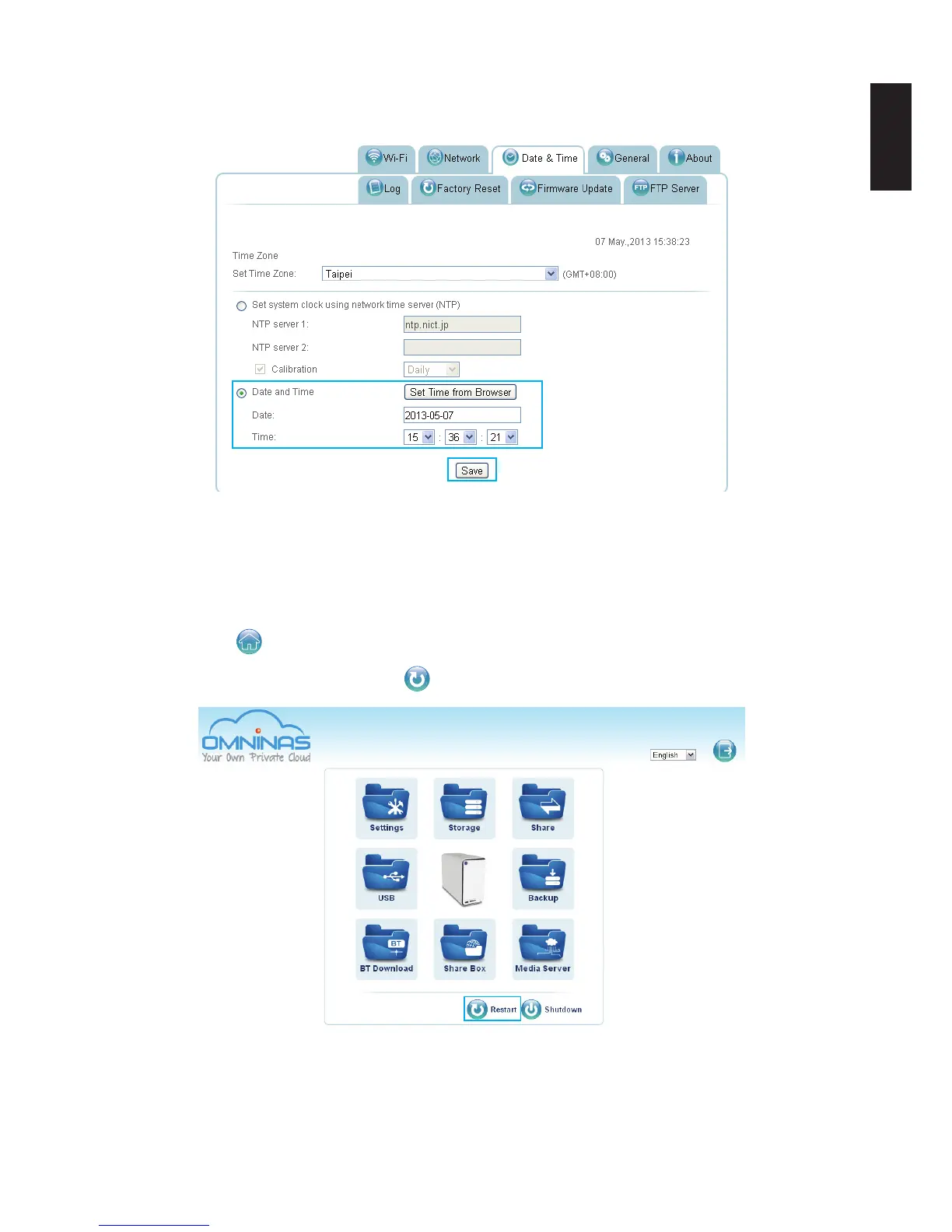
5. Set the time by selecting from the Hour, Minutes, and Seconds drop-down Time menus.
6. Click Save to keep selected changes.
Set Time from Browser Settings
Rebooting and Powering Off
Reboot the system
1. Click Home to return to the home menu.
2. On the home menu, click Restart
to reboot the system.
Administrator Home Menu


Table of Contents

Other manuals for Shuttle Omninas KD21

Related product manuals