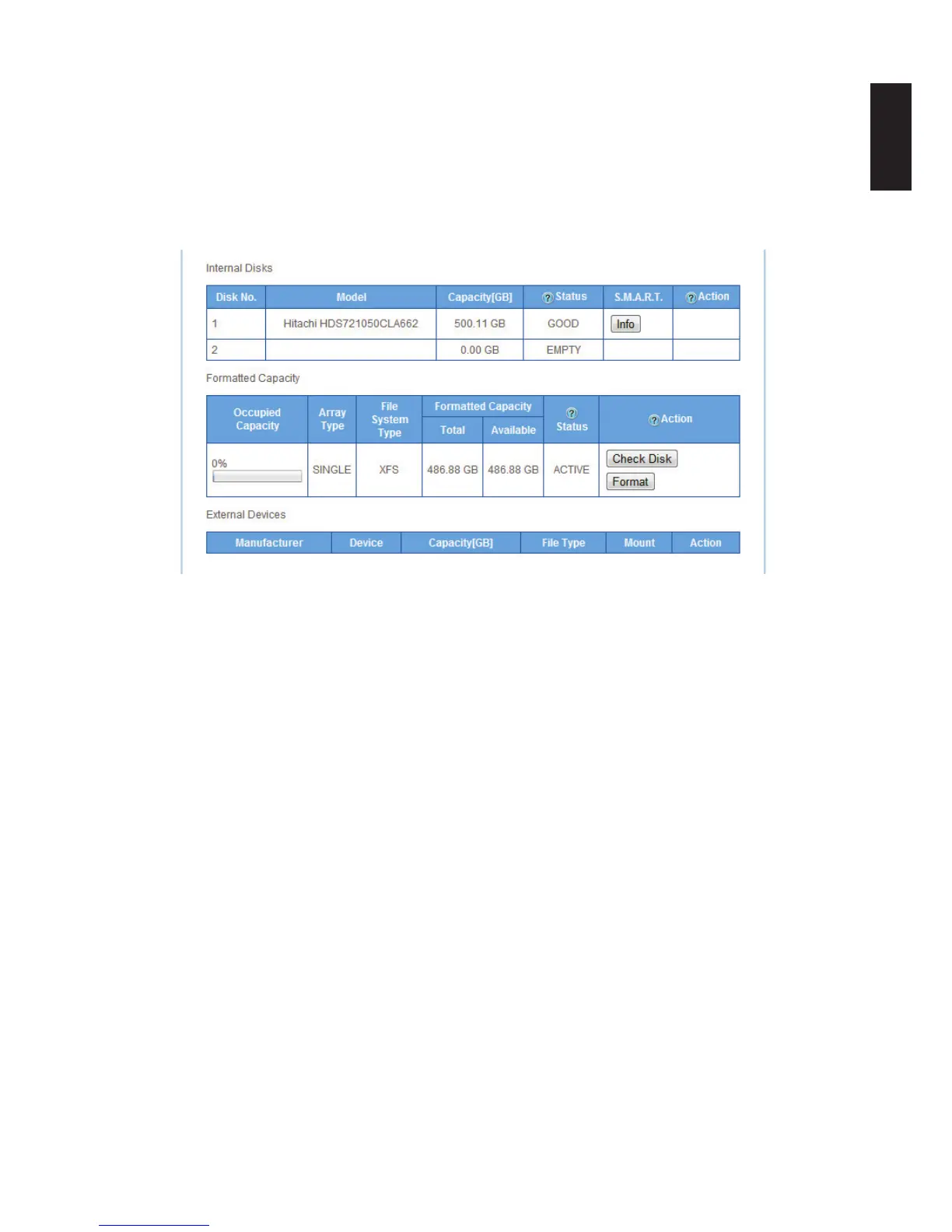
External Devices
• Mount — allow access to the disk image
• Unmount — remove access to the disk image
• Format — erases all data and prepares HDD directory structure.
• See Formatted Capacity to view total and available disk capacity for a particular drive.
Checking Disk Function
Disk Management
Disk removal is simple and easy. To accommodate the varying RAID types, hot swap and non-
hot swap disk removal is designed into the OMNINAS.
Replacing a Hot-swap Drive
You can replace a hot-swap drive (RAID 1 mode only) by using the hot-swap button found on the
front panel or through the Disk Manager menu on the OMNINAS interface.
IMPORTANT:
The formatting process deletes any data on the disk. Make sure you backup your data be-
fore proceeding. Do not power off or reboot the system to prevent damage.
To replace a drive using the Hot-swap button:
1. On the bay cover (front panel), press in the indicator to open the cover. The cover pops
open.
2. Extend the cover to allow access to the HDD trays.



 To Next Page