Twonky Server
A Twonky server provides consumer products, game consoles, smartphones, and other DLNA-
enabled devices with network access to such content as photographs, music, and videos over
a network. It acts as a network operator, centrally cataloging content stored on the devices con-
nected the network. It thus makes accessing content simpler and more convenient. There is also
an application, Twonky Beam, making this content portable on smartphones, tablets, and other
mobile devices.
This document describes conguration of this new Twonky server functionality and shows some
simple uses.
To launch the Twonky server:
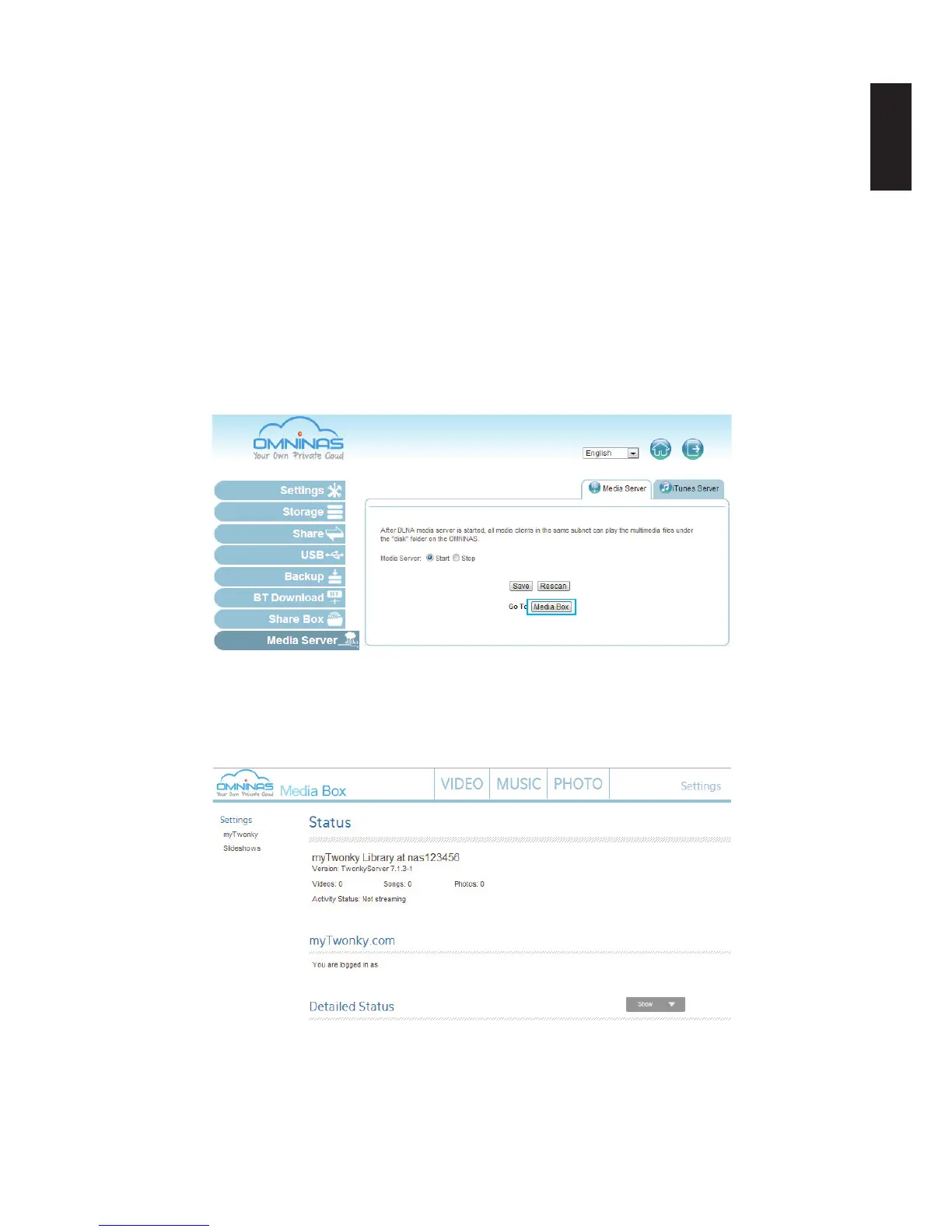
1. In Media Server, click Media Box to open a browser window and display the OMNINAS
Media Box server.
Setting Up Media Server
2. The Media Box server displays as shown in the following image.
3. The OMNINAS Media Box provides menus for viewing your video, music, and photo library.
Media Server on Twonky Server



 To Next Page