Overview
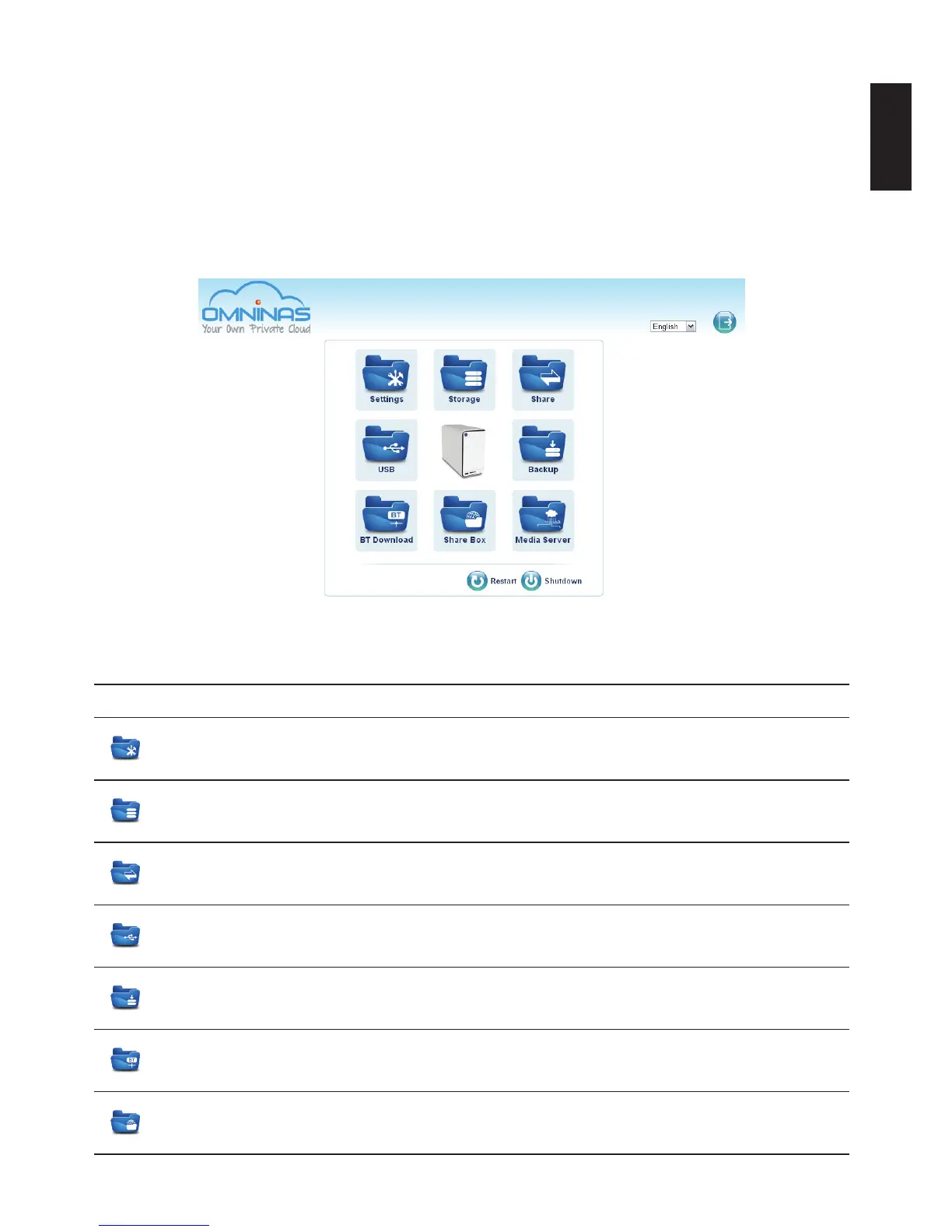
The OMNINAS Web Interface allows you to congure your personal settings through a web
browser. The Interface includes access to Settings, Storage, Share, USB, Backup, BT Download,
Share Box and Media Service. You can use the Interface to manage your devices from a local or
remote access in the same subnet group.
Home Menu
Administrator Home Menu
Home Menu Settings
Settings
The Settings menu provides access to the following functions: Wi-Fi, Network,
Date & Time, General, About, Log, Factory Reset, Firmware Update, and FTP
Server.
Storage
The Storage menu provides access to the following functions: Auto Mirror, Disk
Manager, and RAID Manager.
Share
The Share menu provides access to the following functions: Add Folder, Folder
List, Add User, and User List.
USB
The USB menu provides access to the following functions: Printer Setting and
Auto Copy.
Backup
The Backup menu provides access to the following functions: Backup Log,
Backup Setting List, and Backup Setting.
BT Download
The BT Download menu provides access to the following functions: BT Download
and BT Setting.
Share Box
The Share Box menu allows you to enable or disable the Share Box function.
Sharing is provided through the [Your Host Name].omninas.net.



 To Next Page